




Build a quote from your service catalog with descriptions and prices — send it as a PDF by email in one click.
💼 Law Firms, Agencies & Consulting
Invoicing, e-Invoice, and billing for your professional services.
e-Invoice, service fiscalization, card payments — for agencies, law firms, and consultants who want everything fully compliant.

Law firms Consulting agencies Driving schools Real estate agencies Marketing agencies IT consulting
How it works
How POS Boss works
for Professional Services
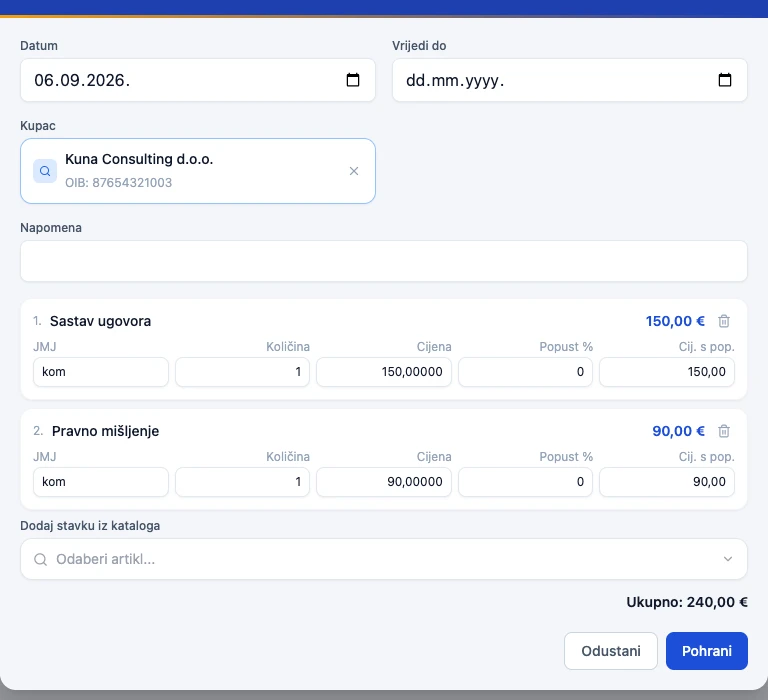
Client accepts → one click turns the quote into a fiscalized F1 or F2 receipt, with no re-entry.
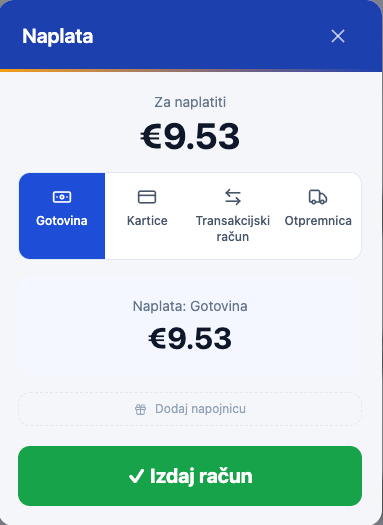
Card on a terminal, cash, or bank transfer with an automatically generated HR00 reference number — all in one place.
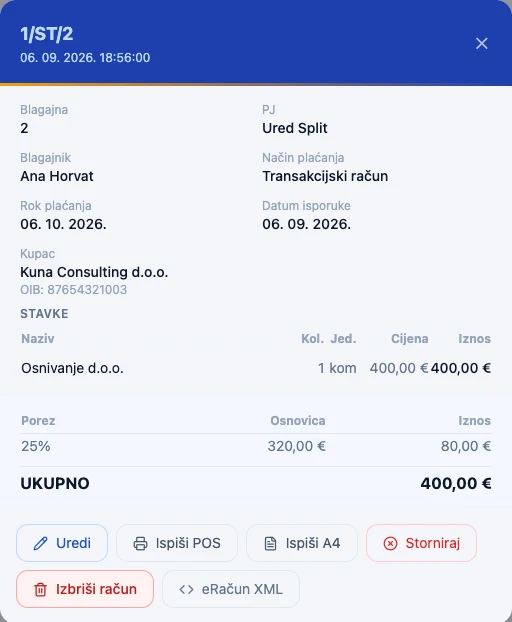
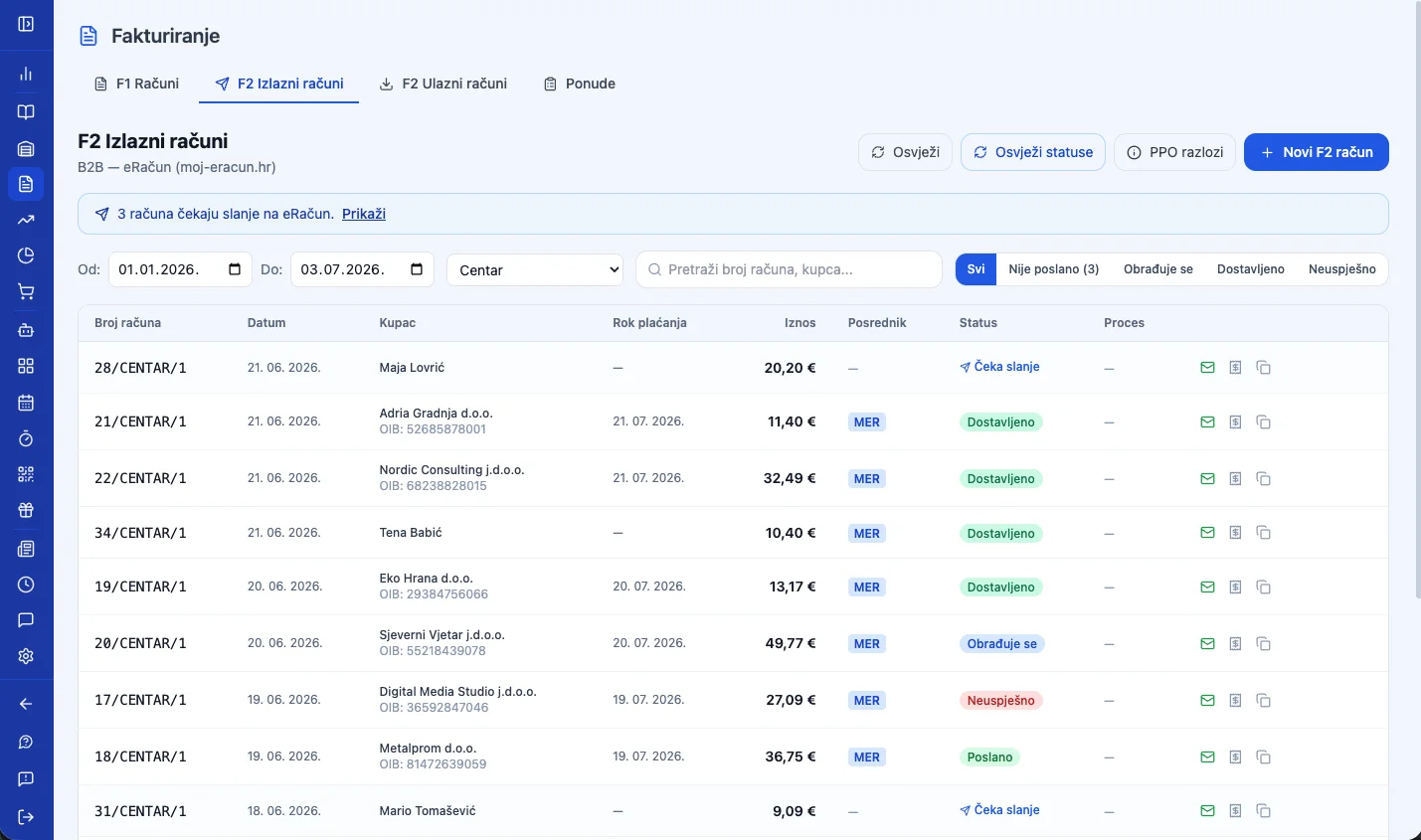
B2B e-Invoice (UBL 2.1) sent via MER, super.hr, or FINA — ready for upcoming EU regulation.
Business unit
The foundation
everything else rests on.
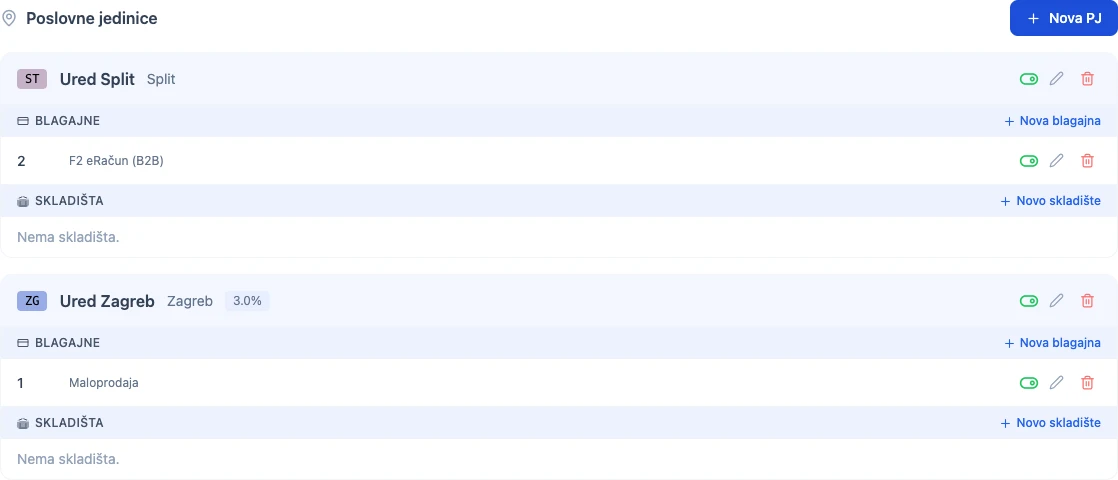
Every location — a law firm, agency, or consulting practice — has its own address, opening hours, registers, and prices. You manage them all from a single account.
01
Every location, its own settings
Address, opening hours, delivery, and its own receipt sequence per register — add a new business unit when you open a new office, with no new account or separate login.
Zagreb Office Open 8am–11pm
02
Same catalog, different price
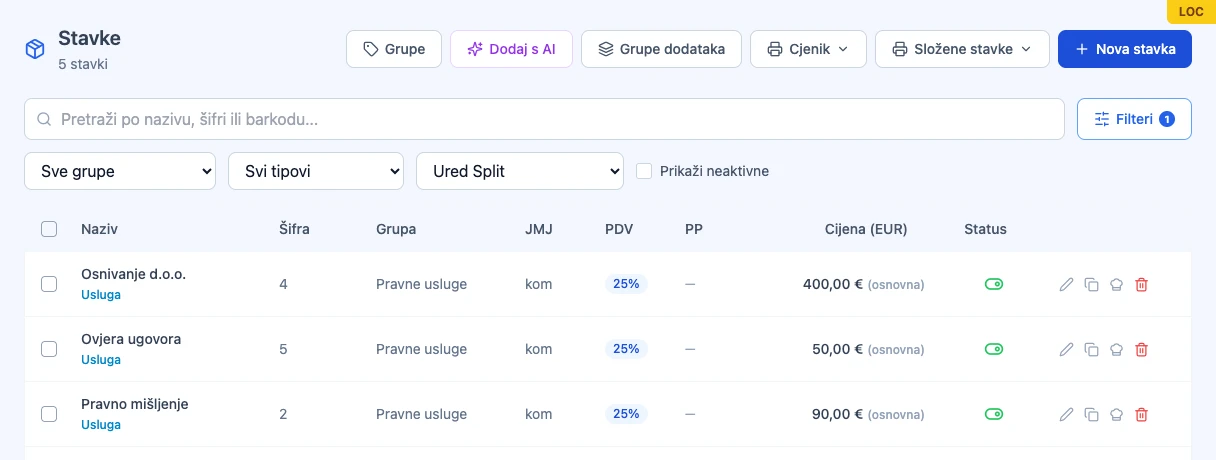
One item, multiple locations — set the price and availability separately for each business unit, without duplicating the whole catalog.
Contract drafting Zagreb €150.00 Split €130.00
03
A business day that fits your rhythm
Open until 2am? Set when your "business day" starts — sales after midnight still count toward the right shift and the right daily report.
Business day starts 6:00am
04
Reports by location
Compare revenue and best-sellers across locations, or track each location's growth against the same period last year (like-for-like) — you know which one's growing and which one's stalling.
Downtown €18,420 Branch €11,960
Location settings
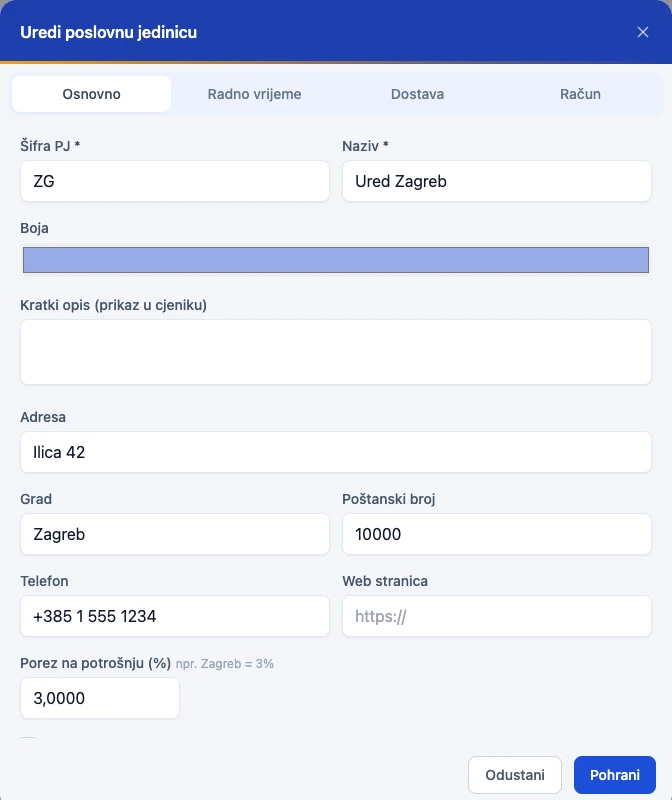
Opening hours by day
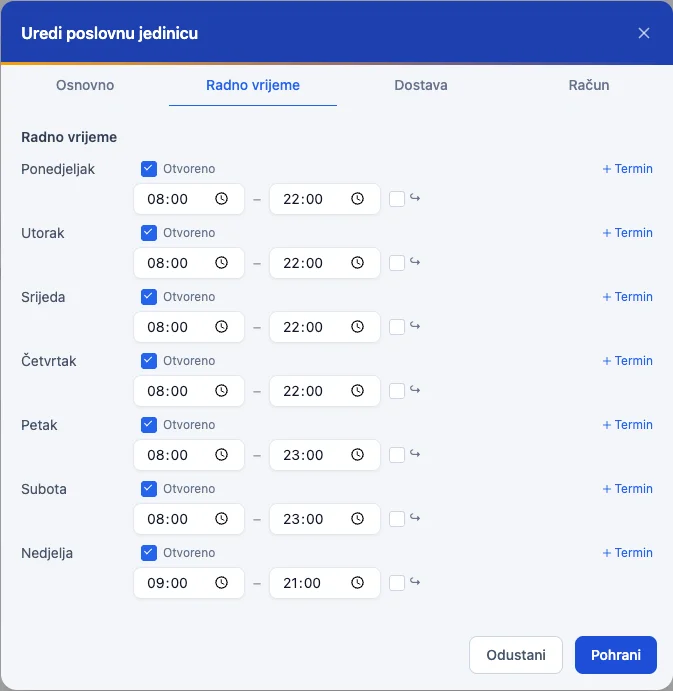
Prices by location
Register
Every register,
its own receipt number.
The first register comes with the business unit. Every additional one — at another office or on-site with a client — has its own type, receipt sequence, and staff.
POS Boss · Receipt
47/1/1
Sequence no. Business unit Register
The sequence is per register and never repeats — even offline, where a temporary number becomes final the moment the connection returns.
| Register type | Hospitality, retail, or an internal (transfer) register for inter-warehouse transfers — chosen when you create it. |
|---|---|
| Receipt numbering | Every register has its own starting number and sequence — F1 receipts never overlap between registers. |
| Fiscalization | If a receipt isn't fiscalized at the moment it's issued, the system fiscalizes it automatically afterward — the manager can see at any time whether there are unfiscalized receipts. |
| Warehouses | Multiple registers can share the same warehouse or each use its own — a sale deducts stock from the right place immediately. |
| Receipt footer | Customize the printed footer text per register, or keep one shared text for the whole location. |
F1 receipts by register
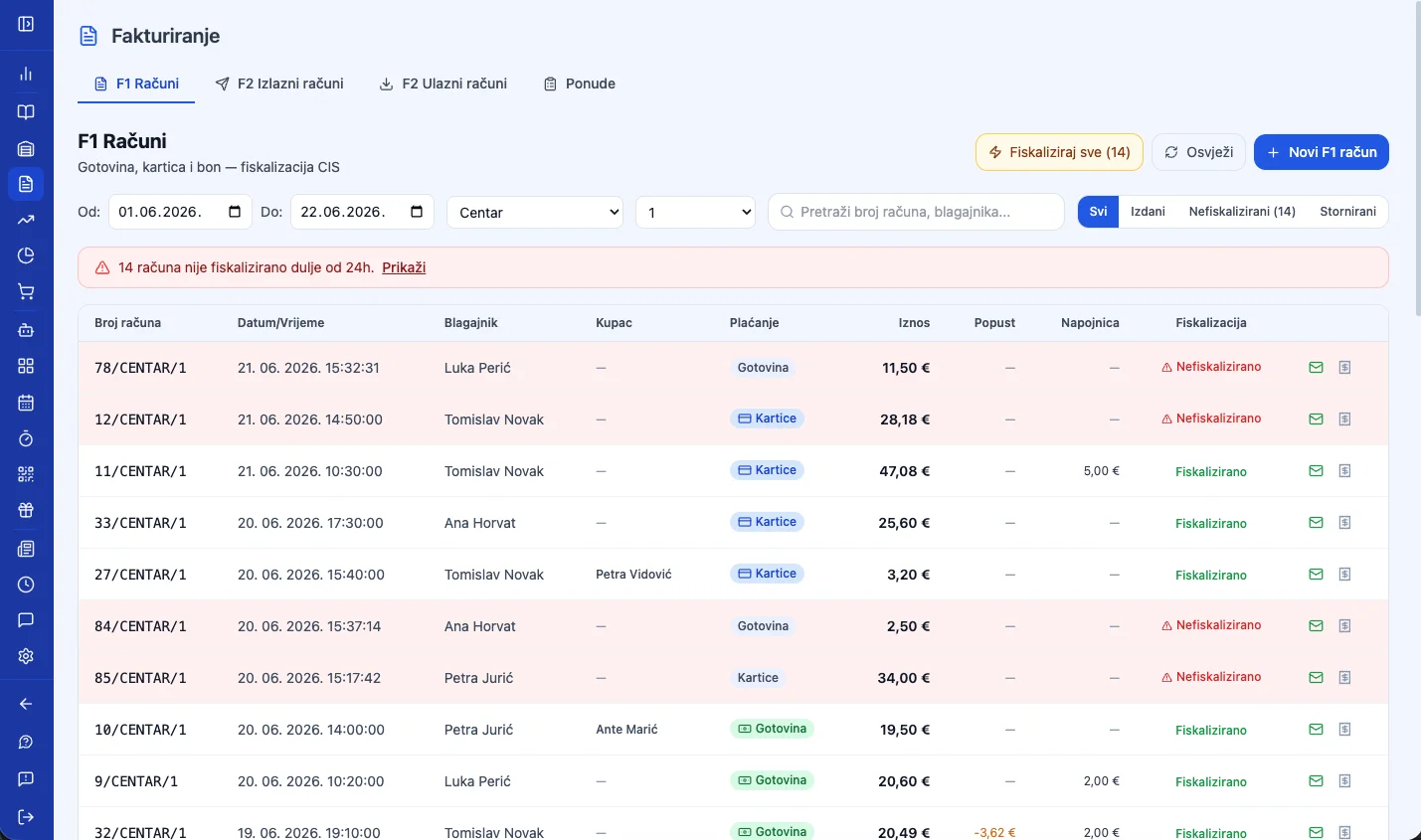
Works without the POS module too
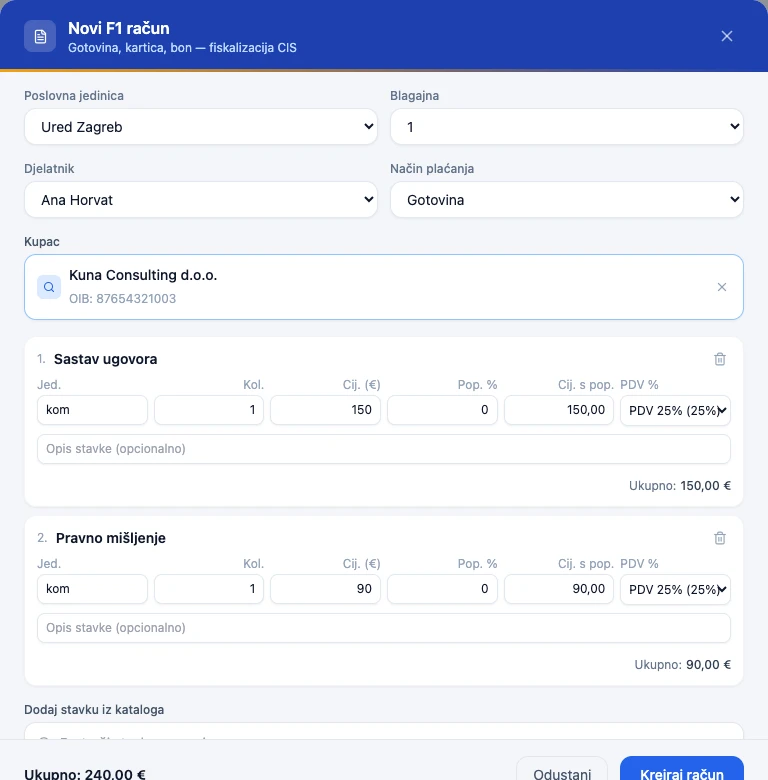
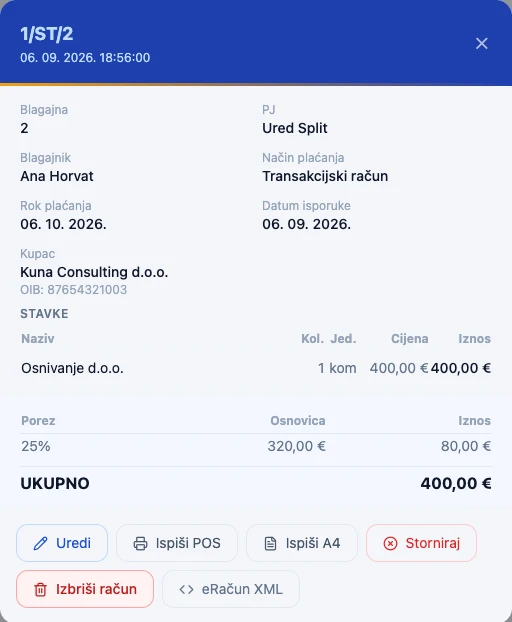
A register doesn't need a special device to issue receipts. Log into the app from any computer, open Invoicing, and manually issue an F1 or F2 receipt — with its own number and fiscalization. When you need faster checkout right at the register, upgrade it with the POS module.
F2 e-Invoice for businesses
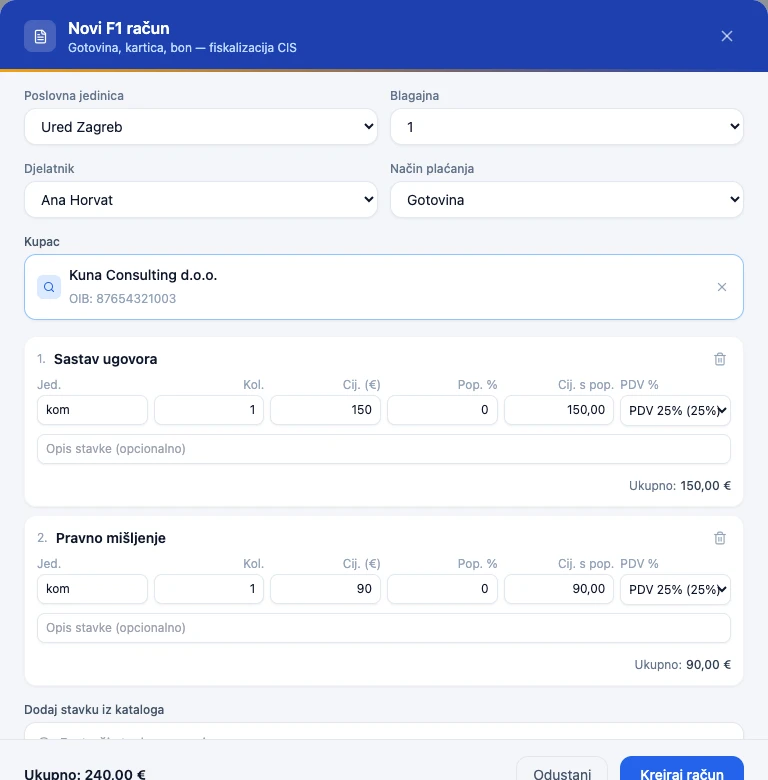
Manual receipt creation in a few clicks
Pick the business unit, register, and employee, add items, and charge — no POS interface, straight from Invoicing.
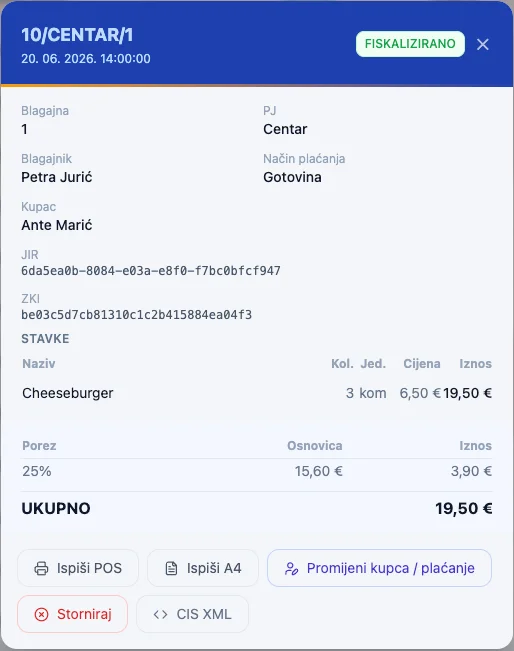
Fiscalization — JIR and ZKI
Every F1 receipt gets a JIR and ZKI immediately after issuing — both you and the customer have proof the receipt reached the Tax Administration.
Calculate your price
A package for Professional Services
Modules are pre-selected for your industry — adjust as needed.
Frequently asked questions
Questions for
Professional Services
Do I need a cash register if I only work B2B?
For B2B invoicing without cash payments, fiscalization isn't always mandatory — but POS Boss handles both: B2B e-Invoices and fiscalized B2C receipts.
What is an e-Invoice, and is it mandatory?
An e-Invoice is an electronic invoice in UBL 2.1 format sent digitally to business partners. Mandatory for public procurement from 2026, with the trend moving toward a universal requirement.
Can I use POS Boss just for invoicing, without a physical register?
Yes. The browser-based manager interface lets you create receipts, quotes, and e-Invoices without a POS terminal.
Is POS Boss ready for
Professional Services?
The demo is completely non-binding — we show you how it works for your case.