Core capabilities
Everything POS Boss
brings to your business
One system for every business — replacing multiple tools: POS, KDS, inventory, reservations, fiscalization, and AI analytics.
POS module
An upgrade to your register
for fast checkout.
The register issues receipts even without it. The POS module is a fast checkout screen bound to a device — with favorite items, modifiers, and every payment method on a single receipt.
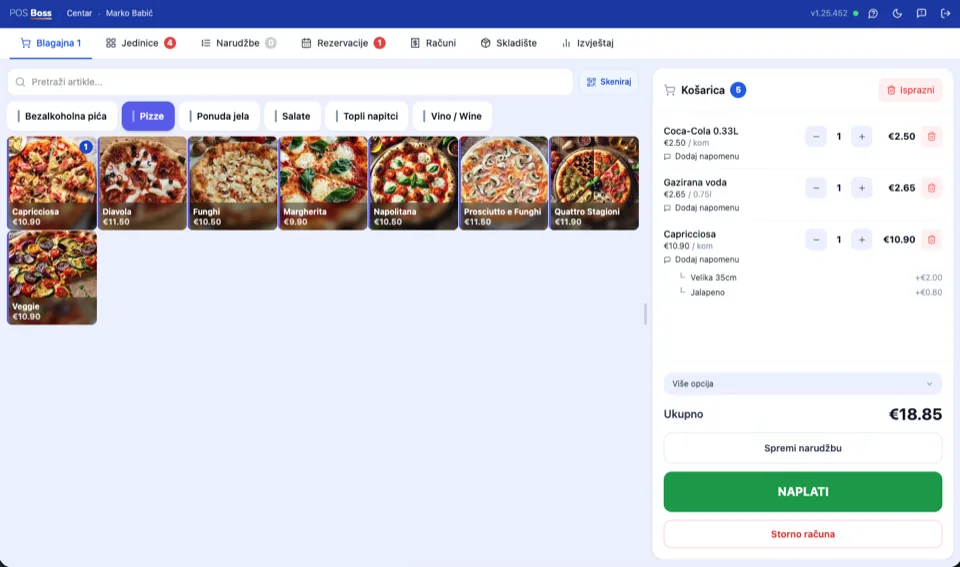
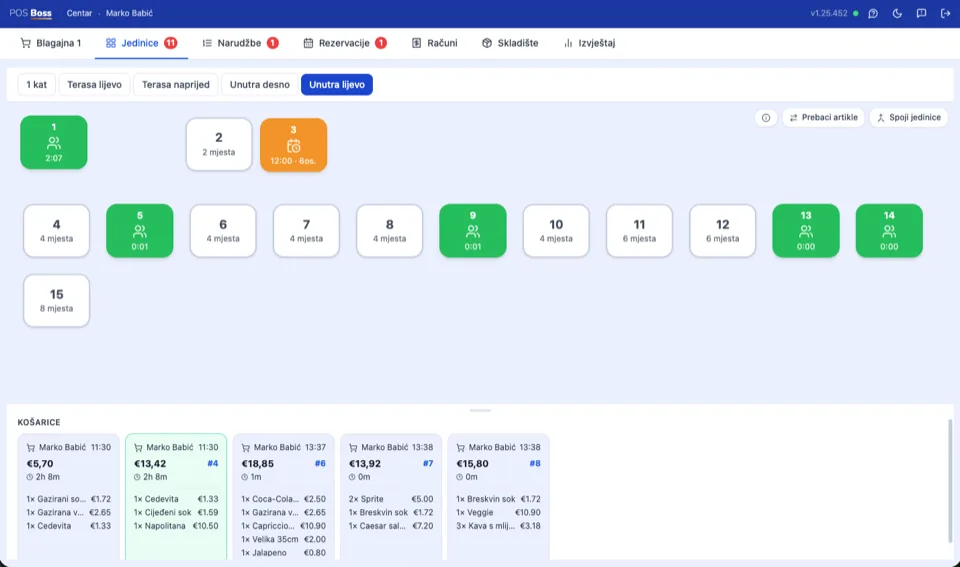
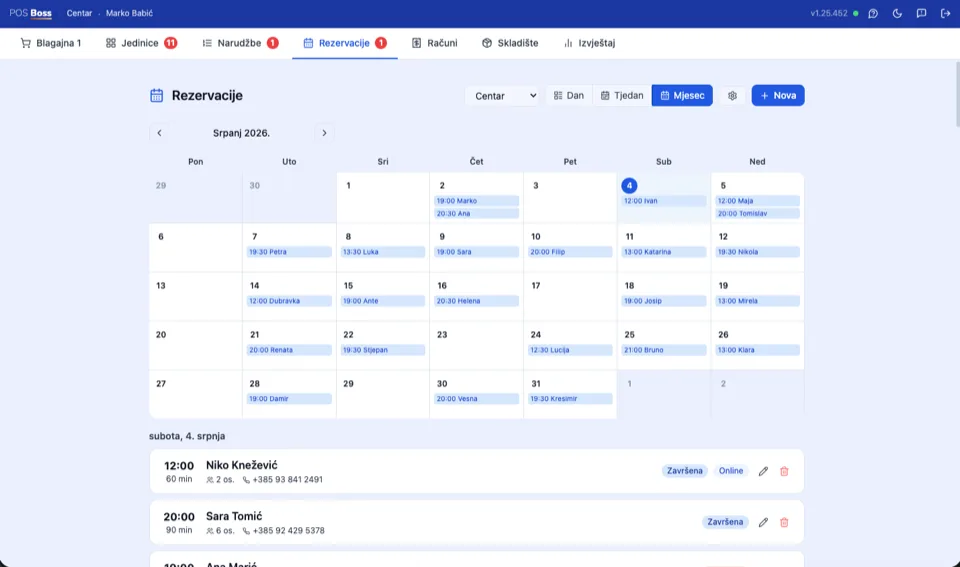
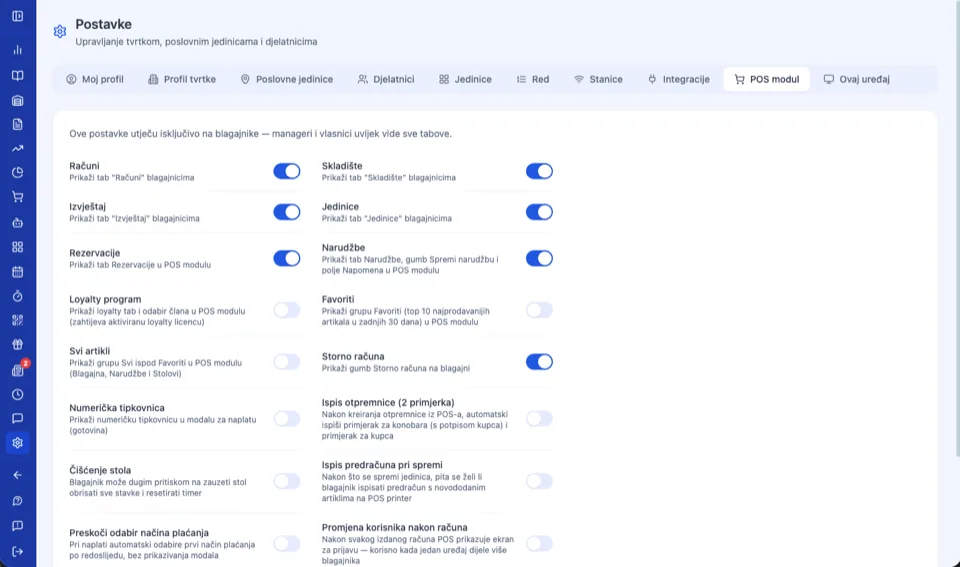
Bound to a device, ready for shift handover
The POS module is bound to a device — a manager releases it for another device or tablet with one click. Shifts hand over without logging out: the next cashier enters a PIN or taps an NFC card, and the cart stays untouched.
See it in action
Register
Every register,
its own receipt number.
The first register comes with the business unit. Every additional one — at another location, floor, or mobile device — has its own type, its own receipt sequence, and its own staff.
POS Boss · Receipt
47/1/1
The sequence runs per register and never repeats — even offline, where a temporary number becomes final the moment the connection returns.
| Register type | Service business, retail, or internal (transfer) register for inter-warehouse transfers — you choose when creating it. |
|---|---|
| Receipt numbering | Every register has its own starting number and sequence — F1 receipts never overlap between registers. |
| Fiscalization | If a receipt isn't fiscalized at the moment it's issued, the system fiscalizes it automatically afterward — managers can see at any time whether there are unfiscalized receipts. |
| Warehouses | Multiple registers can share the same warehouse, or each can use its own — sales immediately draw stock from the right location. |
| Receipt footer | Customize the footer text per register, or keep shared text for the whole location. |
F1 receipts by register
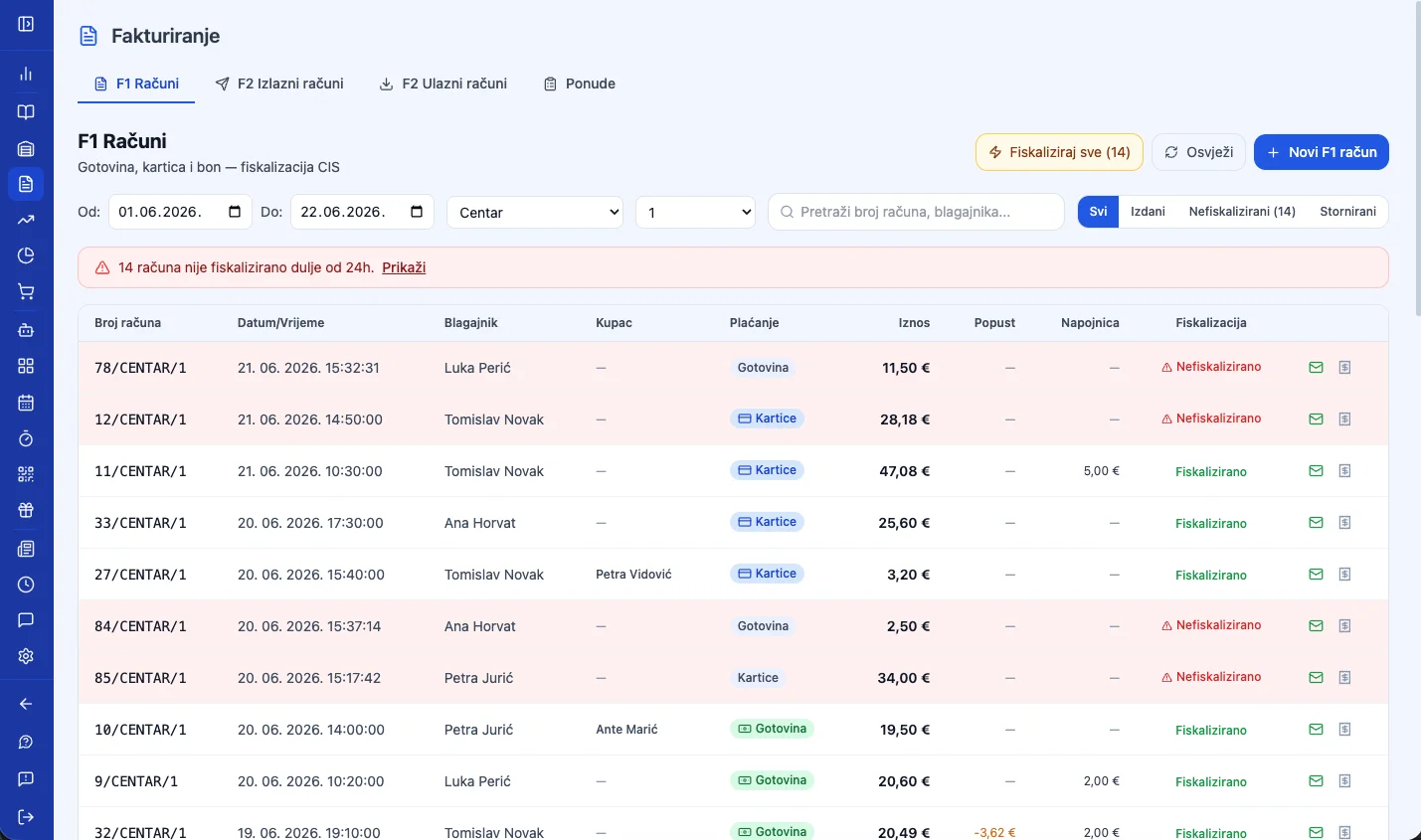
Works without the POS module too
The register doesn't need a dedicated device to issue receipts. Log into the app from any computer, open Invoicing, and manually issue an F1 or F2 receipt — with its own number and fiscalization. ZKI and JIR are generated and sent to CIS automatically, void, correction, and refund are all supported, and it works offline too, syncing the moment the connection returns.
B2B invoicing to the EU standard
Electronic B2B invoices in UBL 2.1 format, sent in one click through the moj-eRačun (MER), SUPER, EPOS, or FINA intermediaries. Incoming e-Invoices are imported automatically into inventory — compliant with Croatia's e-invoicing mandate and ready for the upcoming EU ViDA regulation.
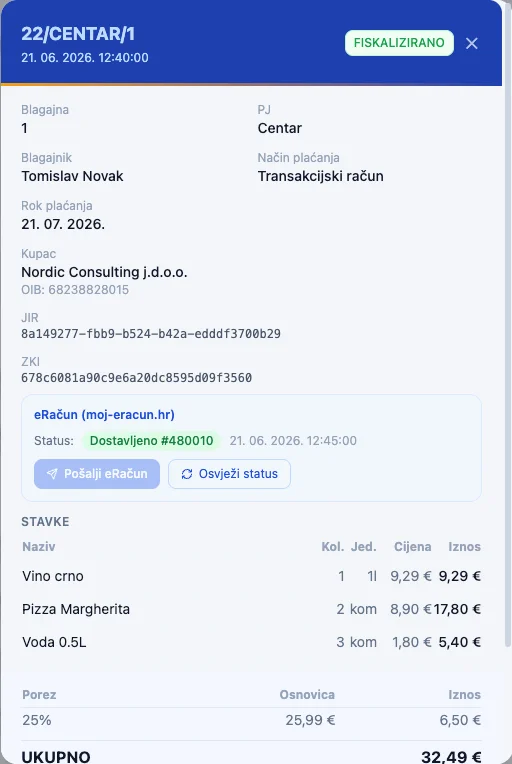
F2 e-Invoice for businesses
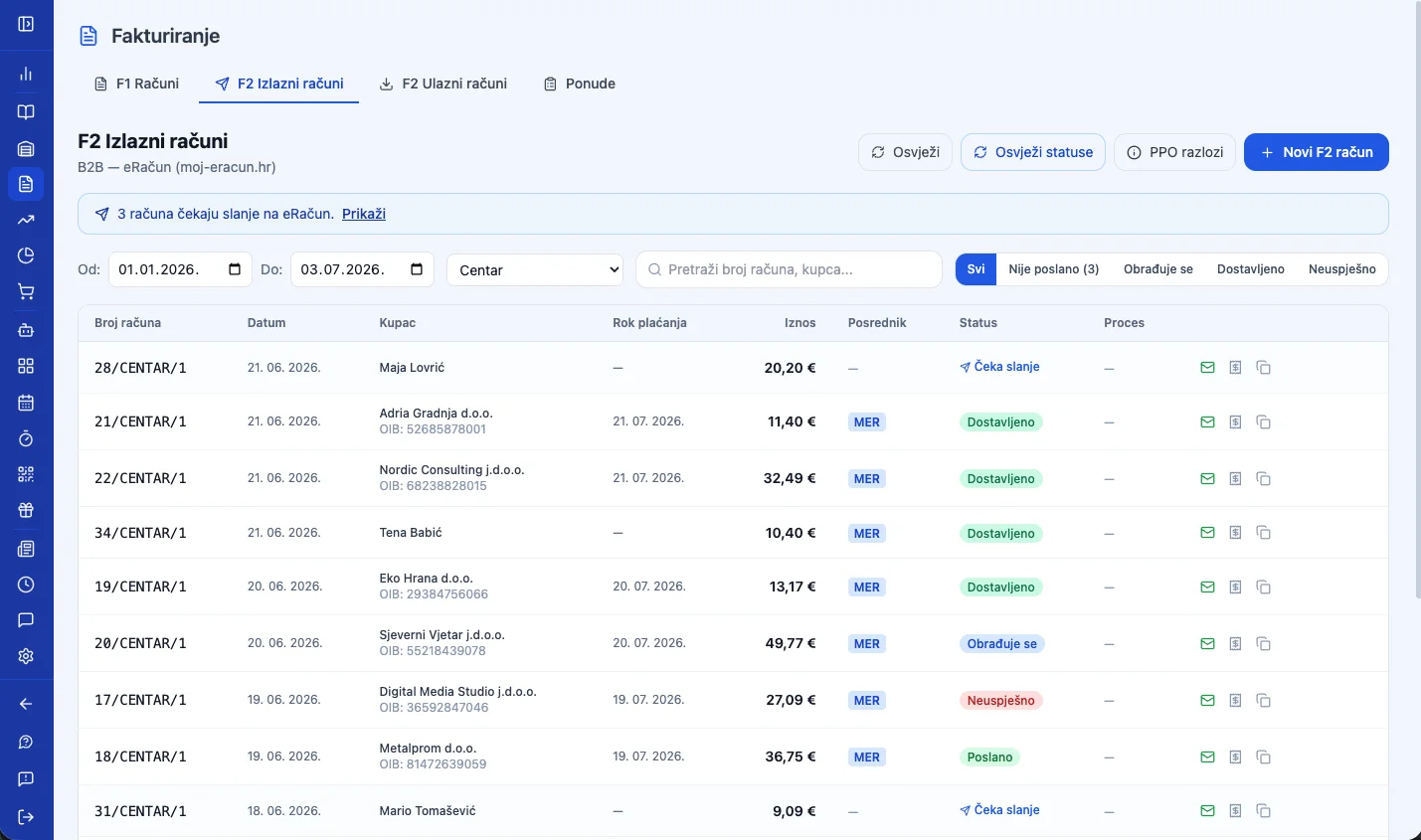
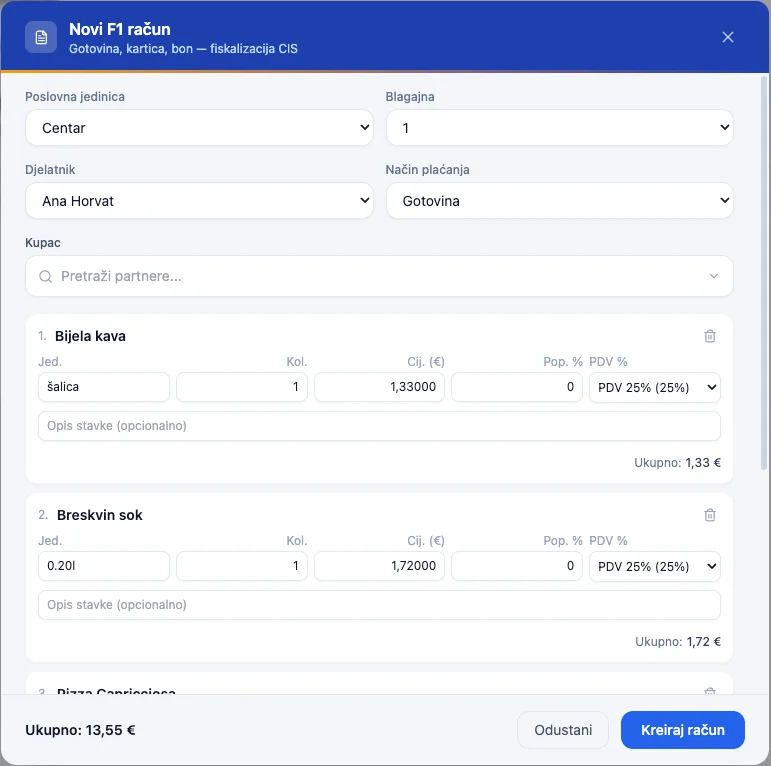
Create a receipt in a few clicks
Select the business unit, register, and staff member, add items, and charge — no POS interface, directly from Invoicing.
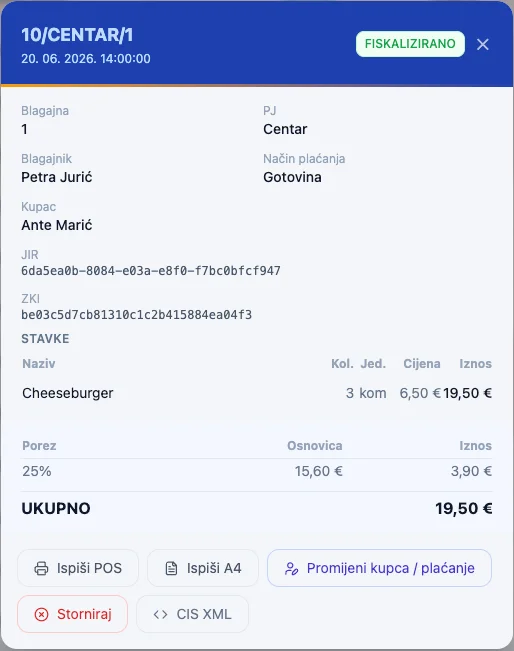
Fiscalization — JIR and ZKI
Every F1 receipt gets a JIR and ZKI immediately after issuing — both you and the customer have proof the receipt reached the Tax Administration.
Reports & Analytics
Business intelligence,
not just revenue.
Over 40 reports across 7 areas — sales, customers, inventory, marketing, staff, sales channels, and strategy — with no external tools like Excel, Power BI, or Google Sheets.
- ✓ Profitability by item and category, RFM customer segmentation, ABC supplier analysis
- ✓ Related items (basket affinity), order suggestions, purchase price trends
- ✓ Order fulfillment speed, unit occupancy, tips, and working hours per employee
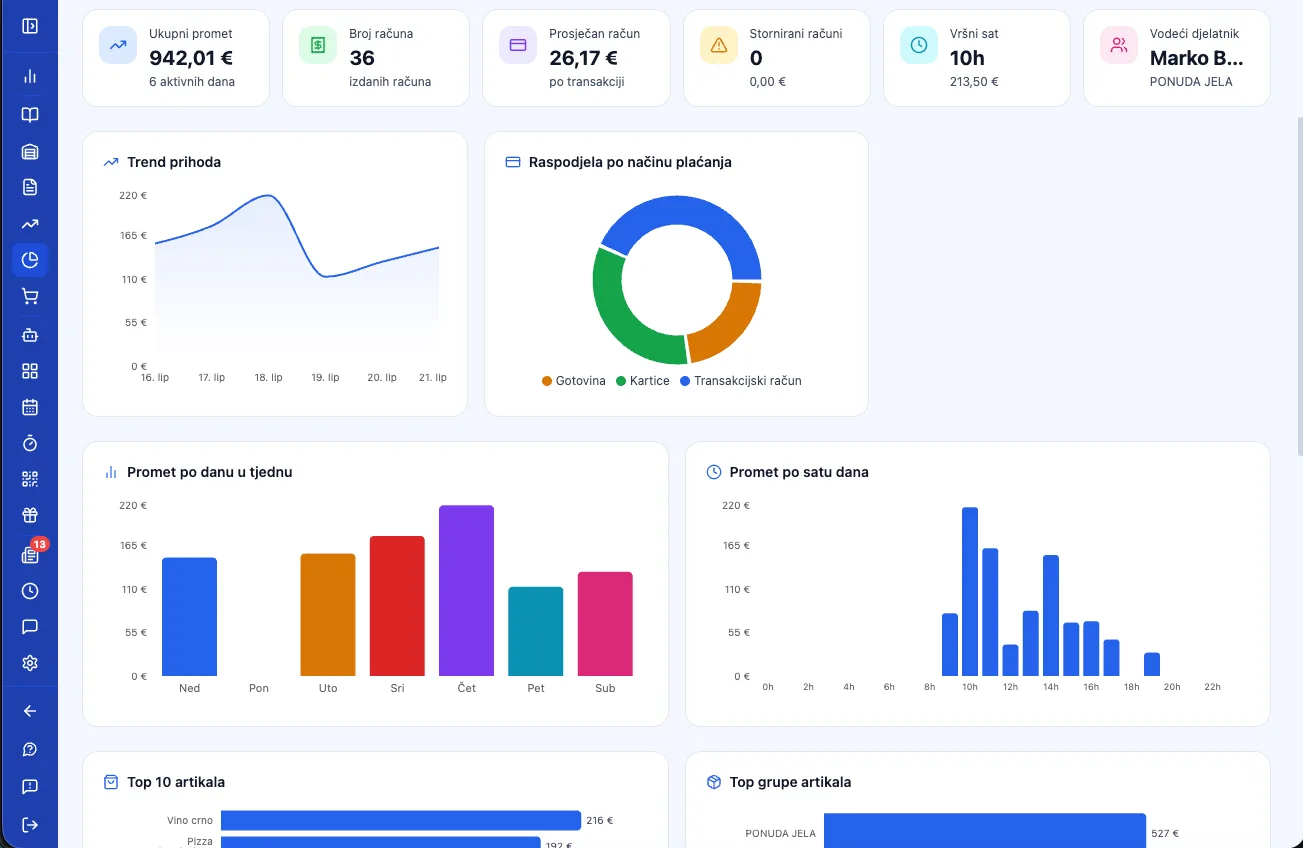
Business overview — revenue, trend, and top items
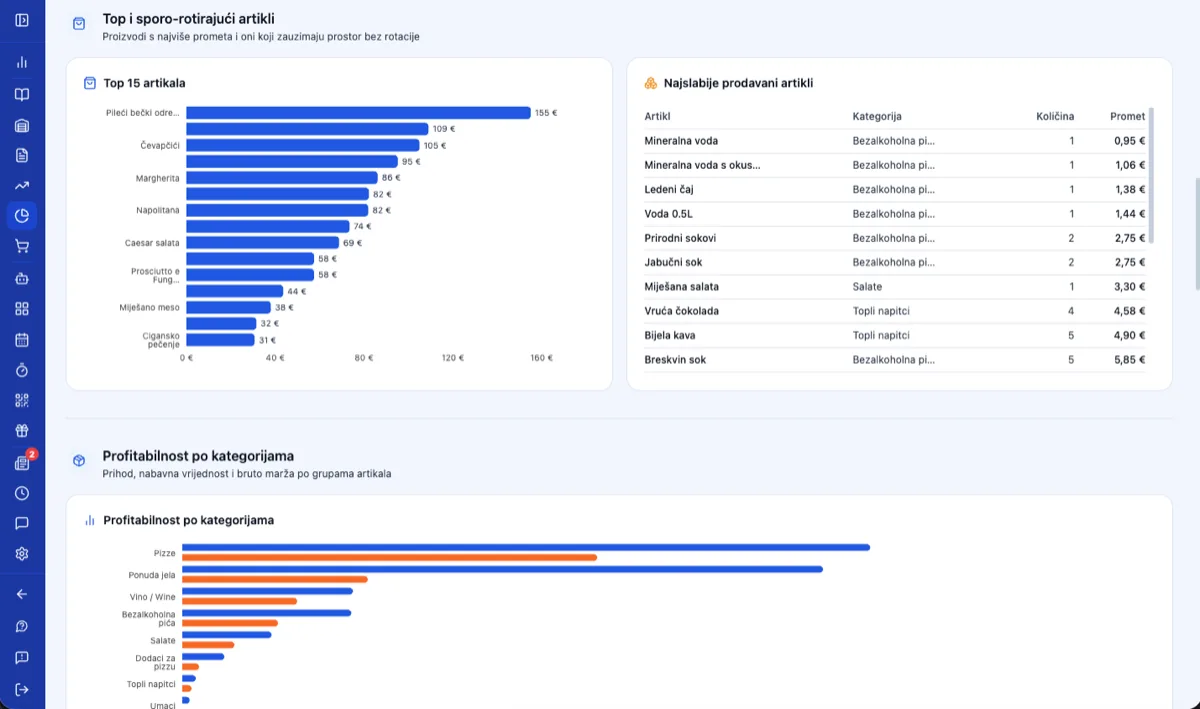
Top and slow-moving items, profitability by category
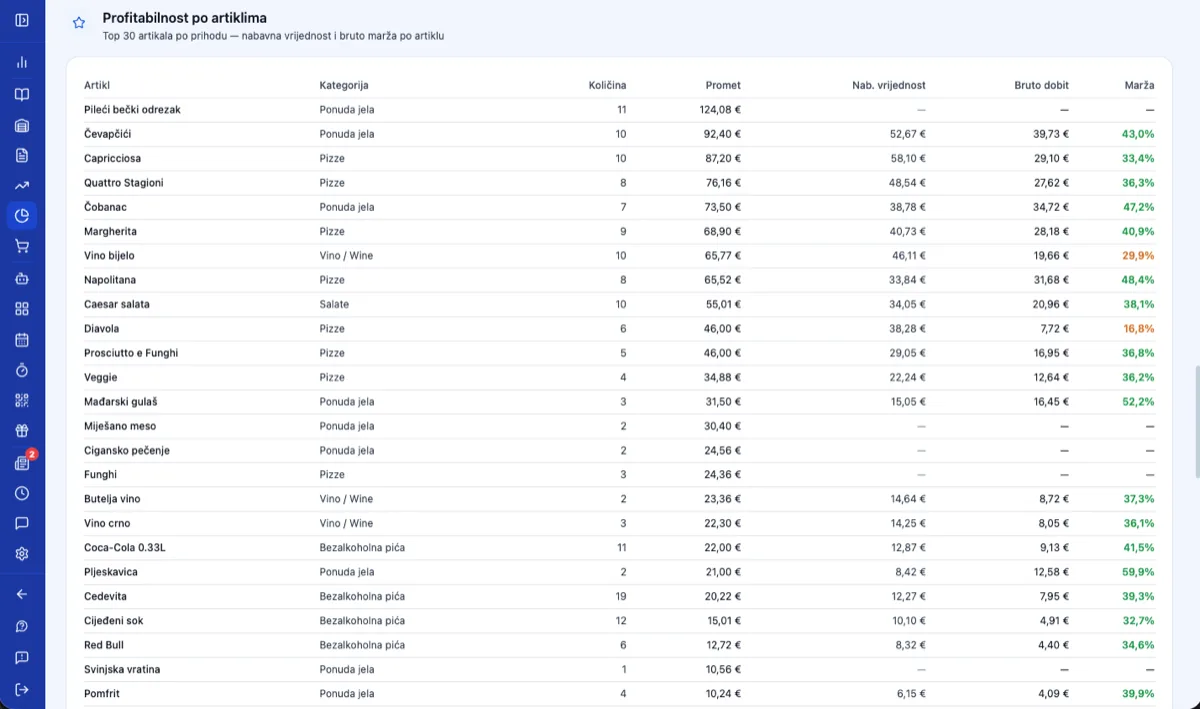
Profitability by item — margin on every line item
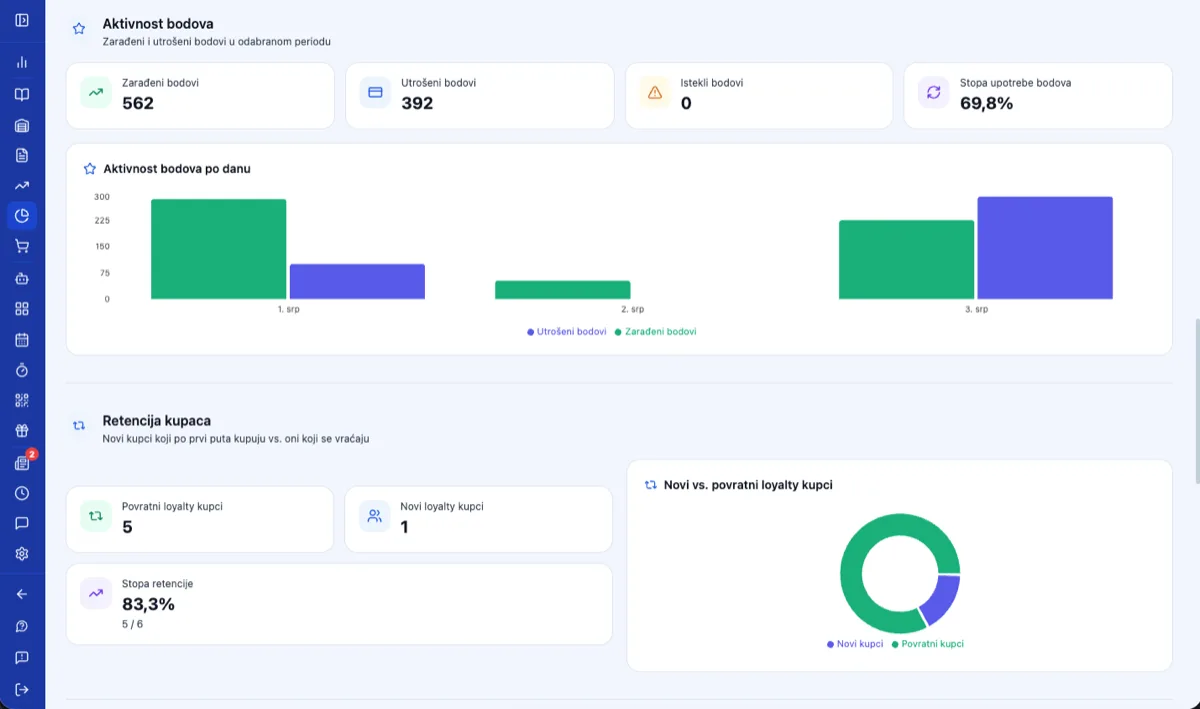
Loyalty points activity and customer retention
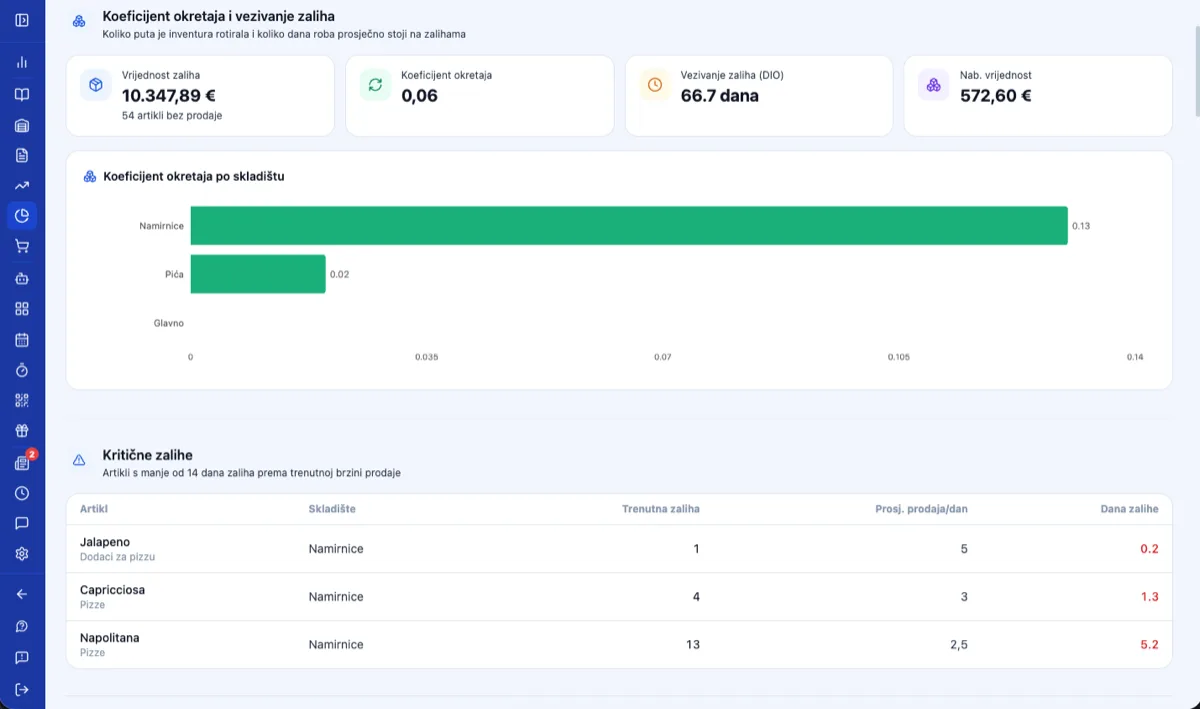
Turnover ratio and critical stock levels
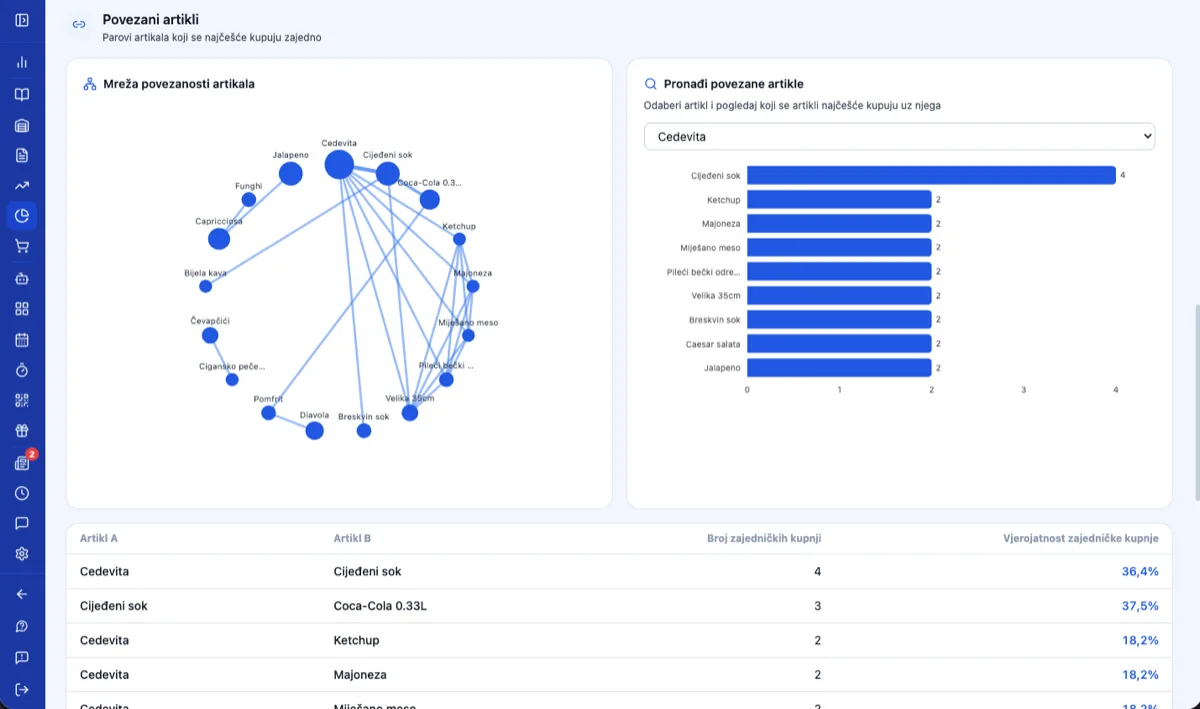
Related items — basket affinity network
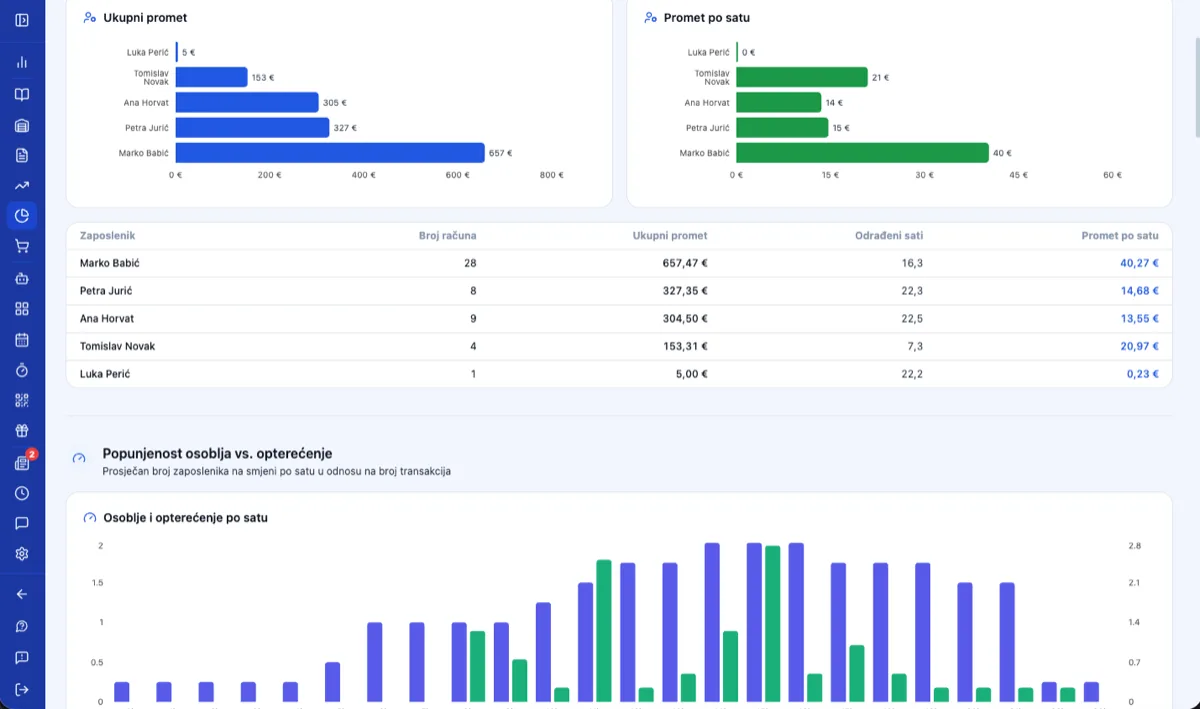
Revenue and working hours per employee
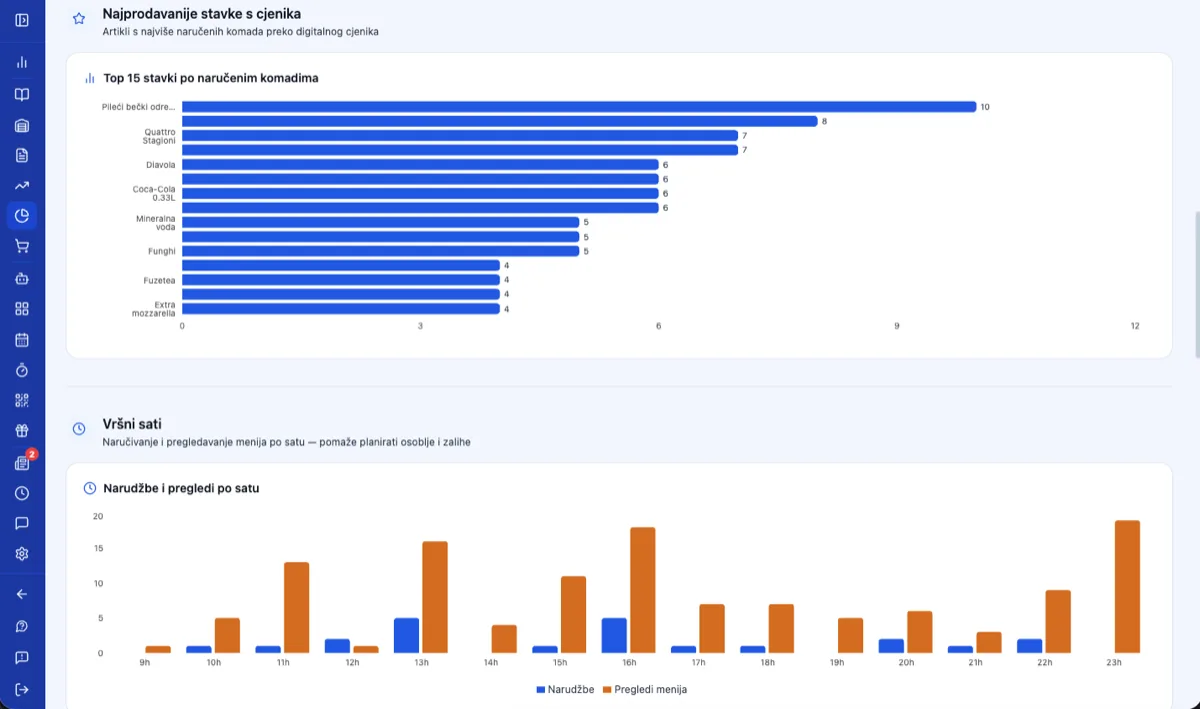
Best-selling items and peak order hours
...and much more.
AI Assistant
Talk to your data,
like a real analyst.
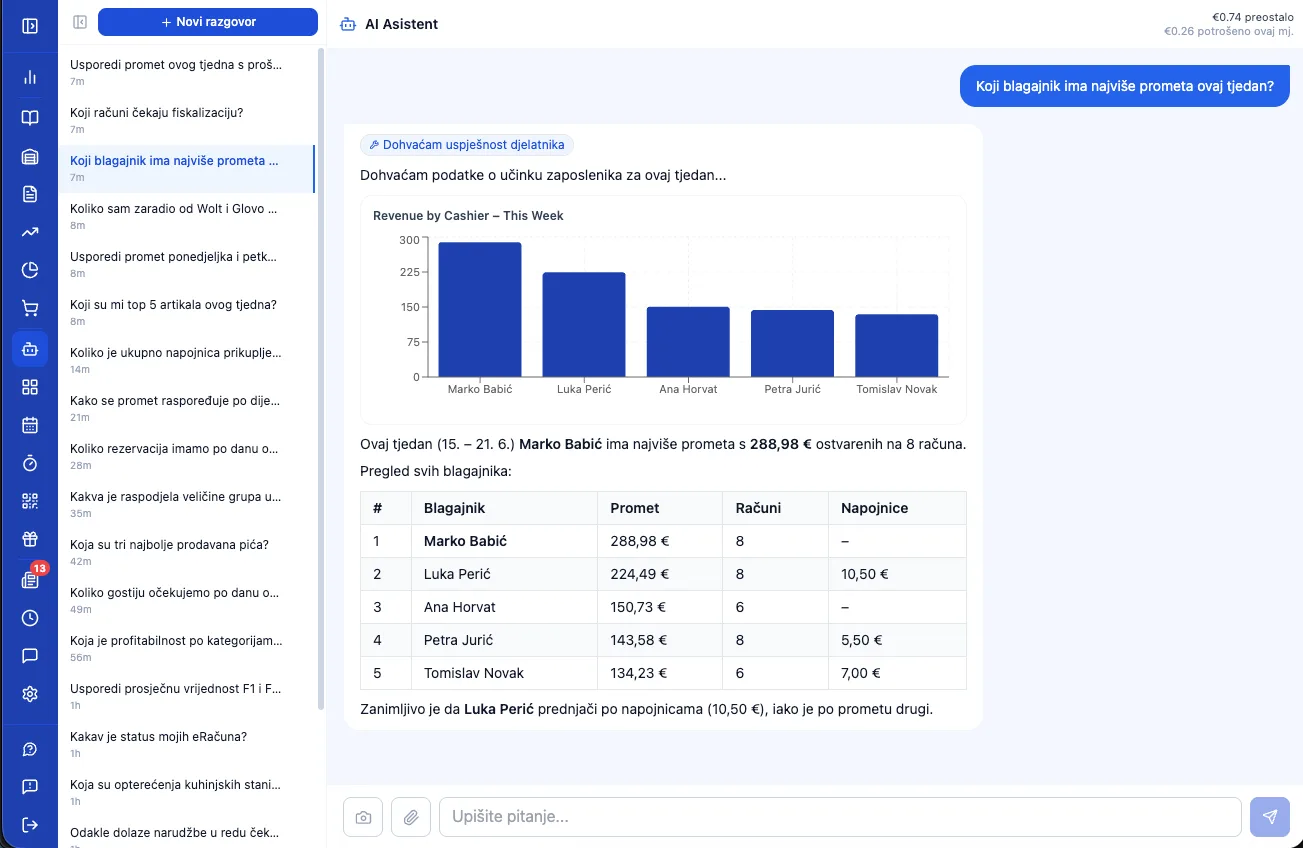
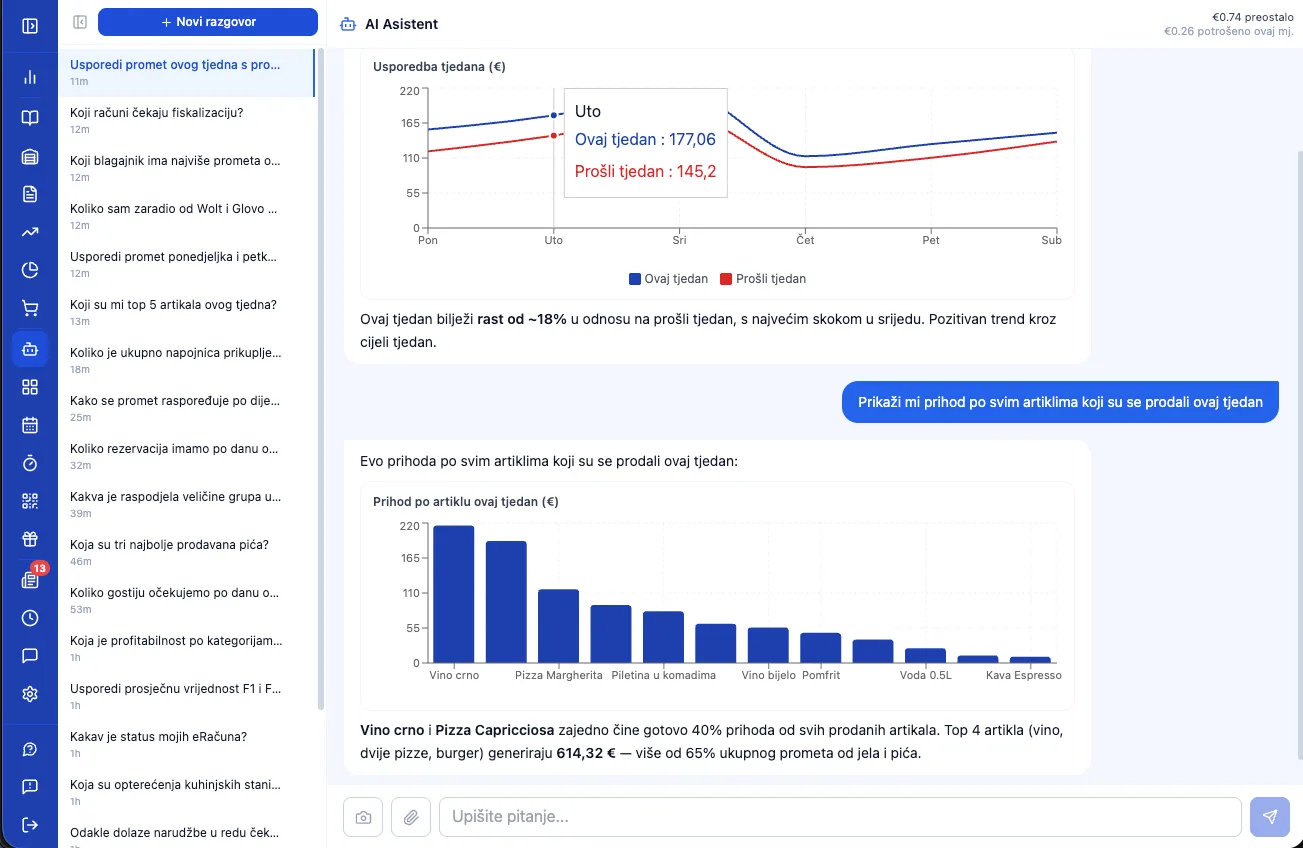
This isn't a chart generator — the AI remembers the whole conversation and digs deep into your real data. Ask "What are my top items this week?", then follow up with "Compare Monday and Friday's revenue" or "Why did revenue drop on Wednesday?" — in Croatian or English.
- ✓ Asks follow-up questions and remembers context — a real conversation, not isolated queries
- ✓ Explains why, not just what — spots patterns and suggests solutions
- ✓ Works on live data with no exporting to Excel; shows a chart when it makes sense
AI Agents
Guests don’t google anymore.
They ask an AI.
"Find me a table for four in Osijek on Friday at 8." Until yesterday, that question ended up on Google, then on a phone nobody answers because it's busy. Today an AI assistant takes it over — and books a table wherever it actually can. POS Boss puts you on that list: your menu, prices, and open slots become readable to Claude, ChatGPT, Gemini, and Perplexity, with no new app and no extra clicks.
- ✓ AI reservations — the agent checks real availability, picks a table of the right size, and confirms the booking; the guest gets a cancel-by-email link
- ✓ AI orders — pickup orders land in the same queue as a QR table order, paid in advance, with a fiscalized invoice and JIR
- ✓ Zero risk for you — the agent never sees card data; payment happens on your existing payment provider's secure page (Viva, Monri, Saferpay, Teya, or myPOS)
- ✓ Prices and stock are always verified server-side — the agent can't invent them or sell what you don't have
Free beta
Turn on the AI Agents module and pay nothing during the beta — no monthly fee, no per-order commission.
When the beta ends, you decide whether to stay. No contract, no notice period. Activation takes under a minute in settings.
The complete package
Everything in one place,
in every package.
We've covered the main modules in detail — here's the full list of capabilities you get no matter your line of business.
- Register & POS
- Fast touch checkout with search and barcode scanning; works offline too, binds to a device, with a list view for large catalogs.
- Fiscalization
- ZKI and JIR automatically in real time, ready for Fiscalization 2.0; void, refund, and correction, with automatic retry and offline support.
- Receipts & e-Invoice
- F1 cash and card receipts plus F2 e-Invoices (UBL 2.1) through 4 intermediaries; incoming e-Invoices import straight into inventory, and quotes become receipts in one click.
- Payments
- Every method on a single receipt — cash, card, bank transfer, crypto; split payments, tips, and integrated terminals (Teya, myPOS, Viva, M2PAY), plus KEKS Pay and PayCek.
- Reports & analytics
- Over 40 reports across 7 areas — sales, customers, inventory, marketing, and staff; a dashboard, RFM segmentation, and ABC analysis, with no external tools.
- AI assistant
- Talk to your data in Croatian; the AI replies and draws charts, imports items from a menu photo or URL, and goods receipts from a photo of an invoice.
- Item catalog
- Unlimited items with groups, barcodes, multiple VAT rates, modifiers, and recipes/norms; prices per business unit and import from Excel.
- Inventory
- Goods receipts, write-offs, inter-warehouse transfers, and stocktaking with automatic corrections; an item card with full history, with real-time stock visible directly from the register.
- Staff & access
- Four roles with PIN, NFC card, or biometric login; automatic time tracking and revenue attribution per employee.
- Works on every device
- The whole POS works offline and syncs later; installs as a PWA on a computer, tablet, or phone — no local server required.
- Multiple locations and companies
- Unlimited business units with their own price lists and reports; consolidated insight, and multiple companies under a single login.
- Settings & integrations
- Thermal and kitchen printers, accounting integration (Synesis), a partner directory with OIB verification, a multilingual interface, and self-service subscription management.
Want to see literally every capability, module by module? Check the complete reference list
Specialized by industry
These are the shared capabilities
across every industry.
Everything you've seen on this page so far is part of every POS Boss package, no matter what your business does. Choose your industry for capabilities tailored specifically to it — with examples and pricing.

Restaurants & Kitchen
Restaurants, Pizzerias, Taverns…
View solution
Cafés & Bars
Coffee bars, Pubs, Nightclubs…
View solution
Retail
General stores, Boutiques, Clothing & footwear…
View solution
Salons & Personal Care
Hair salons, Beauty salons, Massage & wellness…
Coming soon
Services & Trades
Auto mechanics, Tire shops, Car washes…
View solution
Healthcare
Medical practices, Dental practices, Veterinary clinics…
Coming soon
Professional Services
Law firms, Consulting agencies, Driving schools…
View solution
Sport, Entertainment & Culture
Gyms & fitness centers, Sports clubs, Cinemas & theaters…
Coming soon All clear? Check out
plans and pricing.
Every capability is à la carte — pay only for the modules you need.