




✂️ Hair Salons, Beauty & Wellness

Appointments, clients, and checkout for your salon — in one place.

An appointment calendar with a column for every team member, automatic client reminders, one-tap appointment checkout, and client records with color formulas — for hair, beauty, and wellness salons.

Hair salons Barber shops Beauty salons Nail salons Massage & wellness Tattoo studios

How it works

How POS Boss works
for Salons & Personal Care

A client calls, sends a message, or drops by — you add the appointment to the calendar from the front desk, the Manager, or a phone.

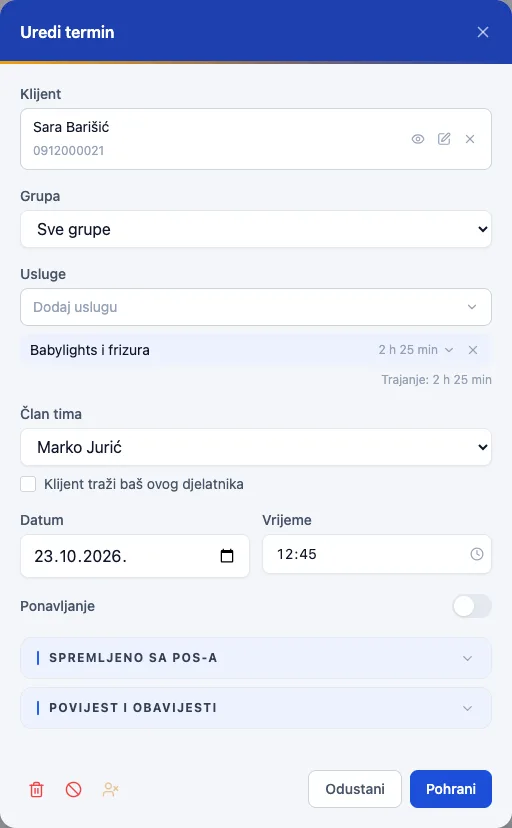
  • Pick the client, service, and team member — the duration calculates itself
  • The system rejects an overlapping booking the moment it happens
  • Recurring appointments (e.g. every 5 weeks) and group sessions
  • A "client wants this specific stylist" flag
Balayage, cut, and styling as one service — while the color processes, the stylist is free for another client.

  • Multi-step composite services with a processing gap
  • The calendar shows the gap as free time for the team member
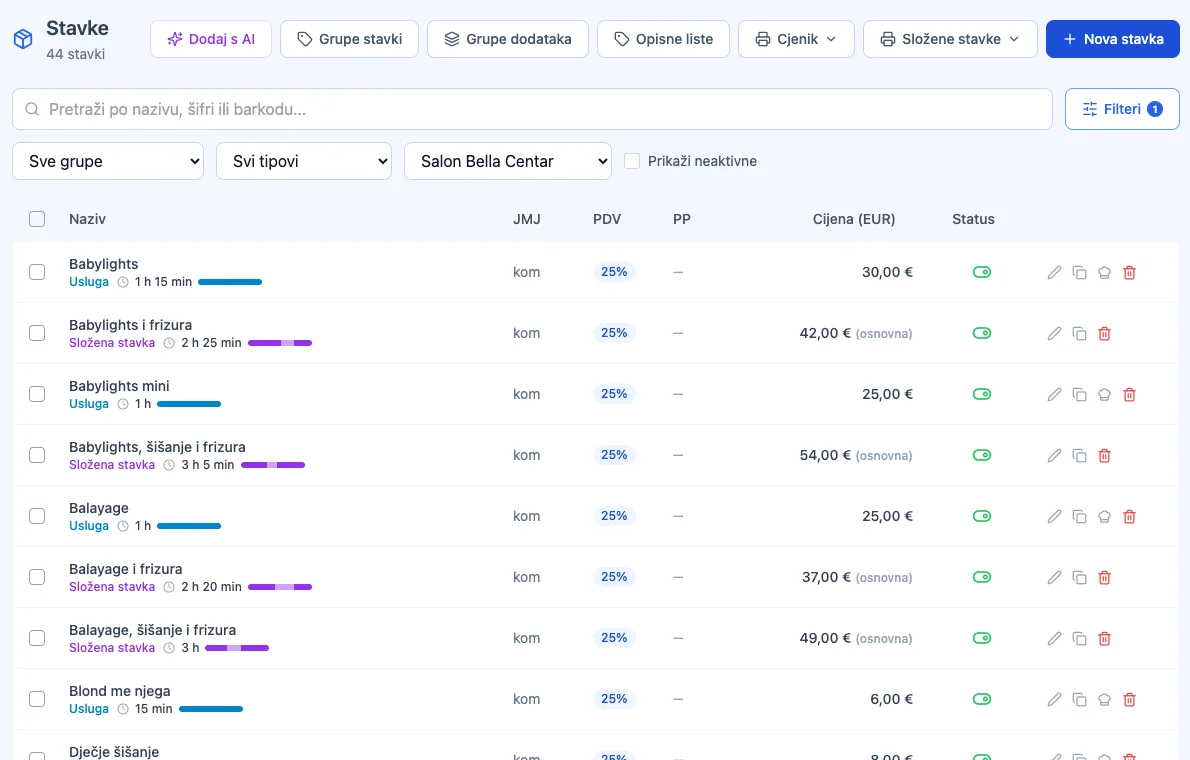
  • Every service has its own duration, color, and price per location
  • Extend or shorten an appointment by dragging its edge

The moment you save the appointment, the client gets a confirmation — and a reminder before the visit. Fewer no-shows, without a single phone call.

  • Confirmation, changes, and cancellation sent automatically by email or SMS
  • A reminder anywhere from 30 minutes to 24 hours before the appointment
  • The client cancels via a link — and you are notified right away
  • Online self-booking of appointments — coming soon

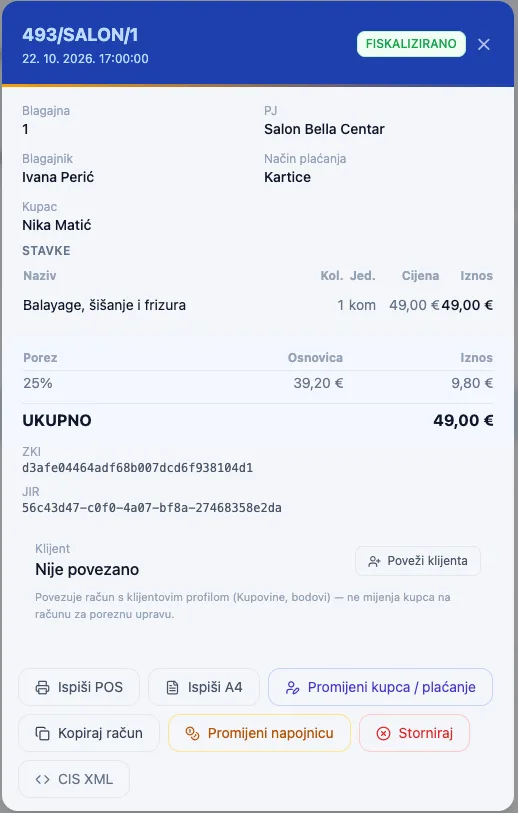
The services performed land in the cart, you add the shampoo or serum the client is buying, and charge — fiscalization is automatic.

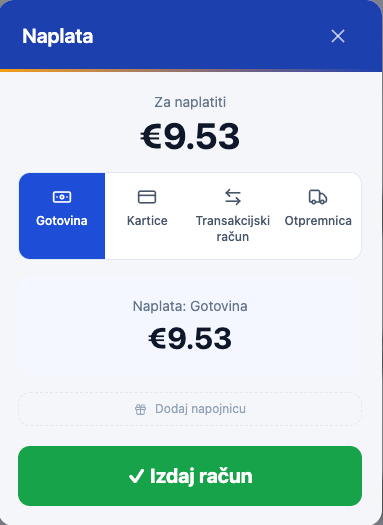
  • Card, cash, KEKS Pay — and a tip on the same receipt
  • The receipt is linked to the team member who performed the service
  • The appointment is automatically marked as paid
  • Products sold are deducted from stock immediately
All payment methods →

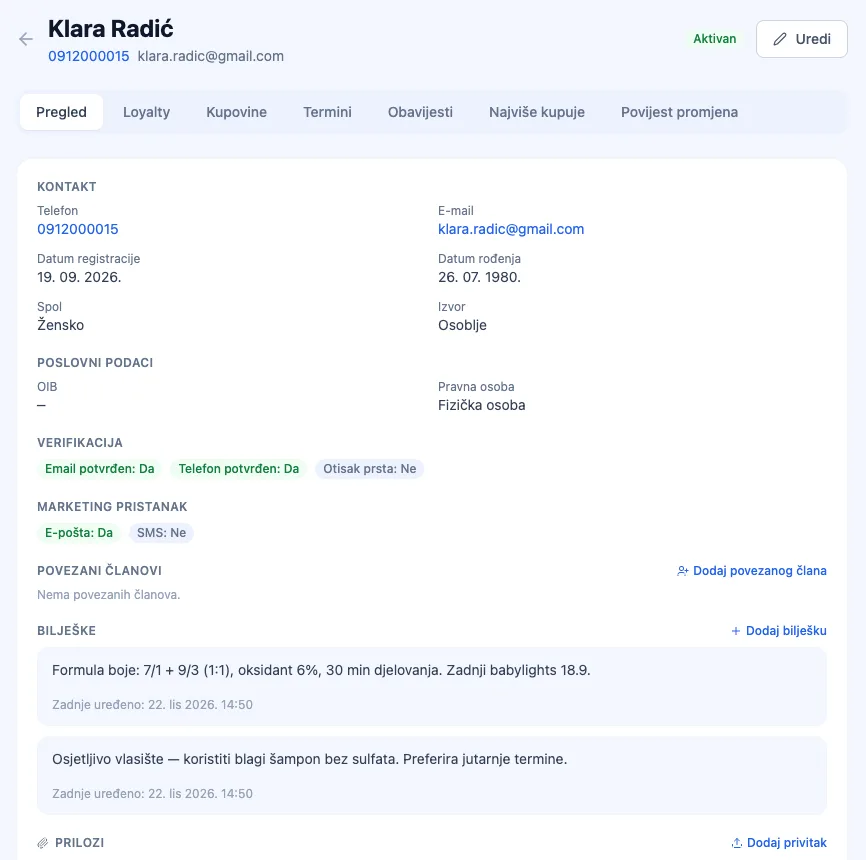
Color formulas, allergies, and the client's preferences are recorded in one place — every team member sees them before the client sits down.

  • Notes and attachments per client (e.g. a color formula, a photo of the cut)
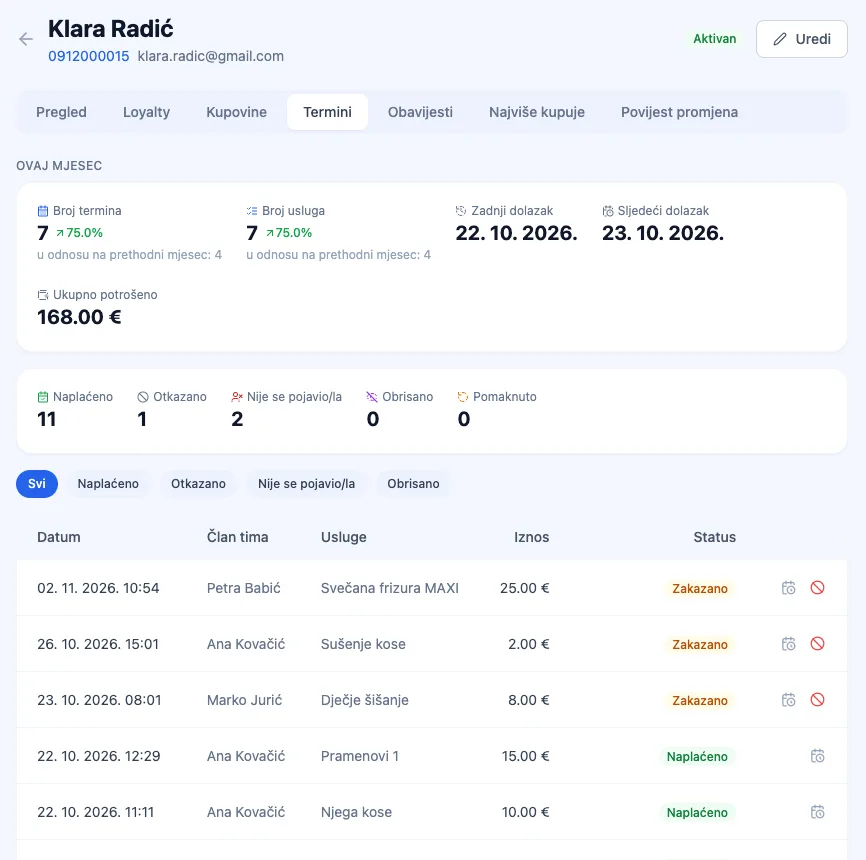
  • Appointment history, total spend, and no-show count
  • Loyalty points and tier on the same profile
  • Birthday greetings and messages to clients who haven't been back in a while

Every team member sees their appointments, shifts, and hours on their own phone — and requests time off without paperwork.

  • A weekly shift schedule for the whole team
  • Vacation and day-off requests, approved with one click
  • The system warns you when an absence hits already-booked appointments
  • Clock-in records and an hours report for payroll

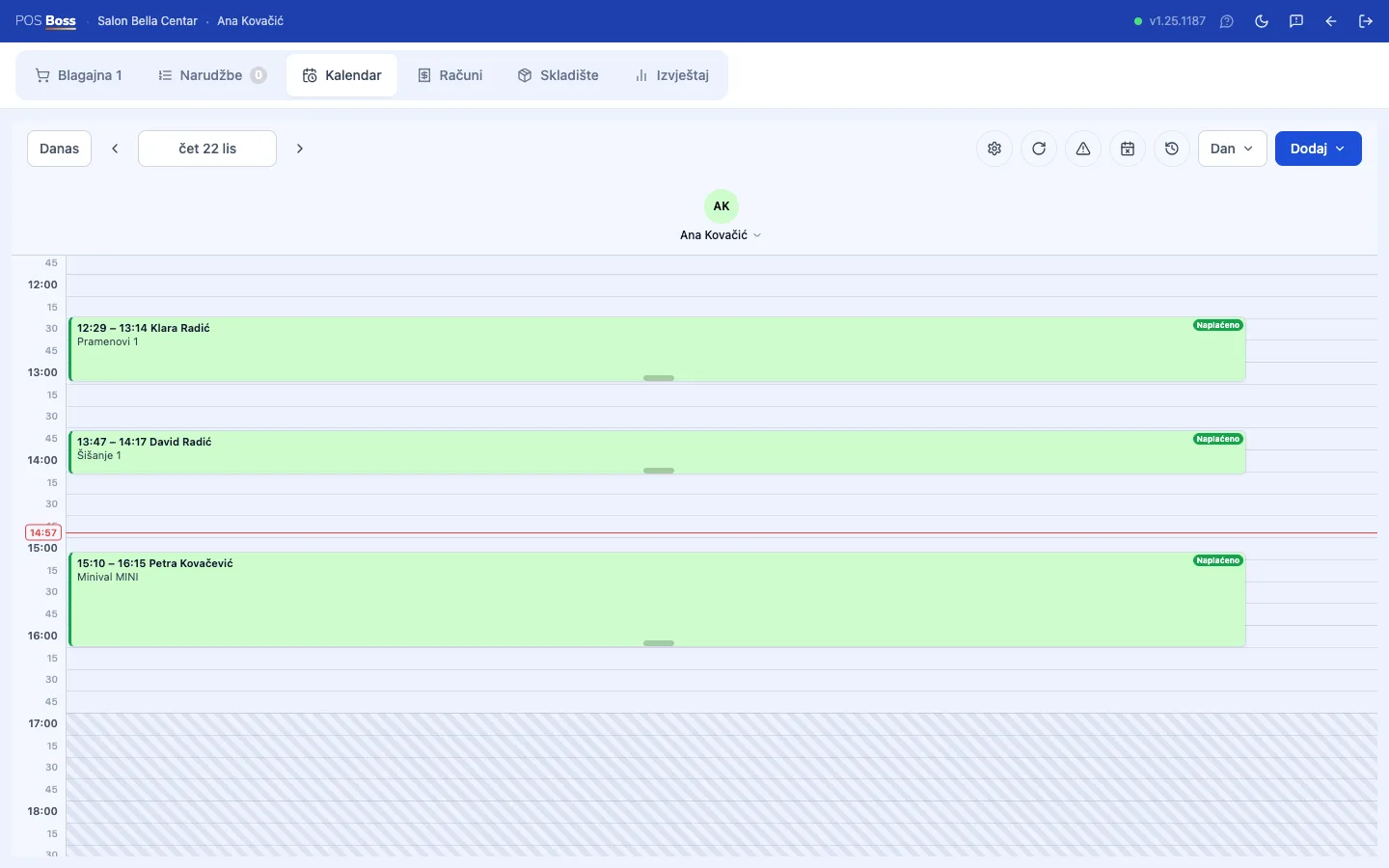
Appointment calendar

Your whole team at a glance,
every appointment in its place.

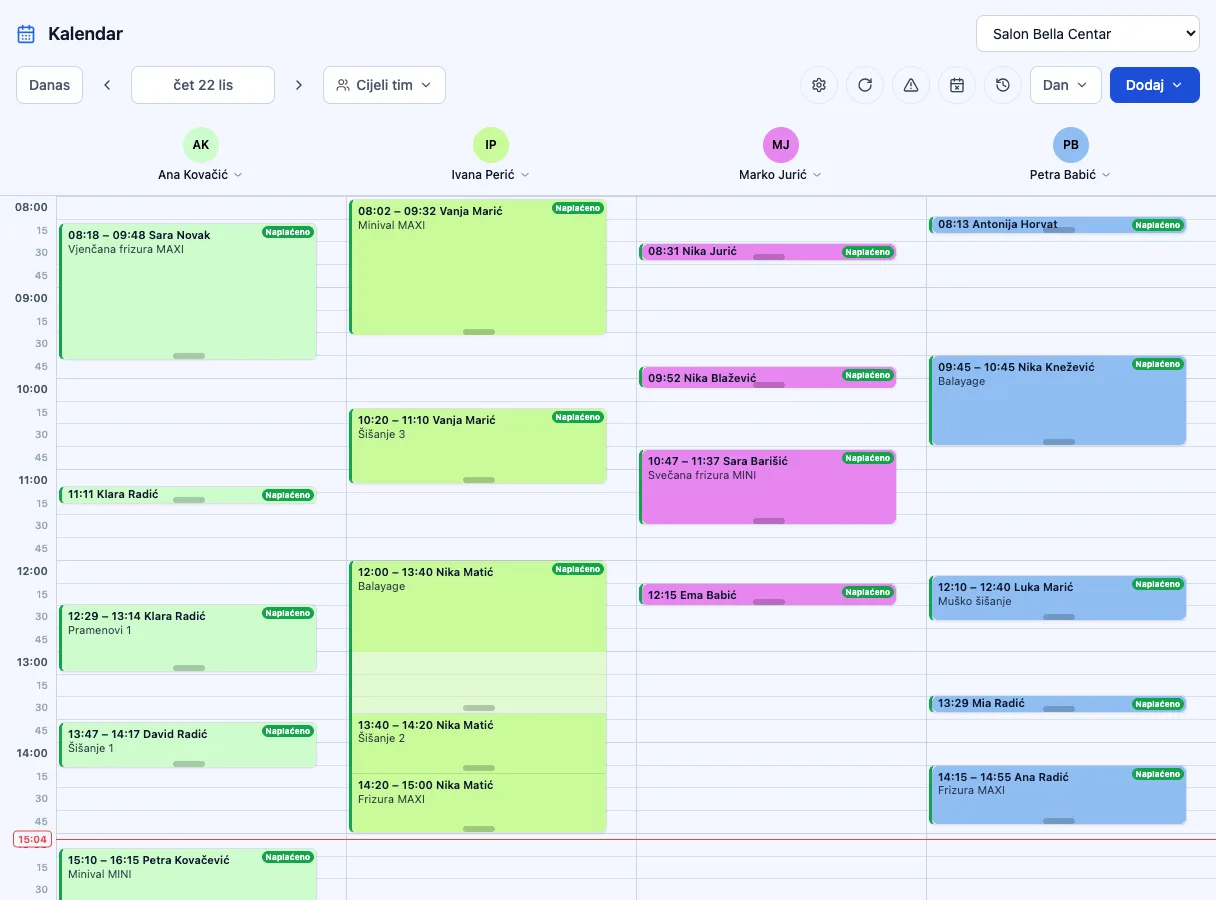
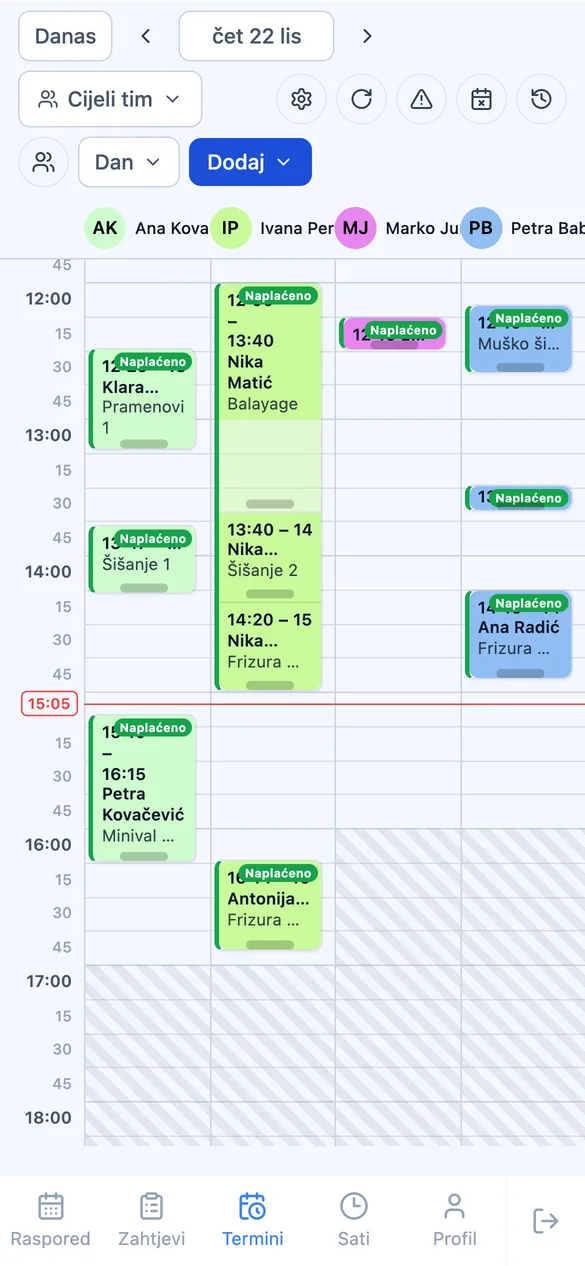
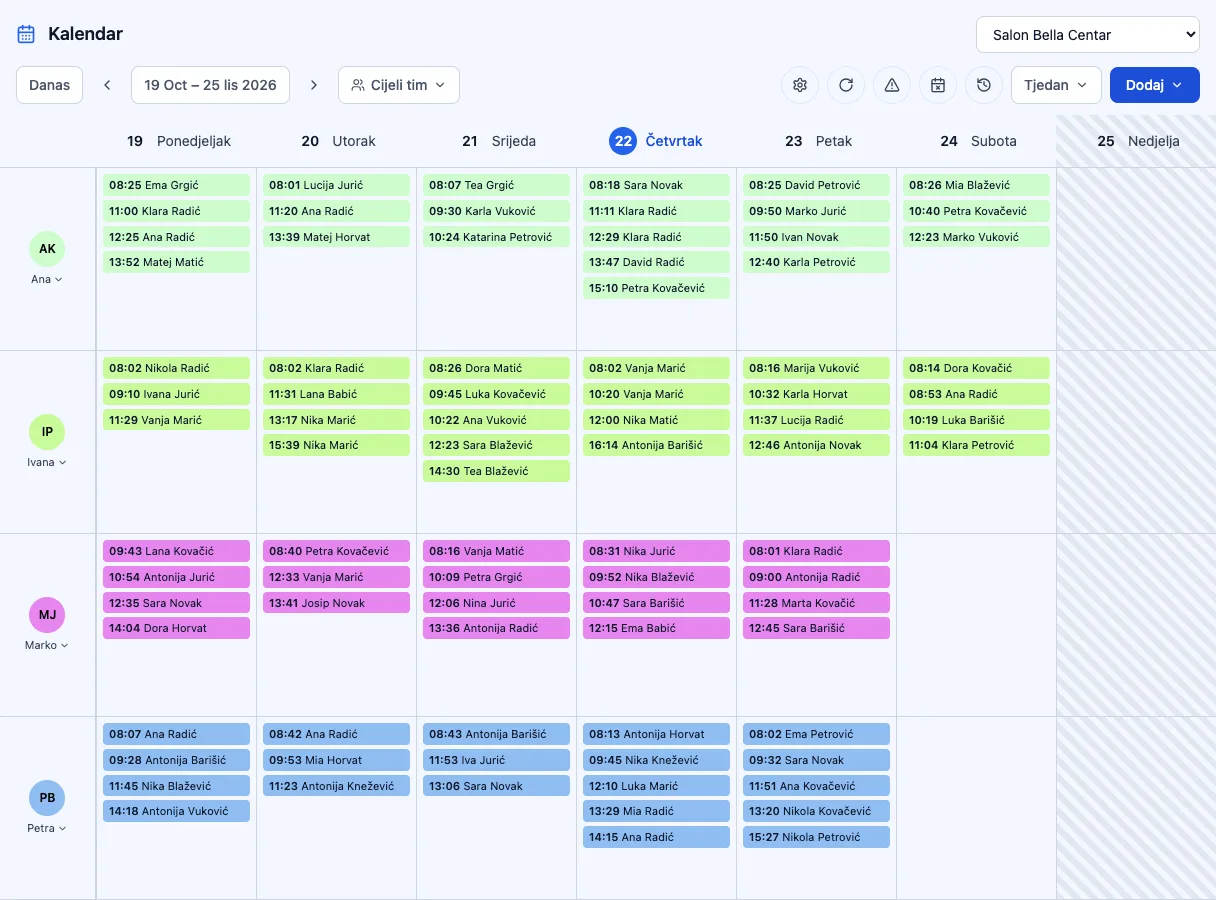
Day, week, and month views with a column for every team member. Enter the client and the service — duration, overlaps, and reminders take care of themselves.

Online self-booking — coming soon
Day view of the appointment calendar with a column per team member and color processing time Editing an appointment — client, service, duration, and team member
01

A column for every team member

Every stylist, beautician, or therapist has their own column and color. The calendar only offers slots within their shift, and you can filter it down to one person or the whole team.

Ana Ivana Marko Petra
02

Services with processing time

A composite service knows 40 minutes have to pass between applying color and cutting. That time stays free on the calendar — the stylist can book another client into it.

Balayage +40 min processing Cut
03

Confirmations and reminders, no phone calls

The client automatically gets a confirmation, a change notice, and a reminder before the appointment — with a link to add it to Google or Outlook Calendar and to cancel on their own.

E-mail SMS 1 h before
04

Drag, drop, block

Move an appointment to another time or team member by dragging it. Breaks, training, and vacations go in as blocked time, and the system warns about holidays and absences that hit appointments you've already booked.

☕ Break 🏖️ Vacation 5 appointments in conflict
05

The appointment becomes the receipt

The calendar is also available as its own tab on the POS. Open checkout from the appointment — the services are already in the cart, and the appointment is marked as paid once the receipt is issued.

€49,00 Paid

Client records

Color formulas, allergies, and preferences — notes and attachments every team member can see.

Client profile with color-formula notes and consents

Appointment history and no-shows

Every appointment a client has had, their spend, cancellations, and no-shows — you know who's reliable and who to ask for a confirmation.

A client's appointment history with paid, cancelled, and missed appointment stats

Business unit

The foundation
everything else rests on.

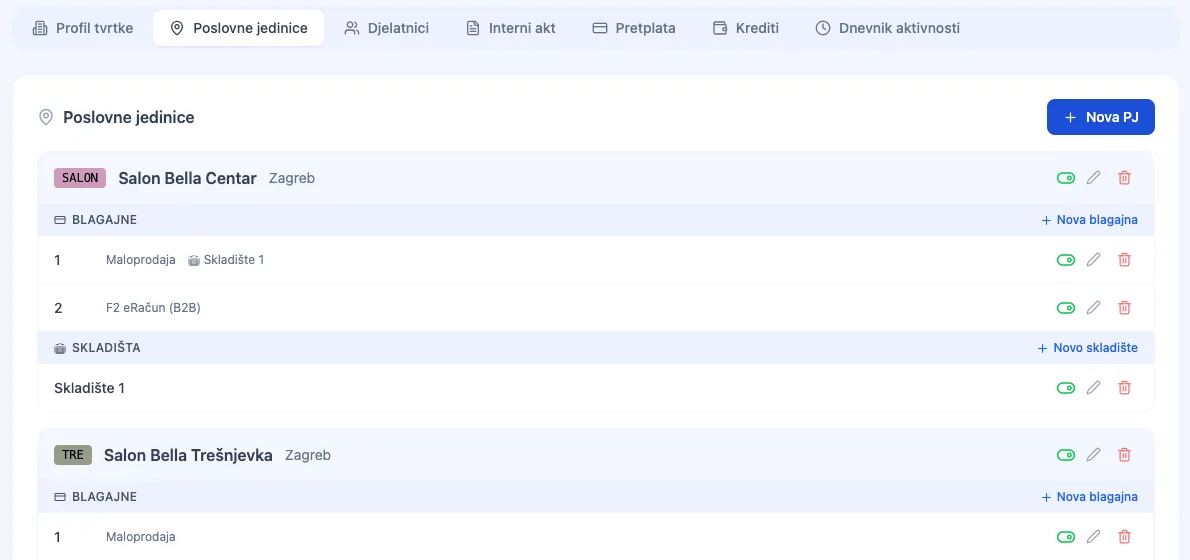
Every location — a hair salon, beauty studio, or barber shop — has its own address, opening hours, registers, and prices. You manage them all from a single account.

List of business units with registers and warehouses
01

Every location, its own settings

Address, opening hours, delivery, and its own receipt sequence per register — add a new business unit when you open a new salon, with no new account or separate login.

Downtown Salon Open 8am–8pm
02

Same catalog, different price

One item, multiple locations — set the price and availability separately for each business unit, without duplicating the whole catalog.

Balayage Downtown €25.00 Branch €22.00
03

Opening hours that drive the calendar

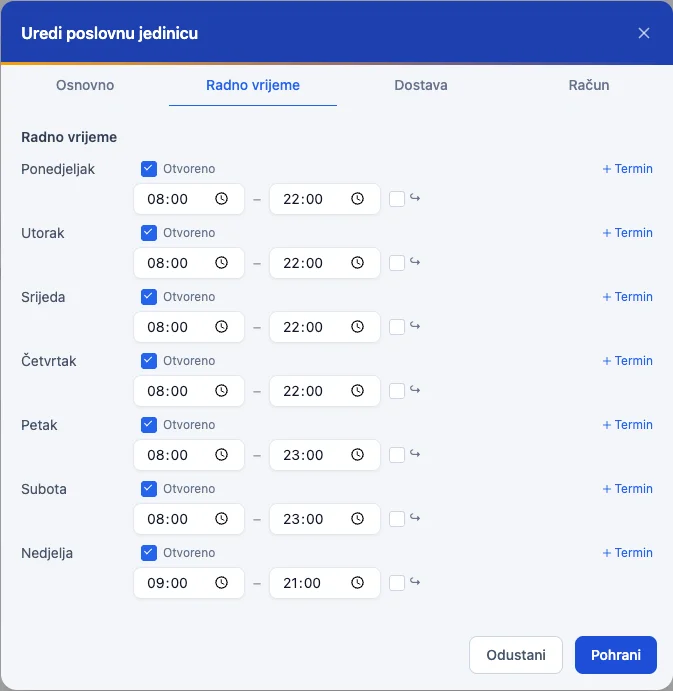
The calendar only offers slots within the location's opening hours and each team member's shift — a shorter Saturday, a closed Sunday, and public holidays are respected automatically.

Sat 8am–2pm · Sun closed
04

Reports by location

Compare revenue and best-sellers across locations, or track each location's growth against the same period last year (like-for-like) — you know which one's growing and which one's stalling.

Downtown €18,420 Branch €11,960

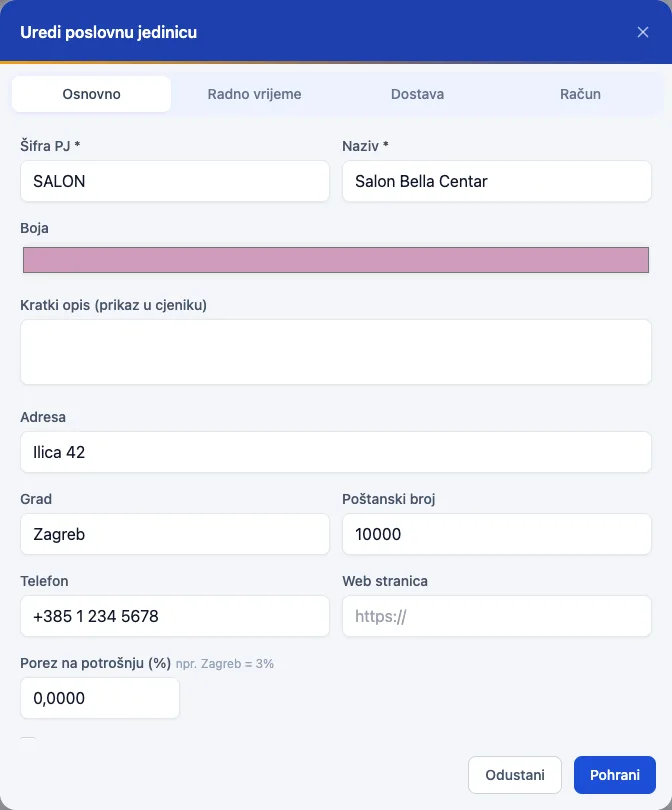
Location settings

Editing basic business unit data — address, phone, consumption tax

Opening hours by day

Opening hours by day of the week for the business unit

Prices by location

Item catalog filtered by location, with price per business unit

Register

Every register,
its own receipt number.

The first register comes with the business unit. Every additional one — at the front desk, at another station, or on a tablet — has its own type, receipt sequence, and staff.

POS Boss · Receipt

47/1/1

Sequence no. Business unit Register

The sequence is per register and never repeats — even offline, where a temporary number becomes final the moment the connection returns.

Register type Hospitality, retail, or an internal (transfer) register for inter-warehouse transfers — chosen when you create it.
Receipt numbering Every register has its own starting number and sequence — F1 receipts never overlap between registers.
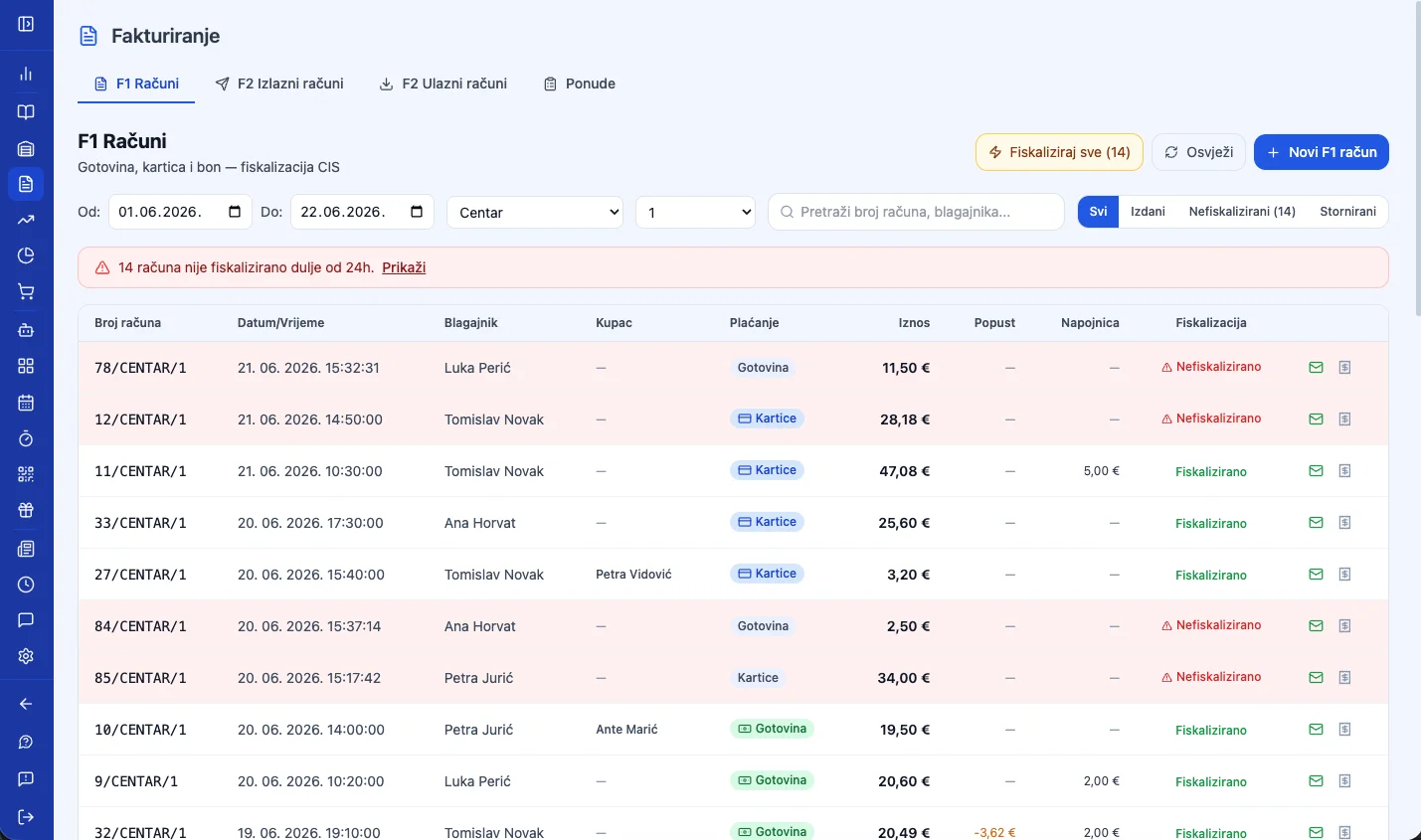
Fiscalization If a receipt isn't fiscalized at the moment it's issued, the system fiscalizes it automatically afterward — the manager can see at any time whether there are unfiscalized receipts.
Warehouses Multiple registers can share the same warehouse or each use its own — a sale deducts stock from the right place immediately.
Receipt footer Customize the printed footer text per register, or keep one shared text for the whole location.

F1 receipts by register

List of F1 receipts by register with numbering and fiscalization status

Works without the POS module too

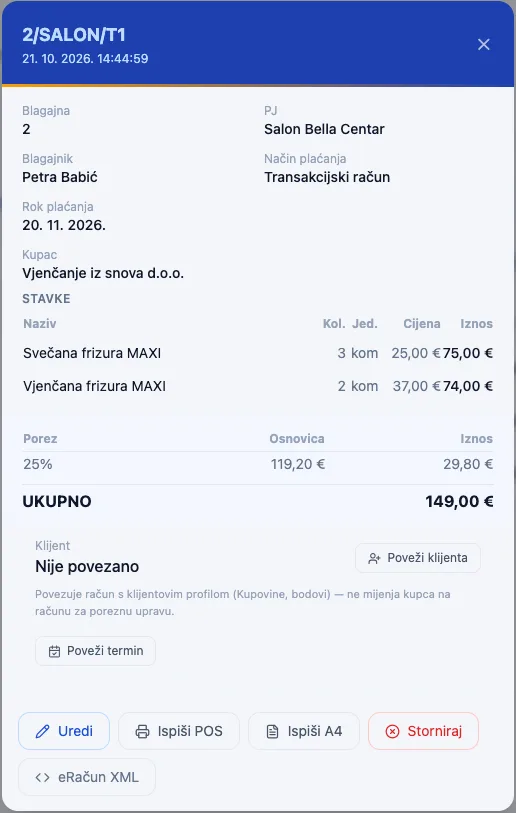
A register doesn't need a special device to issue receipts. Log into the app from any computer, open Invoicing, and manually issue an F1 or F2 receipt — with its own number and fiscalization. When you need faster checkout right at the register, upgrade it with the POS module.

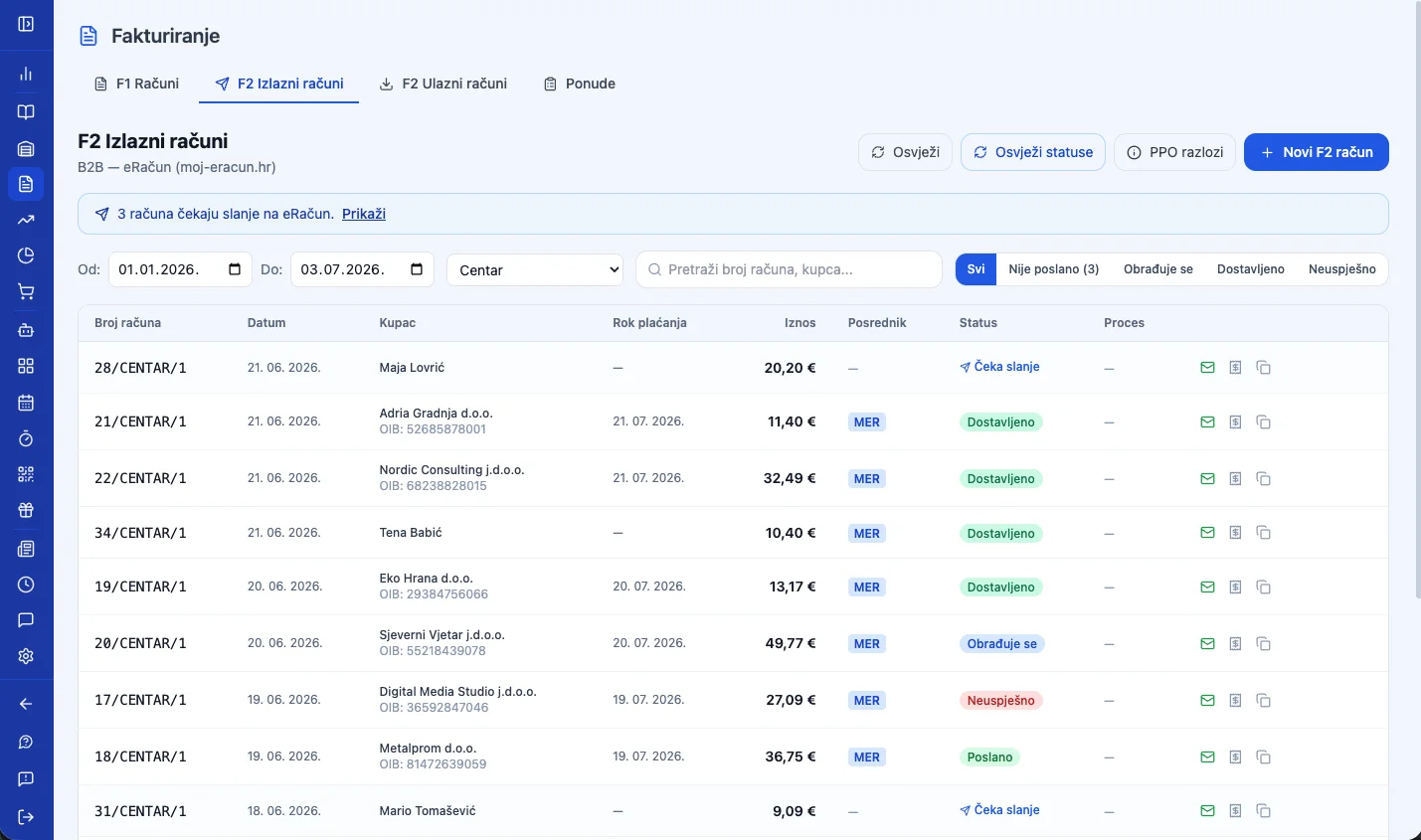
F2 e-Invoice for businesses

List of outgoing F2 e-Invoices for businesses

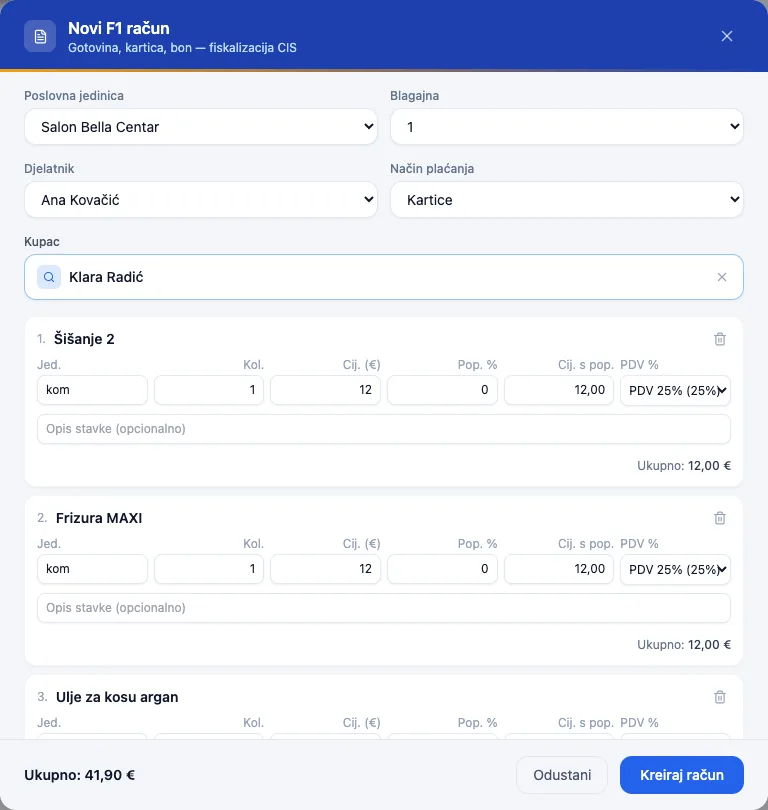
Manual receipt creation in a few clicks

Pick the business unit, register, and employee, add items, and charge — no POS interface, straight from Invoicing.

Manual F1 receipt creation in Invoicing

Fiscalization — JIR and ZKI

Every F1 receipt gets a JIR and ZKI immediately after issuing — both you and the customer have proof the receipt reached the Tax Administration.

F1 receipt with JIR and ZKI after fiscalization F2 e-Invoice with JIR and sending status

POS module

A register upgrade
for fast checkout.

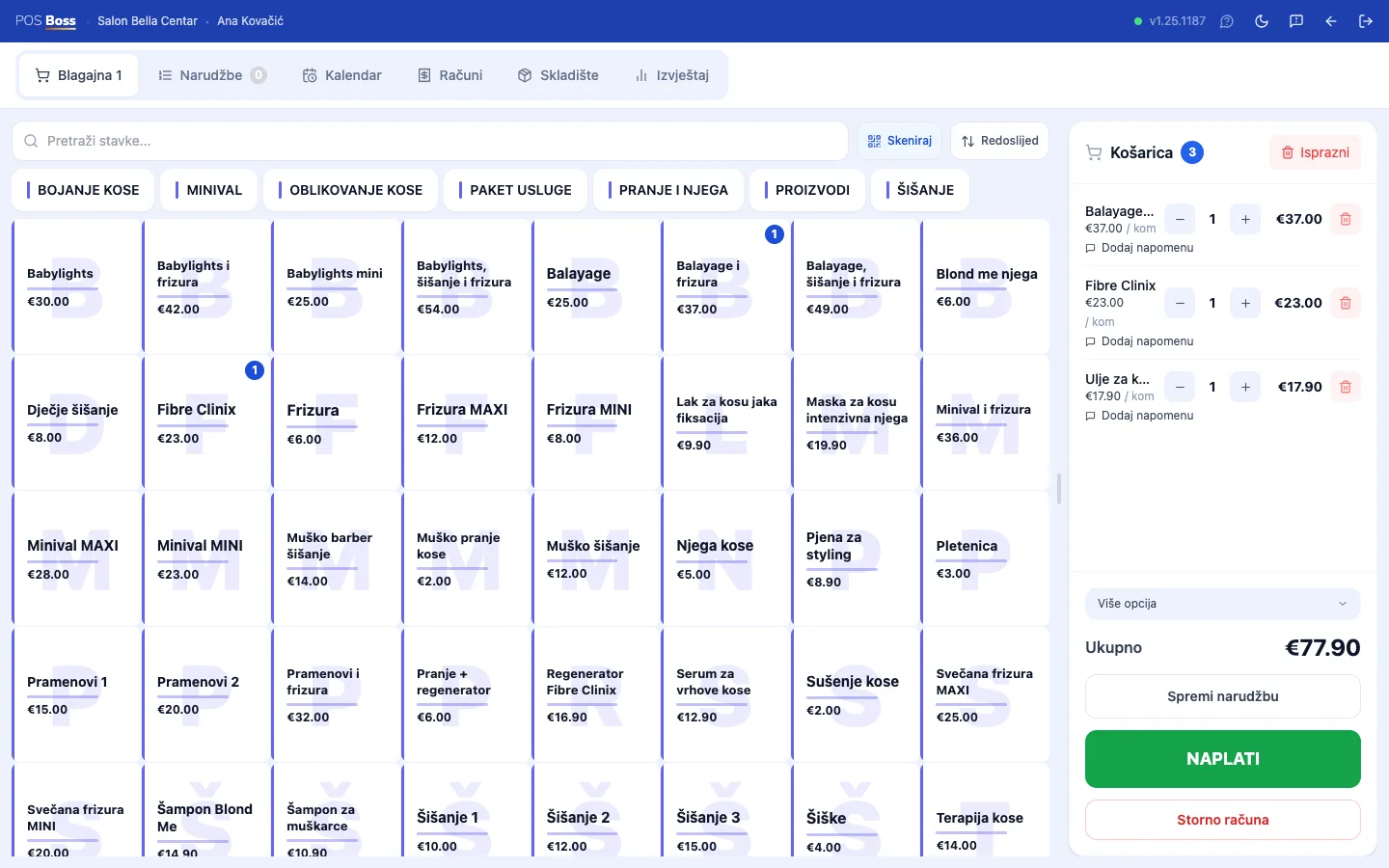
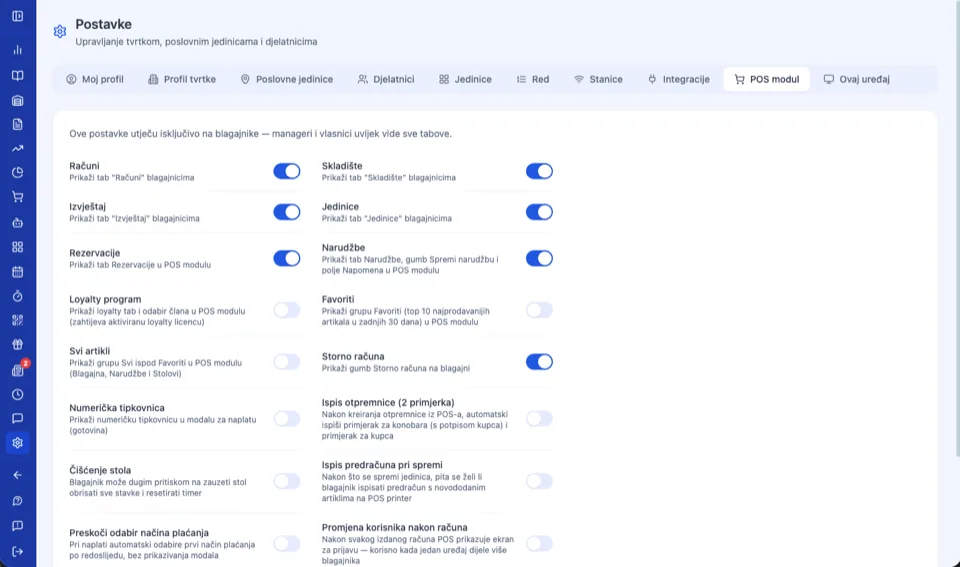
A register issues receipts without it too. The POS module is a fast checkout screen tied to a device — with favorite items, modifiers, and every payment method on a single receipt.

POS register — adding items to the cart and checkoutThe appointment calendar on the POSCustomizing POS module tab visibility

Tied to the device, ready for the shift

Chrome · macOS — Active since Jul 1, 2026

The POS module is bound to a device — a manager frees it up for another device or tablet with one click. Shifts hand over without logging out: the next cashier enters a PIN or taps an NFC card, and the cart stays untouched.

Staff portal

Your team has its schedule
always in their pocket.

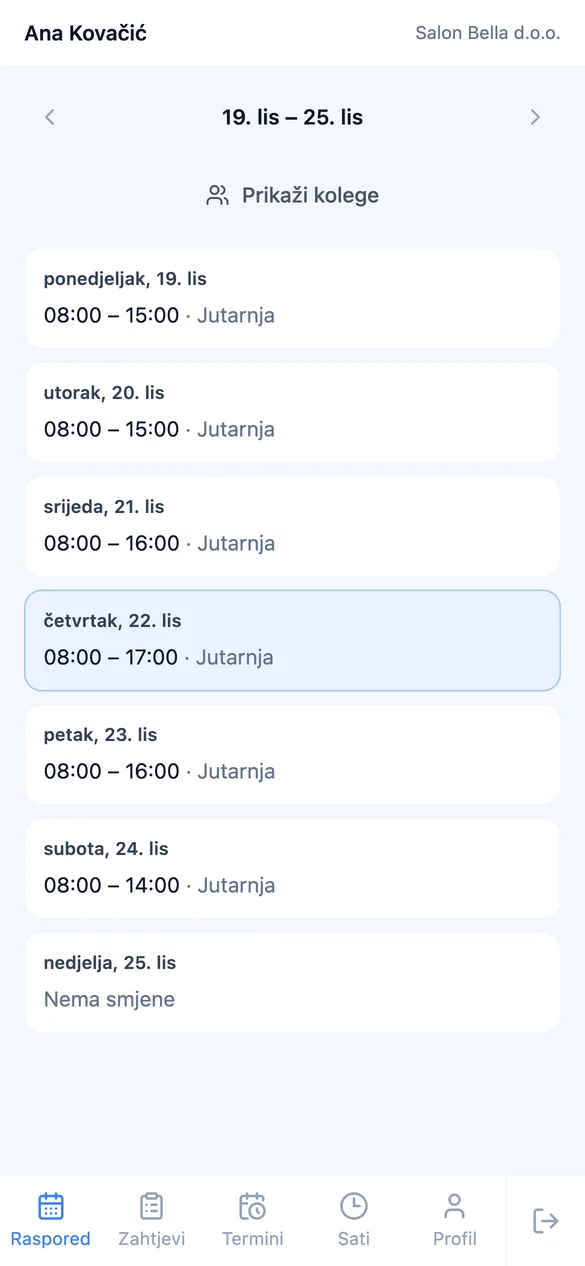
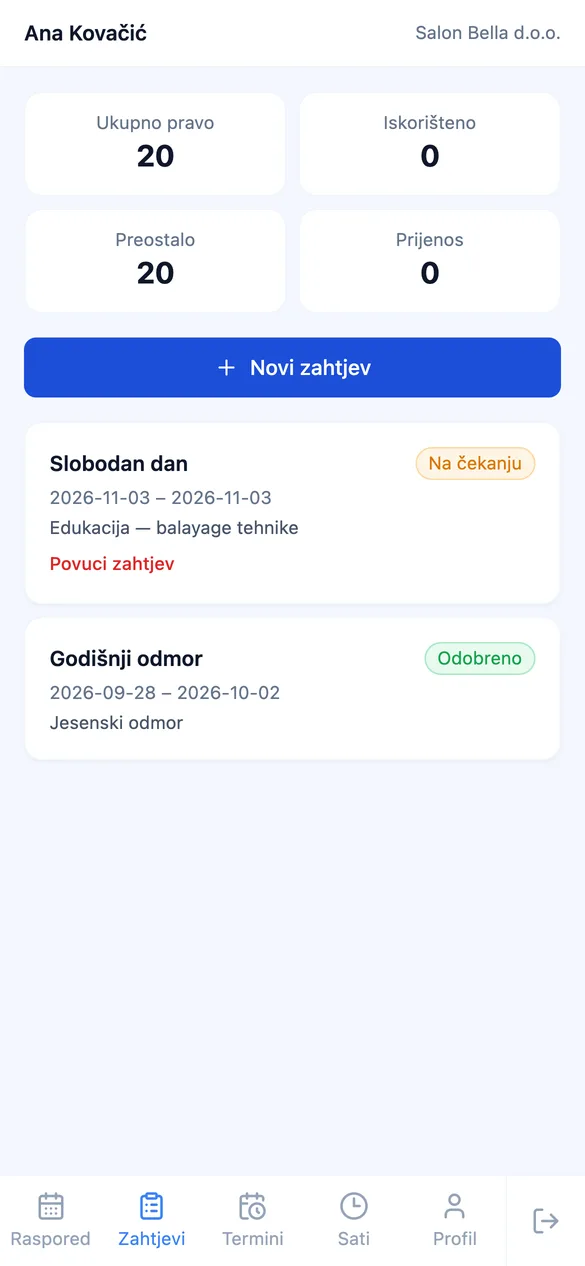
Every team member signs into the portal on their own phone — no app to install. They see their appointments, shifts, and hours worked, and send a vacation request in two taps.

A team member's weekly shift schedule on a phone The day's appointments in the staff portal Vacation and day-off requests in the staff portal

Their own appointments and shifts

Team members see their weekly schedule and the day’s appointments. With your permission, they can also book, change, or cancel appointments and see their colleagues.

Time off without paperwork

A vacation or day-off request comes to you for approval — with a warning if it overlaps appointments already booked. Remaining vacation days are always visible.

The client, before they sit down

If you enable it, team members open the client's record in the portal — color formula, notes, and past appointments — and add new notes right after the treatment.

Inventory

Stock under control,
no external tools.

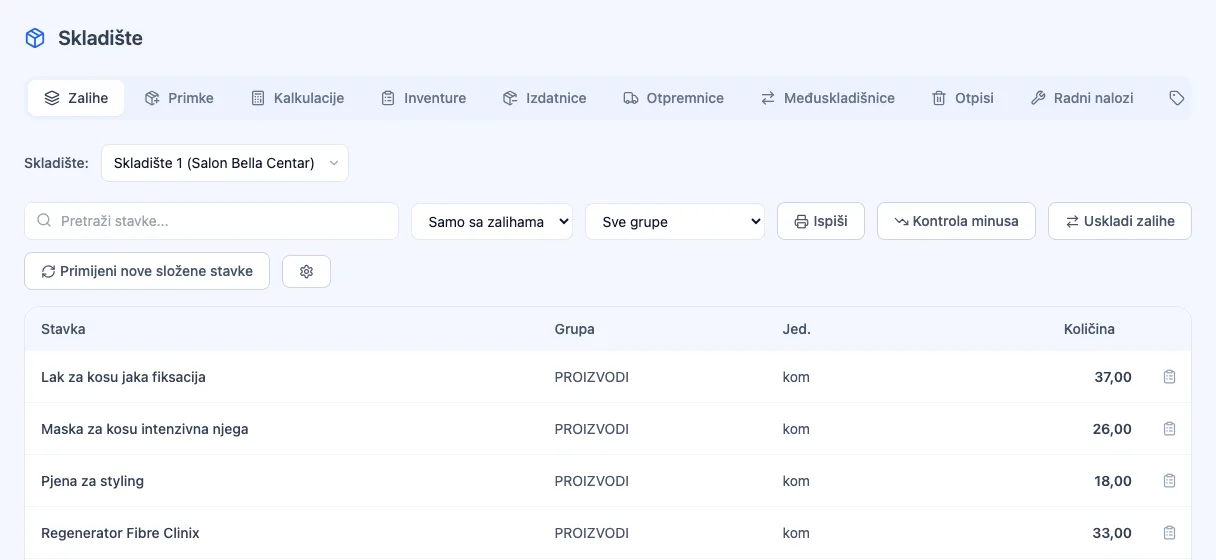
Goods receipts, write-offs, stocktaking, and inter-warehouse transfers — all in one place, with an item card that records every movement. The system tracks stock on its own, you just decide.

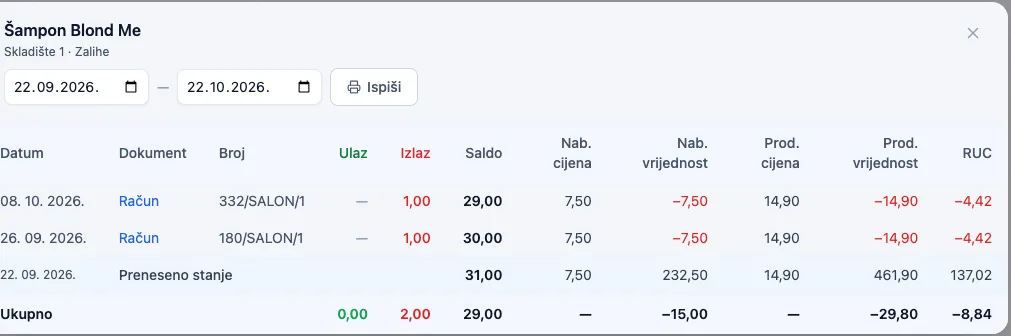
Stock overview by warehouse in POS Boss Item card with a history of stock in and out
01

Goods receipt in one scan

Photograph the supplier's invoice with your phone — AI recognizes the items, quantities, and prices and fills in the goods receipt itself. All that's left is your confirmation.

Invoice #4821 · Beauty Supply Ltd. AI recognized 18 items
02

Stock updates itself

Every goods receipt, write-off, or inter-warehouse transfer changes stock levels instantly, and you can edit any document later — the item card keeps a history of every movement.

Blond Me shampoo -6 pcs sold +24 pcs received
03

Stocktaking and dead stock

A stock count with automatic correction of discrepancies, plus a view of items that sit on the shelf without selling — you know exactly where your money is stuck.

Styling mousse 0 sales in 45 days

Work-hour tracking

Shifts log themselves,
no paper, no spreadsheets.

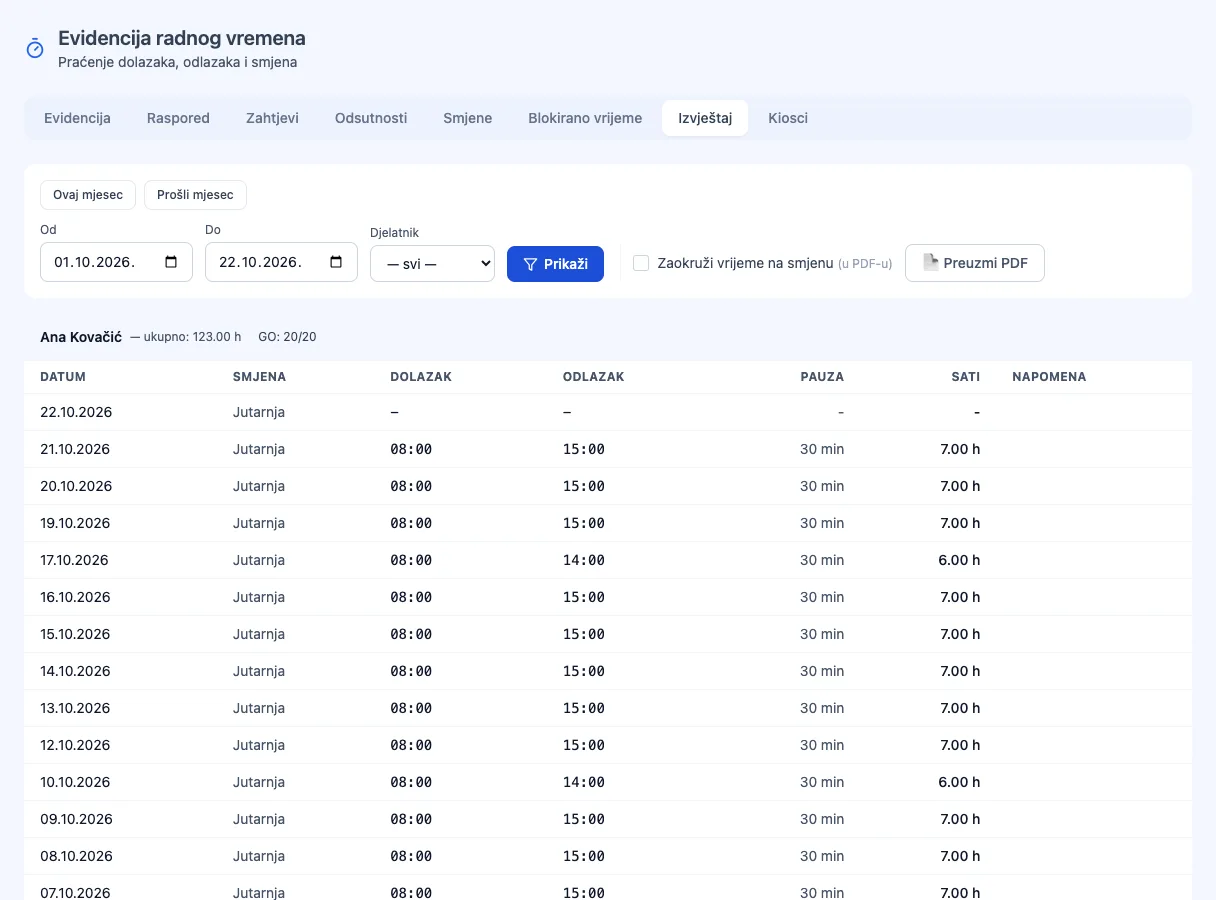
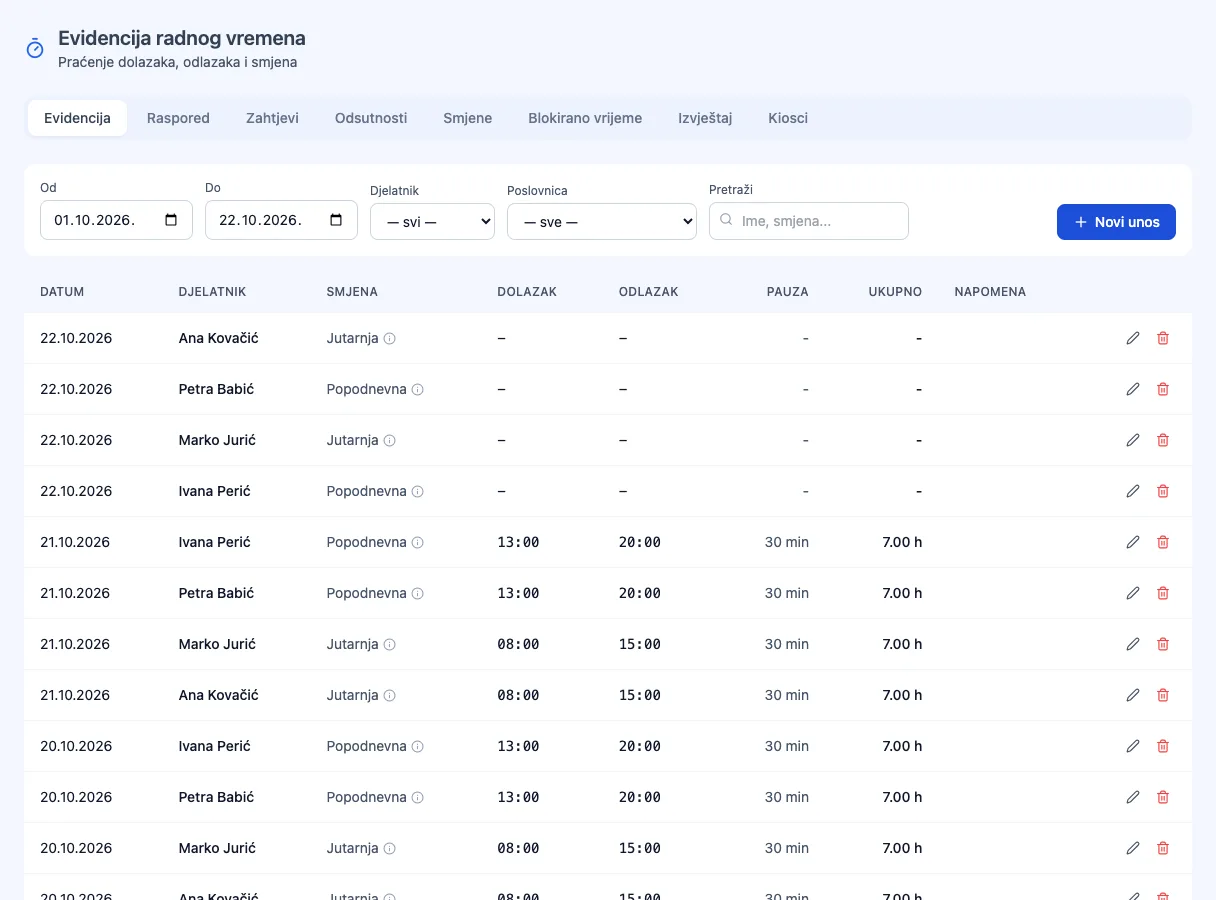
The employee clocks in with a PIN or NFC card on the POS — the shift starts and ends automatically. You see hours worked per person and print a payroll report with one click.

Work-hour report by employee A log of clock-ins, clock-outs, and shifts by day
01

Clock in with one tap

The employee logs in with a PIN or NFC card on the POS — the shift starts automatically, no separate clock-in needed. Clock-out is just as automatic, on logout.

Ana K. Active shift · since 8:02am
02

Shift and break templates

Define shift templates with colors and break durations — the system warns when a shift runs over or a break takes too long.

Morning 8am–4pm Afternoon 4pm–midnight Night midnight–8am
03

Payroll and printing

The manager sees total hours per employee, corrects an entry manually if needed, and prints a payroll report — it all works offline too, with auto-sync once the connection returns.

Ana K. — 162h this month Report ready

Loyalty program

Loyal clients come back.
You know who they are.

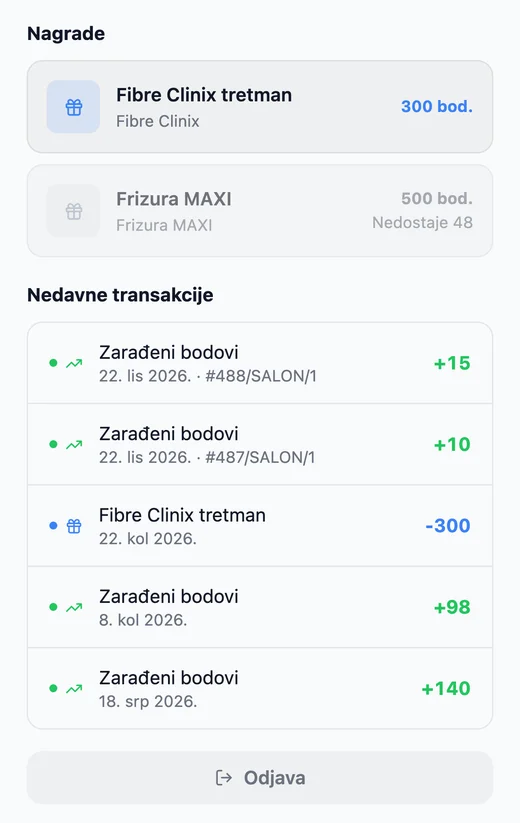
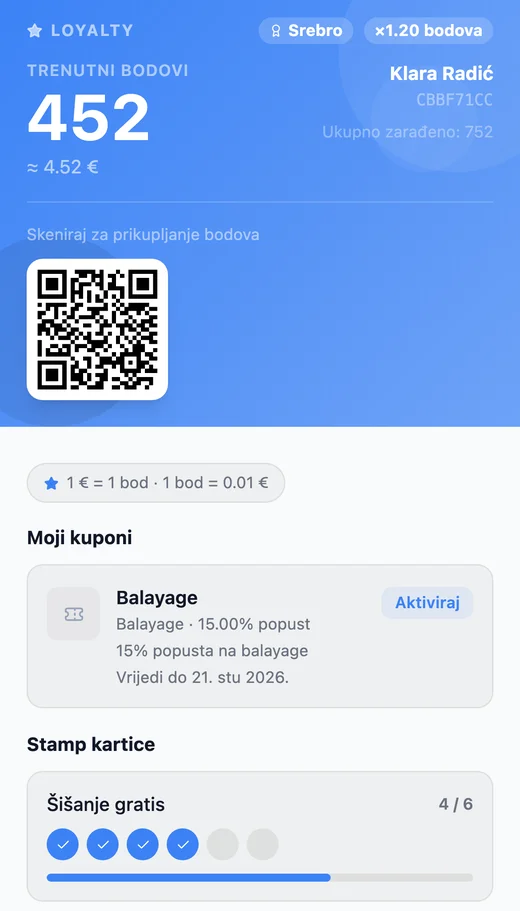
Points, stamp cards, coupons, and gift vouchers — clients track it all through the loyalty portal, and you see who visits most often and how much they spend.

Rewards and transaction history in the loyalty portal A guest's points, QR code, and coupons in the loyalty portal
01

Every receipt earns points

Points are calculated automatically from the receipt amount. For tiers (Bronze → Silver → Gold), you set the points multiplier per level yourself — or keep it the same for everyone.

Bronze Silver Gold
02

The guest picks a reward

From the loyalty portal, the guest chooses how to redeem points — for a free item or a discount on the receipt.

Free item Discount €
03

Applied at the register

The guest shows their QR loyalty card, or staff look up the profile by number — coupons and stamp rewards apply with a single tap.

Discount applied — total: €18.00
04

Stamp cards

Every 10th haircut free — the classic model, digitized, no paper cards.

2 / 6
05

Gift cards

Sell gift cards with a fixed value — activated at purchase, redeemed on the next visit.

Gift card GC-7734
€50.00
06

RFM analytics

Your top 50 guests by value, frequency, and recency — see who your real VIP guests are.

1. Ana K. · 42 visits €612
2. Marko P. · 38 visits €540

Calculate your price

A package for Salons & Personal Care

Modules are pre-selected for your industry — adjust as needed.

Cost estimate

Excl. VAT. Fiscalization and onboarding included.

€0.00

/ month

Frequently asked questions

Questions for
Salons & Personal Care

Can clients book an appointment online by themselves?

Online self-booking is coming soon. Today, appointments are entered by staff — from the front desk, the Manager, or through the staff portal on a phone — and the client automatically gets a confirmation and a reminder by email or SMS, with a link to cancel on their own.

How do reminders work, and do they reduce no-shows?

Reminders go out automatically — by email, and optionally by SMS — at a time you choose, from 30 minutes to 24 hours before the appointment. A client who can't make it cancels with one click, so you can free up the slot for someone else instead of leaving the chair empty.

Can a stylist take another client while the color processes?

Yes. Composite services (e.g. balayage, cut, and styling) have a defined processing time between steps — the calendar shows that time as free, so you can book a quick cut or blow-dry for another client into it.

Can I track how much each team member earns?

Yes. Every receipt is linked to the team member who performed the service, and per-employee reports show revenue, number of services, tips, and discounts given. With time tracking, you also see hours worked.

Can I also sell beauty products in the salon?

Yes. Shampoos, masks, and other products go on the same receipt as the service, and with inventory, every sale deducts stock right away so you know when to reorder.

Does it run on a front-desk tablet, and without internet?

POS Boss is a web app — it runs on an Android tablet, iPad, or computer with nothing to install. Checkout works offline too, and receipts are fiscalized as soon as the connection is back.

I run a salon at two locations — do I need two accounts?

No. Each location is its own business unit with its own calendar, team, prices, and registers, and you see everything from a single account. Check the price for your number of locations in the pricing section.

Is POS Boss ready for
Salons & Personal Care?

The demo is completely non-binding — we show you how it works for your case.

Try it yourself →