The complete reference list
All POS Boss Capabilities
A detailed, module-by-module look at everything the system does — from the checkout counter to accounting integrations.
1. Checkout / POS Terminal (Register)
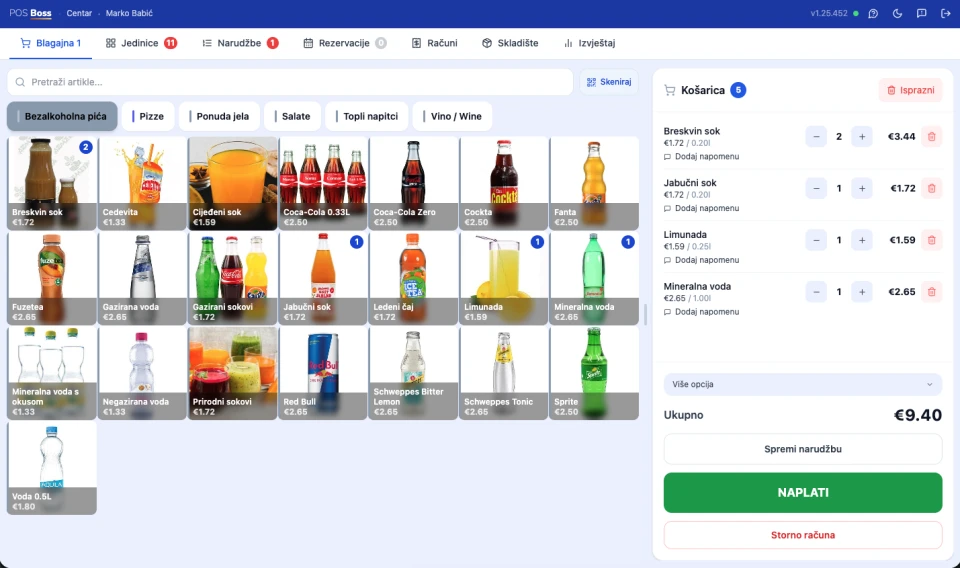
- ✓ Fast, touch-friendly interface for waitstaff and cashiers — items by group, or search by name/barcode.
- ✓ Card view of items or a compact list view for stores with large catalogs (1,000+ items), with keyboard navigation for barcode scanners.
- ✓ A "★ Favorites" group automatically shows the 10 best-selling items from the last 30 days — faster ordering during rush hours.
- ✓ Per-line discounts (percentage), quantity changes, splitting/merging receipts, moving items between tables/orders.
- ✓ Editing order items that have already been sent (to the kitchen screen/printer) when enabled by the manager — changing quantity or removing an item after it's been sent, with a clear indication of what changed.
- ✓ Multiple payment methods on a single receipt at once: cash, card, bank transfer, cheque, transaction account, crypto (Paycek), and custom payment methods. Split payments (part cash, part card).
- ✓ Tips — at checkout or added afterward to an already-issued receipt (just the sequential receipt number, e.g. "47", is enough).
- ✓ Every sale automatically generates a fiscalized receipt (ZKI + JIR); voids come with a full audit trail.
- ✓ Cashier login by PIN or NFC card (tap-to-login) — no password, automatic lock after inactivity.
- ✓ A daily register report directly from the POS: by payment method, by employee, and a void overview.
- ✓ Checking current stock levels directly from the register.
- ✓ Automatic cashier switch after every receipt (optional) — for devices shared by multiple staff.
- ✓ Printing a pre-receipt when items are saved (optional) — the guest gets a running subtotal.
- ✓ A resizable cart panel on desktop — the preferred width is remembered per device.
- ✓ An on-screen keyboard on touch devices (PWA).
- ✓ Full offline support — the entire POS module (not just checkout) works without internet: items, discounts, tables, and open orders all work locally; receipts sync automatically the moment the connection returns.
2. Table Management (Restaurant/Café Mode)
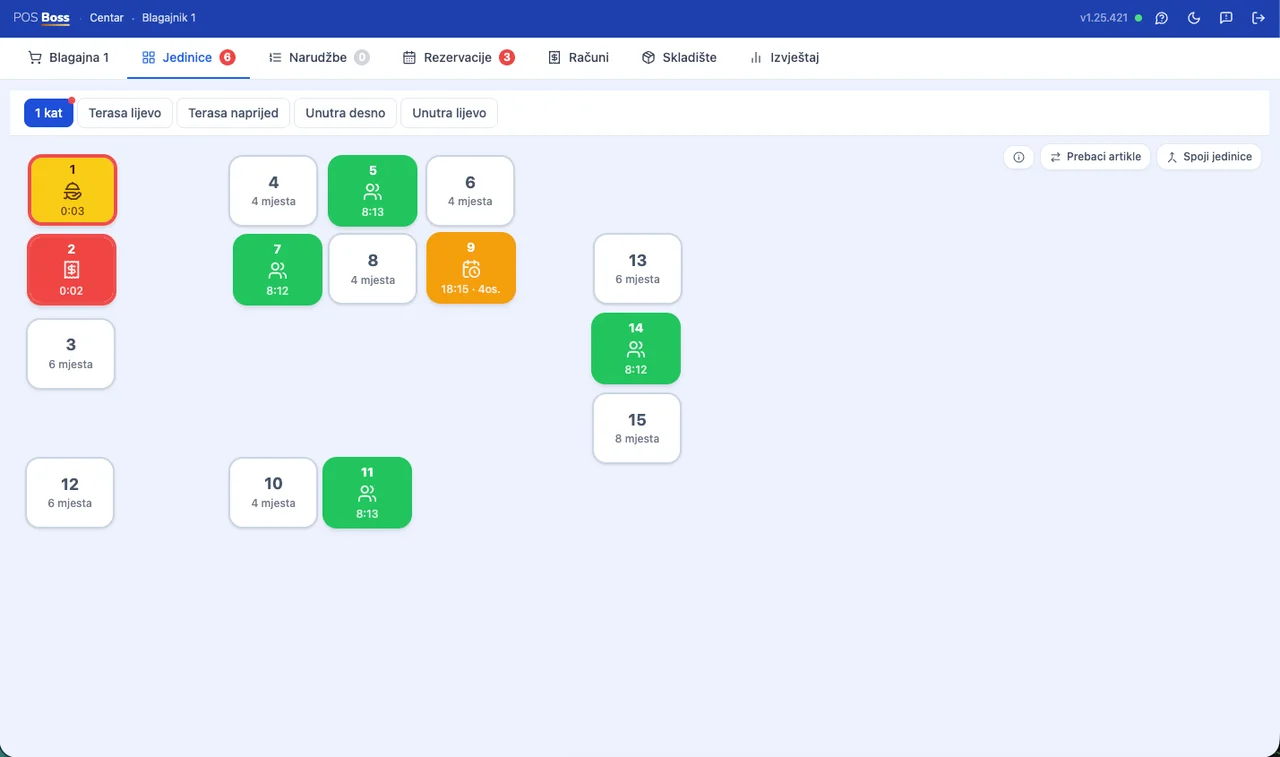
- ✓ A visual floor plan of the venue — zones/groups (Terrace, Main Hall, Bar...), color-coded by status (free/occupied/with an order).
- ✓ A per-table cart that persists even if the server switches to another screen.
- ✓ Printing a non-fiscal pre-receipt from a table (to show the guest before payment) — duplicate items are automatically grouped into one line.
- ✓ One long-press "clear table" action — deletes the order without issuing a receipt (with confirmation), when allowed by the manager.
- ✓ Merging and transferring tables/carts (including orders with no table — e.g. the bar counter).
- ✓ When a guest orders via a table QR code, the waiter gets a real-time sound and visual (orange banner) alert, including bill requests ("table is asking for the bill").
- ✓ Everything works offline too (floor plan, open orders, merging tables).
3. Table Reservations
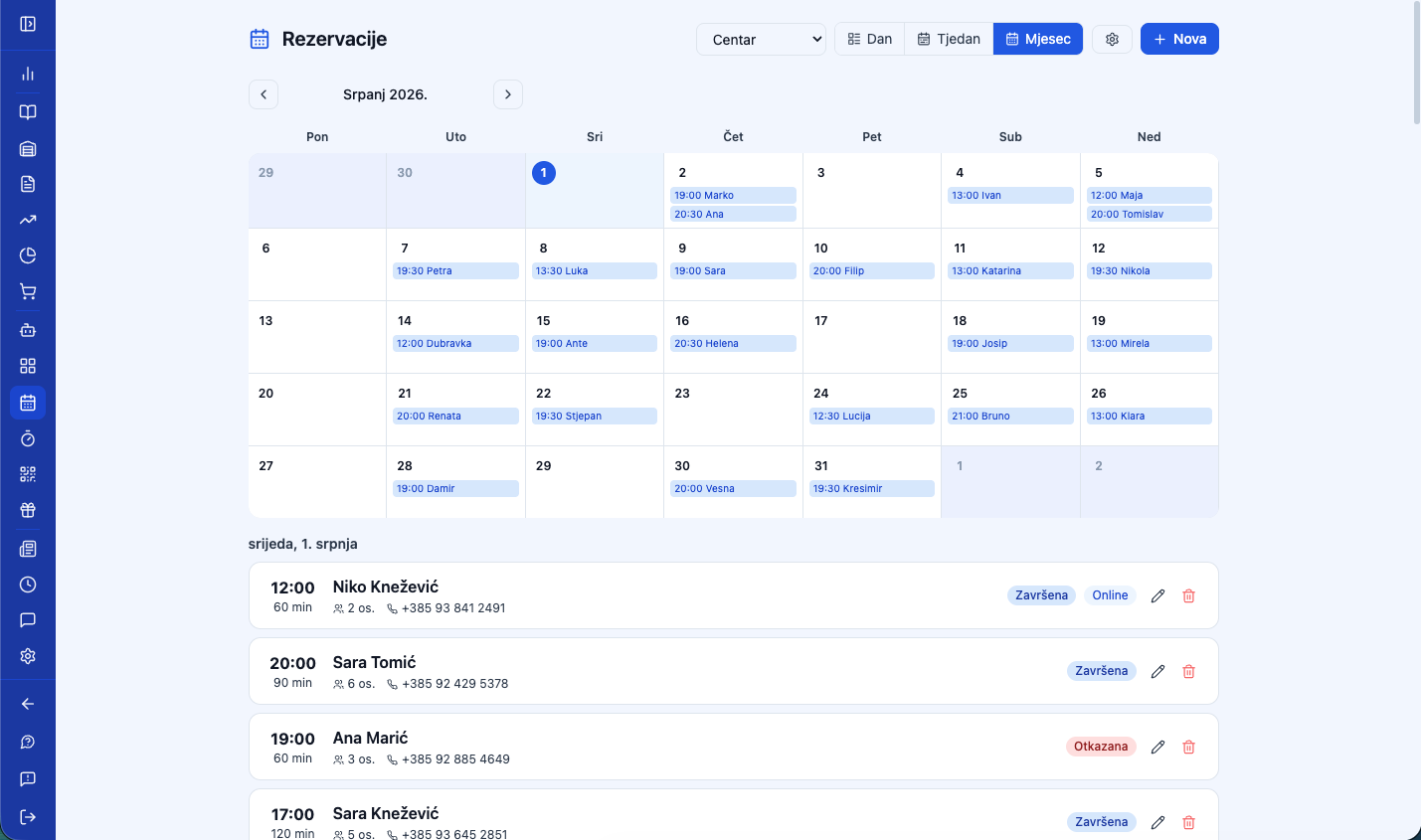
- ✓ Guests book a table directly from the digital menu (QR) — no app, no login required. The system automatically finds the best available table for the party size.
- ✓ An email confirmation with a self-service cancellation link.
- ✓ Staff can create/edit reservations from both the Manager view and the POS.
- ✓ A day/week calendar view of reservations, color-coded by status.
- ✓ Per-location settings: enable/disable, slot interval, duration, how many days in advance, working hours.
- ✓ Automatic capacity protection — a time slot isn't offered if no table can fit that party size.
4. Calendar (Service Appointments)
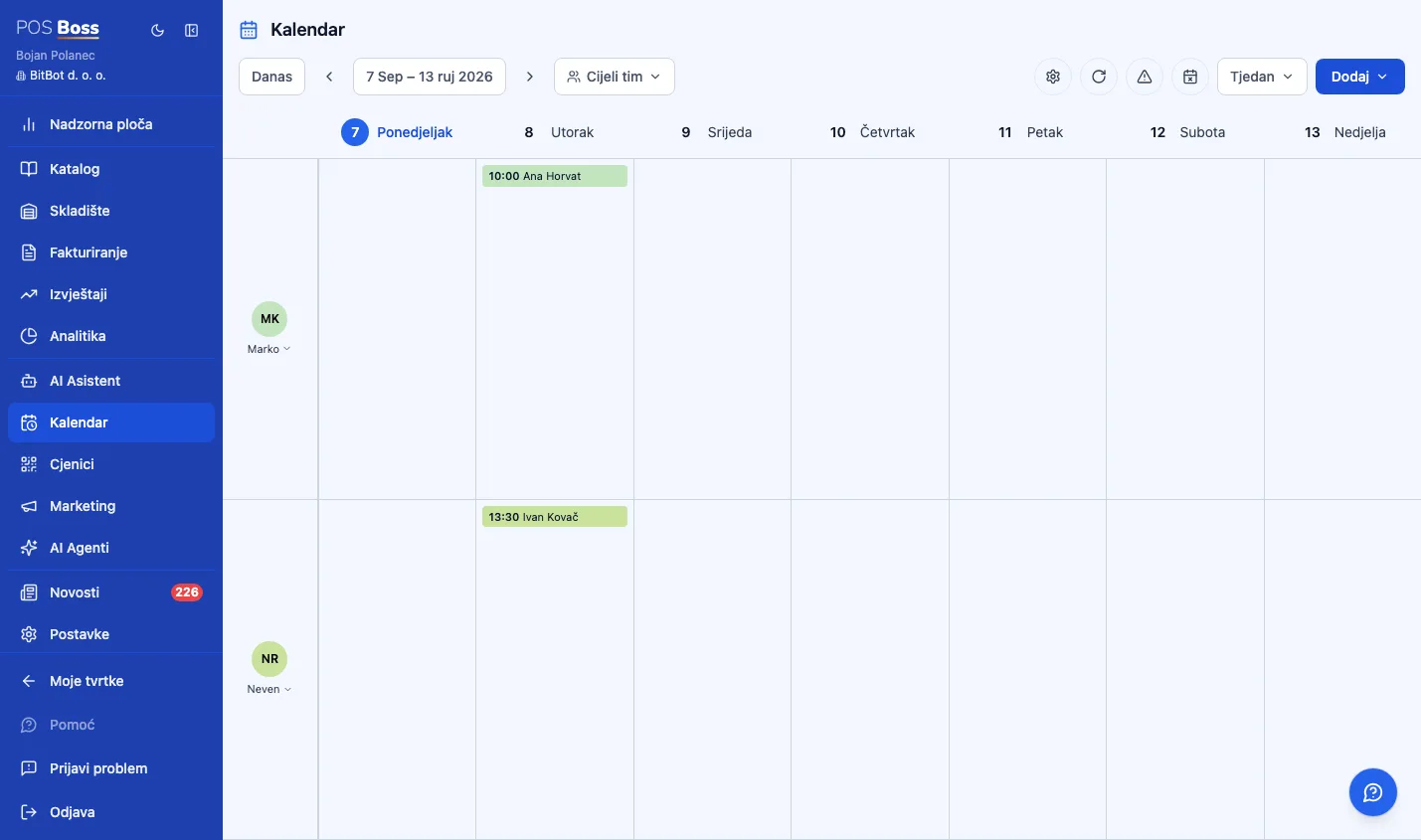
- ✓ A time-grid schedule with one column per team member — fully separate from table reservations, built for hair & beauty salons, clinics, and service-based businesses.
- ✓ Views: Day (hour-by-hour, with a live red current-time line and a zoom slider), 3-Day and Week (team members as rows, days as columns), Month (up to 4 appointments per day, with a "+X more" link for the rest).
- ✓ Quick navigation: jump to "Today" in one click, step forward/back with the arrows, or use a date picker with "in 1 week / 2 weeks / 1 month" shortcuts.
- ✓ Add appointment — pick a client (or type a walk-in name), one or more services, and a team member; duration is calculated automatically from the services chosen.
- ✓ Group appointments — book a session with a capacity and a roster of participants, each optionally linked to an existing client (e.g. group treatments, workshops).
- ✓ Blocked time — reserve part of a team member's schedule for breaks, training, or time off, with no client attached.
- ✓ Drag and drop to reschedule an appointment or reassign it to another team member, and resize it by dragging its edge; the system rejects a conflicting booking the moment it happens.
- ✓ Team & service setup — any employee can be marked bookable in the Calendar (their own column and color), and any catalog item can be marked as a bookable service with its own duration and color.
- ✓ Filter the calendar down to one team member, a hand-picked selection, or the whole team through a searchable picker.
- ✓ Public holidays are shown automatically in the calendar — the system warns before an appointment is booked on a holiday.
- ✓ Available on the POS too as its own tab (toggle per company), not just in the Manager — front-desk staff manage appointments without switching systems.
- ✓ A separate, independently billed module — a business pays only for what it uses (table reservations, the appointments calendar, or both).
5. Digital Menu (QR Menu)
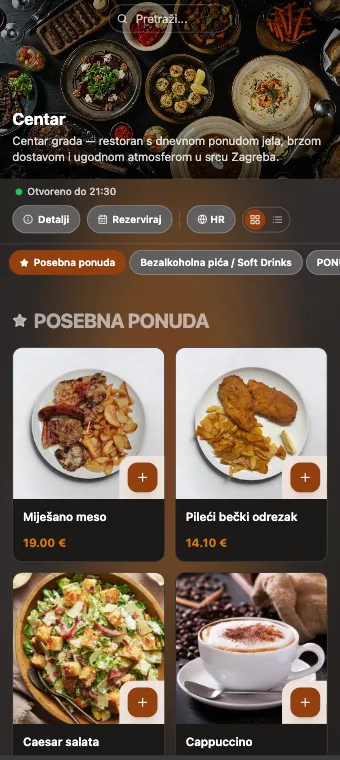
- ✓ An automatically generated QR menu per table, or a general QR code at the entrance — no app, opens right in the browser.
- ✓ Always up to date — a price change in the system is instantly reflected on the menu.
- ✓ Multilingual: Croatian, English, Serbian, German, French, Italian, Slovenian, Hungarian.
- ✓ A card view (with photos) or a compact list view.
- ✓ Custom brand colors, logo, and hero image; ready-made themes and backgrounds (bistro, rustic, elegant...).
- ✓ AI brand analysis — enter your website URL and the AI automatically extracts your colors, logo, and hero image (free).
- ✓ One-click AI translation of menu items into any supported language (uses AI credit).
- ✓ Ordering from a phone with an instant staff notification; guests can also call a waiter or request the bill (each option can be toggled independently).
- ✓ Card payment on the menu — guests can pay online by card when ordering (Teya, myPOS, Viva, Monri, or Saferpay, whichever provider is active); the order automatically appears as paid.
- ✓ Mandatory legal notices shown automatically on the menu: VAT notice, complaint procedure, and the statutory alcohol notice for minors — with zero manual setup.
- ✓ Secure: every menu has a random link that can't be guessed or indexed by search engines.
6. Queue — Self-Service Ordering (Counter Number)
- ✓ The guest scans a QR code at the counter, orders and pays (optionally), and gets a queue number (e.g. "42").
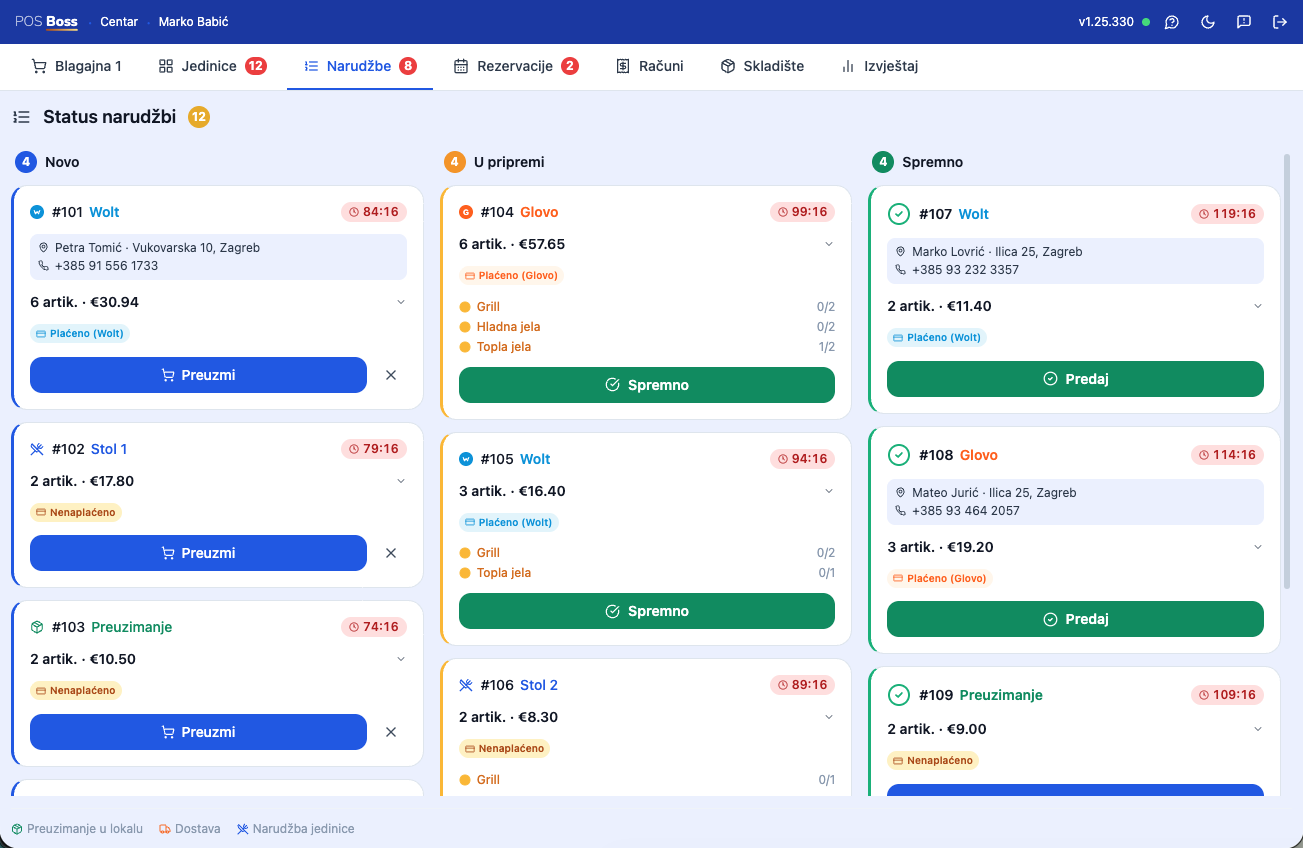
- ✓ The cashier sees all orders live in the "Queue" tab and claims one with a single tap — items load straight into the cart.
- ✓ Orders paid online by card show a green "Paid" badge — no additional charge needed.
- ✓ Real-time updates across every register at once (no manual refresh), protected against two cashiers claiming the same order.
- ✓ Numbering order: sequential or random, with a configurable range and daily reset time.
- ✓ Works offline too (deliver/dismiss), with automatic sync.
- ✓ Ideal for: cafés, fast food, food courts, kiosks.
7. Kitchen Display System (KDS)
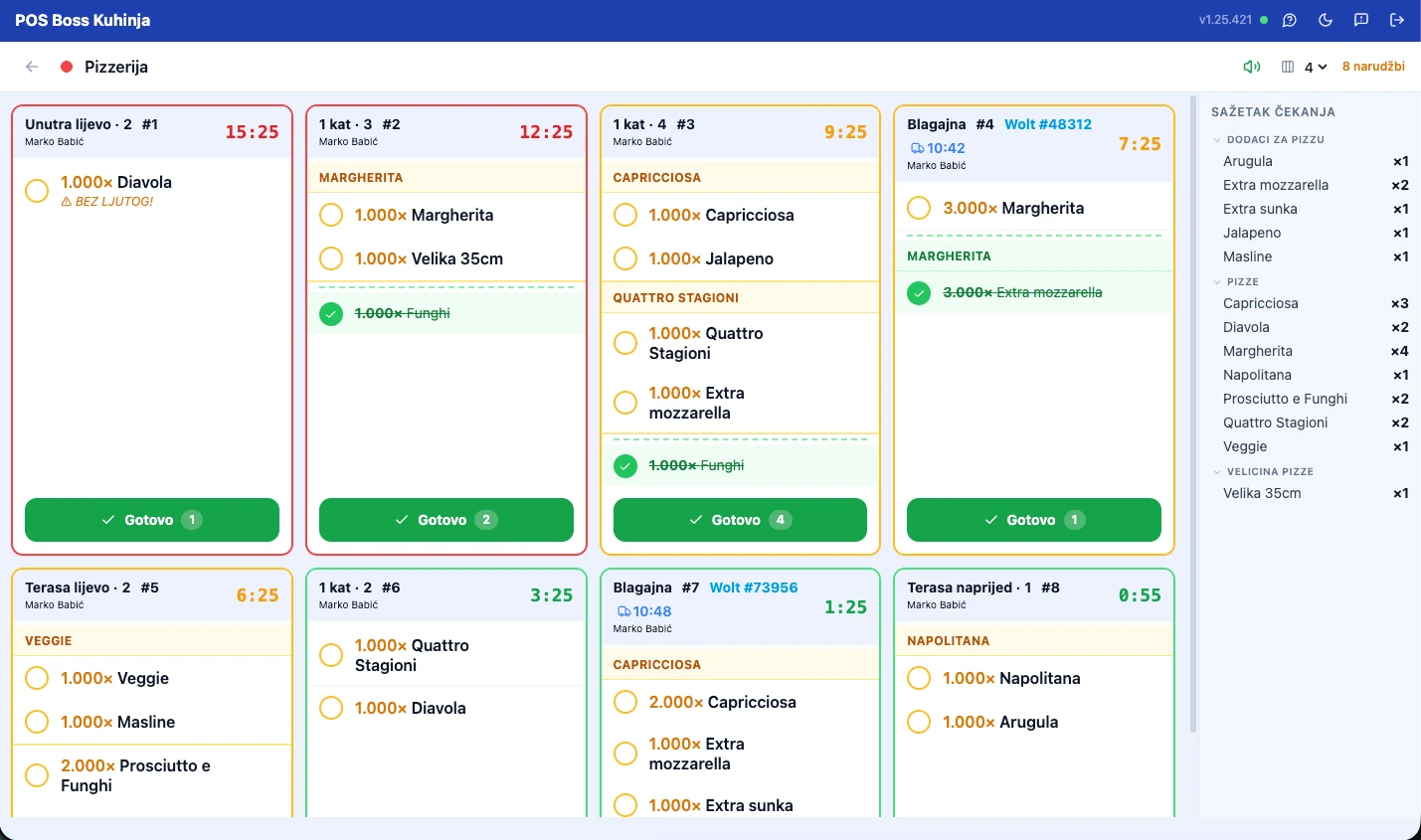
- ✓ Replaces paper kitchen tickets — orders appear on the kitchen screen instantly.
- ✓ An order stays visible until the kitchen marks it done — even if the receipt was already paid (billing and food prep are independent processes).
- ✓ Stations (Kitchen, Bar, Grill...) — every item is routed to the right screen.
- ✓ An elapsed-time counter per order with a warning (yellow/red) when it waits too long — configurable thresholds per station.
- ✓ A sound alert for every new order.
- ✓ Merging tables carries active kitchen orders over to the new table.
- ✓ Works offline; completely paperless.
8. Item Catalog
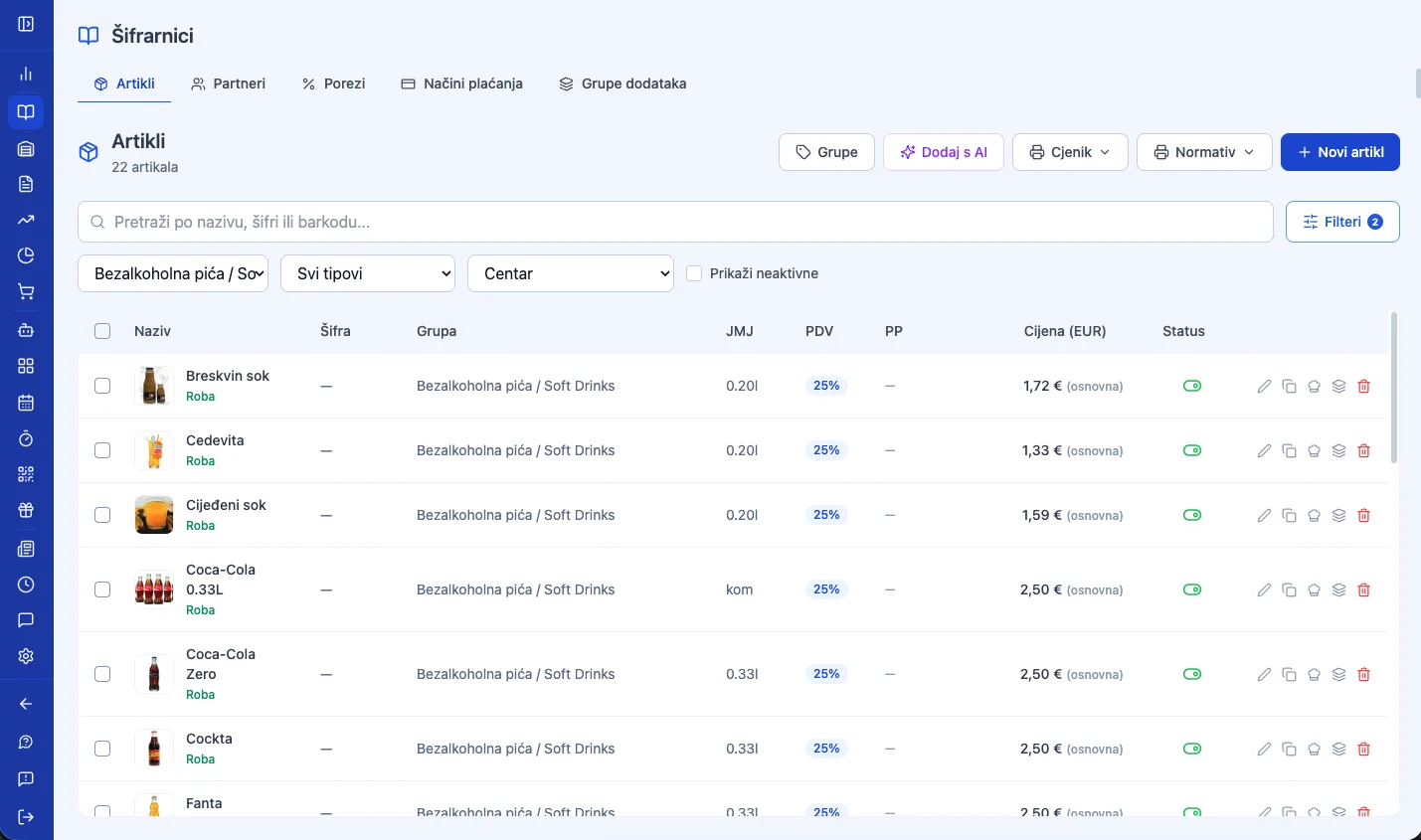
- ✓ A central database of everything you sell — from a single espresso to thousands of retail SKUs.
- ✓ Item groups and subgroups (categories), reorderable by drag and drop.
- ✓ Prices including or excluding VAT, all Croatian VAT rates (0/5/13/25%), and per-business-unit (per-location) pricing.
- ✓ Printing an A4 price list for physical display per location.
- ✓ Barcodes — scan and add straight to the receipt.
- ✓ Norms (recipes) — ingredients are automatically deducted from stock when a prepared dish is sold (food cost control).
- ✓ Modifiers / add-ons — option groups (e.g. "choose your sauce") with min/max selection, free or charged; they pop up automatically when adding an item and print as sub-lines on the receipt.
- ✓ AI item import — paste a restaurant website URL, a Wolt link, or upload a photo/PDF of the menu — the AI extracts every item with prices and categories, shows a preview before saving, and flags duplicates.
- ✓ Packaging deposit (POVNAK) — a single toggle per item; the system automatically splits the receipt line and accounts for it in purchasing.
- ✓ Bulk selection and mass-editing of multiple items at once (group, VAT, status...).
- ✓ Import from Excel/CSV.
9. Invoicing & Fiscalization (Croatian CIS)
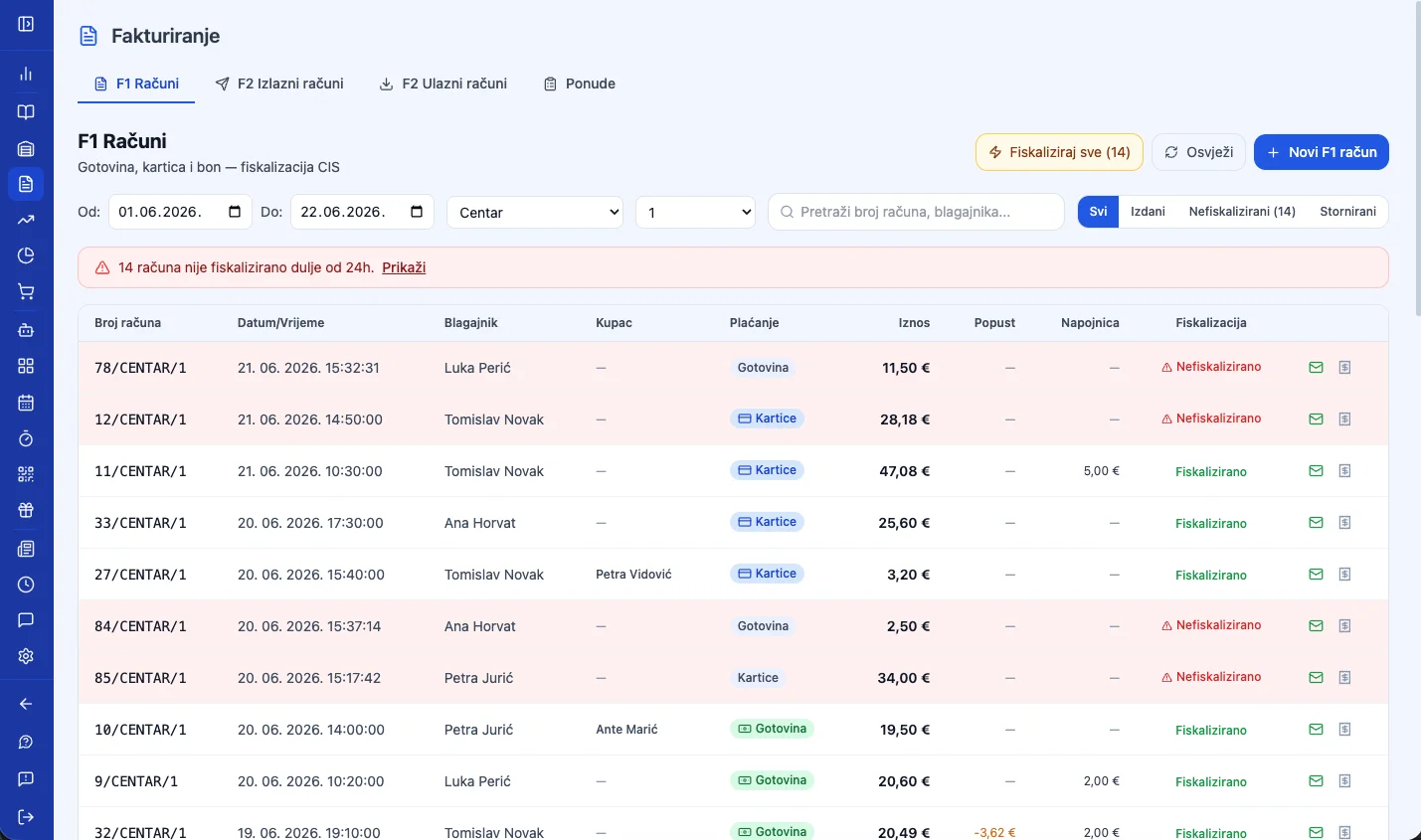
- ✓ Every receipt is fiscalized automatically in real time (ZKI + JIR).
- ✓ A unified "Invoicing" menu: F1 receipts, F2 e-Invoices, and Quotes — all in one place.
- ✓ Automatic retry — if CIS is unreachable, the system resubmits the receipt every hour (going back up to 30 days).
- ✓ A per-line description on F1 receipts, changing the buyer/payment method after fiscalization (until midnight the same day), and emailing any receipt as a PDF.
- ✓ Voids with a full audit trail, linked back to the original receipt.
- ✓ The digital certificate (PFX) is stored encrypted (AES-256-GCM).
10. Warehouse Management
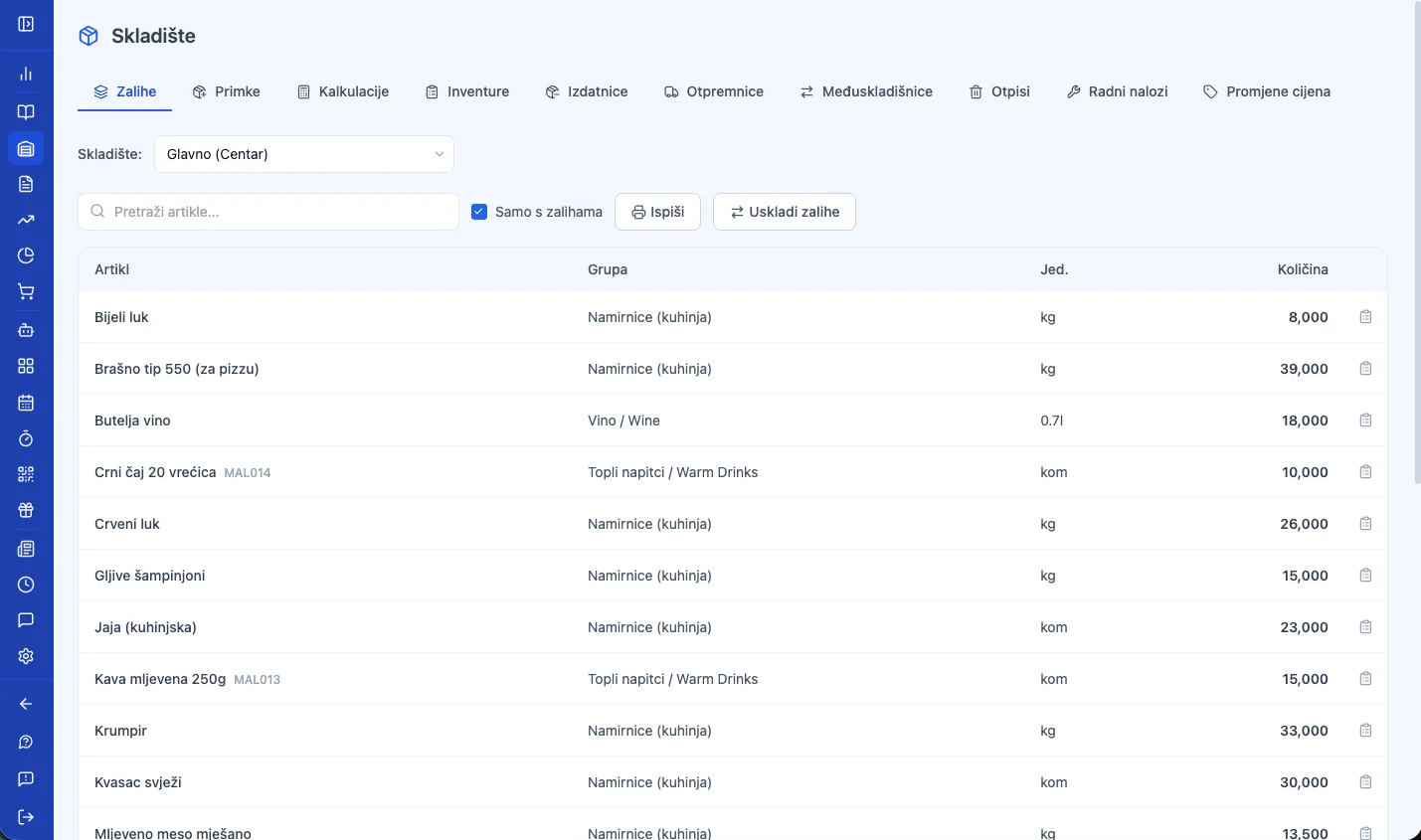
- ✓ Goods receipts, write-offs, inter-warehouse transfers, issue slips, delivery notes, incoming calculations, work orders (production), stocktaking, and price change records.
- ✓ AI supplier invoice import — photograph or upload an invoice and the AI extracts the supplier and every line item; includes mobile-to-desktop photo handoff.
- ✓ An item card — the full movement history with links straight to the relevant documents and receipts.
- ✓ Automatic ingredient deduction when a prepared dish is sold (norms).
- ✓ Emailing any warehouse document as a PDF in one click.
11. Electronic Invoicing — e-Invoice (B2B)
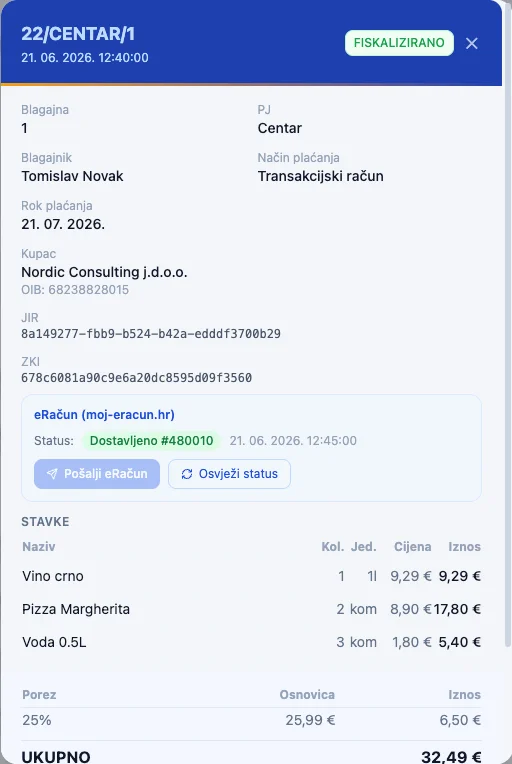
- ✓ Four independent providers: MER (Moj eRačun), super.hr, ePoslovanje, and FINA — each enabled independently.
- ✓ Sending and receiving e-Invoices, with a unified inbox across all providers.
- ✓ Copying an existing invoice into a new one (for recurring B2B invoicing).
- ✓ Attachments (PDF, images, Excel...) on an e-Invoice, via drag-and-drop.
- ✓ Importing an incoming e-Invoice straight into the warehouse as a goods receipt — smart matching of the supplier's item names, and automatic supplier creation if one doesn't exist yet.
12. Reports & Analytics
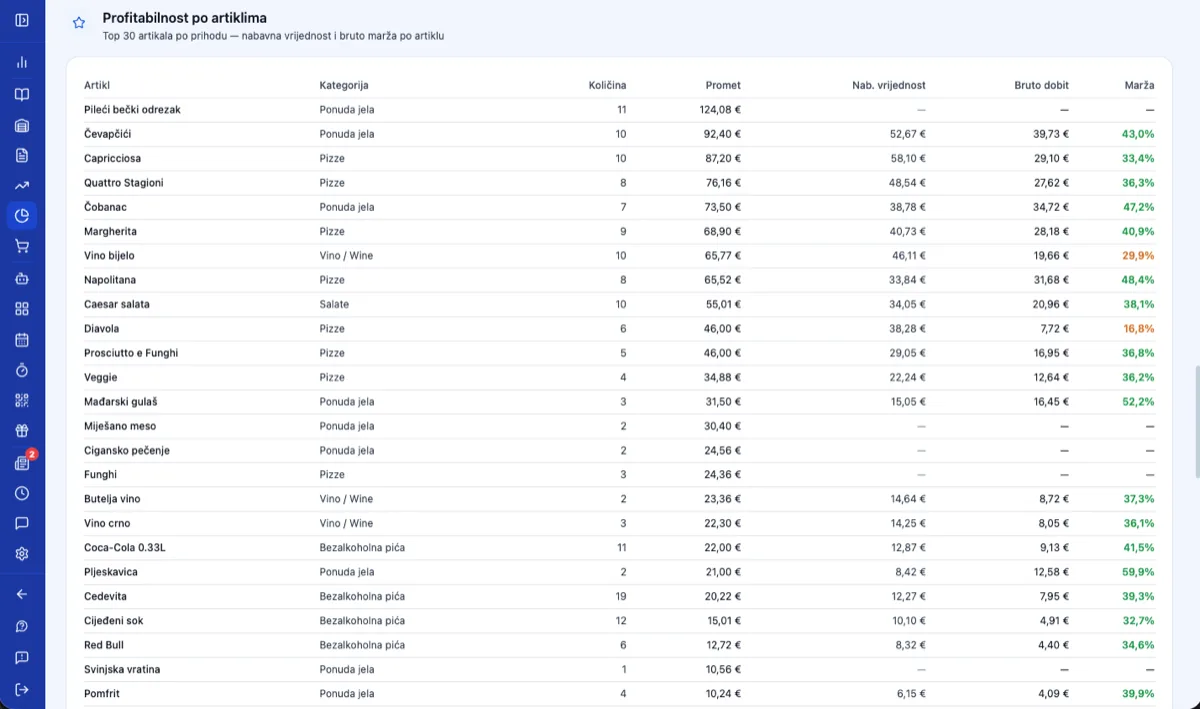
- ✓ A dashboard with a daily overview and a 7-day chart/table, reports by receipt, by sold items and employee, a daily business-unit report, a VAT recap, and a full activity log auditing every action in the system.
- ✓ Emailing any report (HTML body + PDF attachment), remembering the last 5 recipient addresses.
- ✓ A configurable business-day boundary (for late-night bars/clubs — a shift isn't artificially split across two calendar days).
- ✓ A Business Intelligence dashboard organized by topic: Sales & Profitability (gross margin, year-over-year, revenue per m², category/item profitability, VAT breakdown); Customers/Loyalty (average basket value, tiers, retention, RFM segmentation); Inventory & Supply (stock turnover, critical stock, supplier ABC analysis); Marketing (discount analysis, market basket affinity); Operations & Staff (sales per employee, staffing vs. transaction volume); Orders & Kitchen (orders by source, table turnover, prep speed per station).
- ✓ Strategic Reports (new) — a financial overview for owners: entering fixed costs, a dashboard coverage indicator, a monthly P&L trend, break-even revenue, margin of safety, and a simple cashflow/runway projection based on an entered cash-on-hand figure.
13. AI Business Assistant
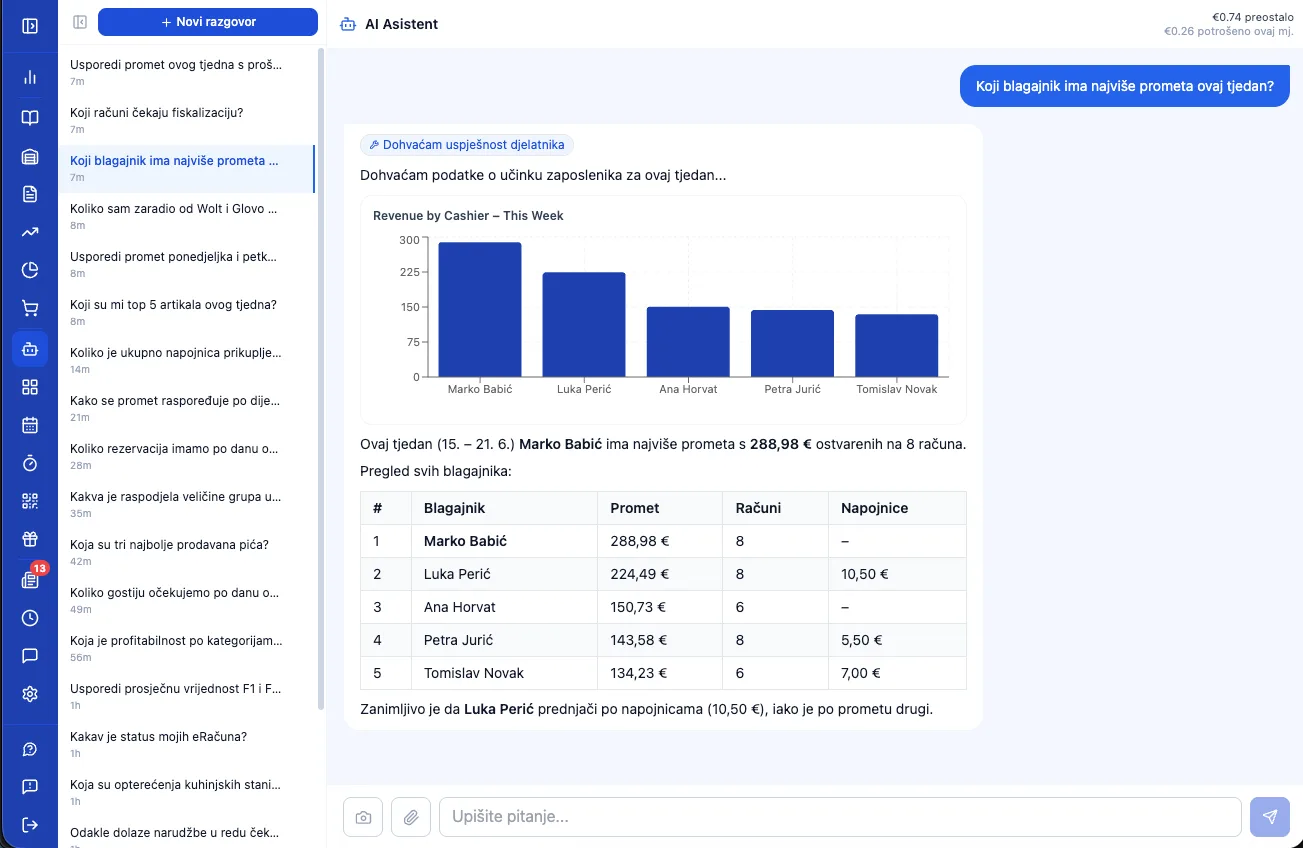
- ✓ A conversation in Croatian or English with an AI (Claude) that has access to live business data: receipts, item sales, register reports, warehouse, suppliers, live table status, and employees.
- ✓ Automatically generates charts (bar, line, pie...) whenever that beats plain text.
- ✓ A saved conversation history, plus suggested questions for new users.
- ✓ Owners with multiple companies can ask a single question spanning all of them at once ("which company is doing better this month?").
- ✓ Billed on actual token usage (not a flat fee) — €1 of free credit on sign-up, with a typical message costing €0.01–0.05.
14. In-App AI Help
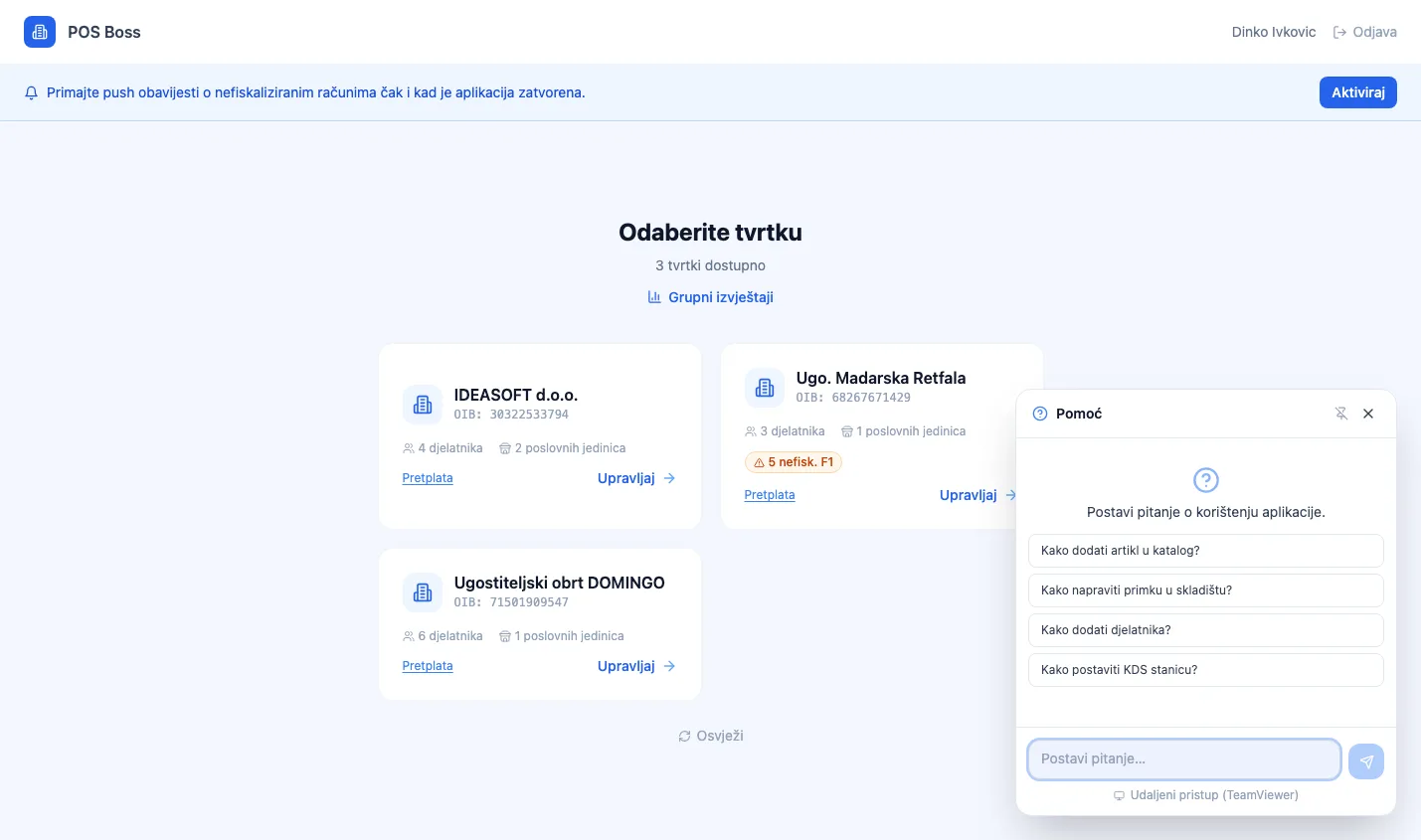
- ✓ A floating "?" button on every screen — available to every role (owner, manager, cashier, kitchen) and completely free (no AI credit needed).
- ✓ "How do I…?" answers grounded in the official knowledge base — no invented features.
- ✓ Offers buttons that jump straight to the relevant screen (one-tap navigation).
- ✓ "Spotlight" — visually highlights the exact button or field to tap (dims the rest of the screen with a pulsing ring).
- ✓ The conversation is ephemeral — no history is stored, keeping it fast and lightweight.
15. AI Agent Commerce
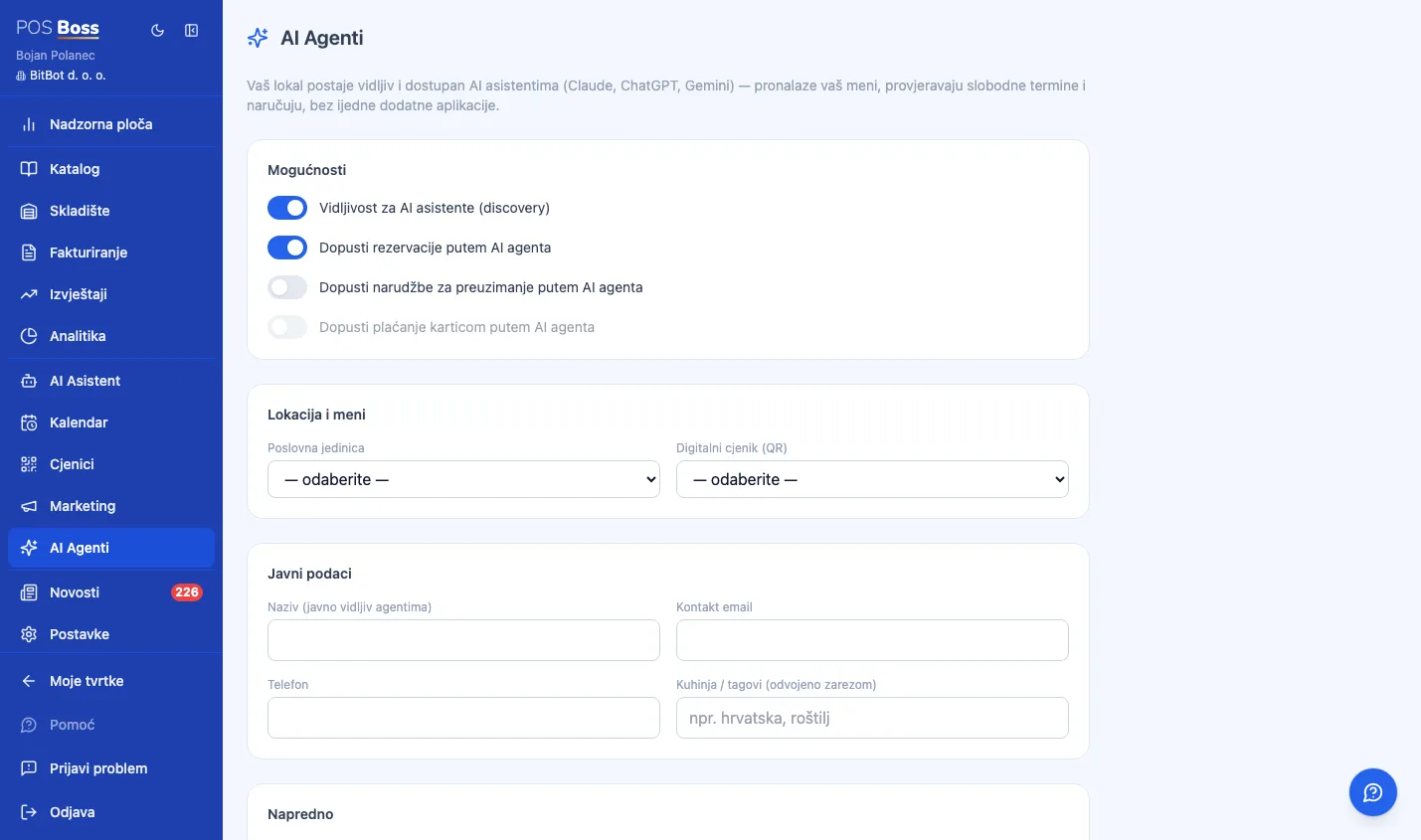
- ✓ Makes a POS Boss merchant discoverable and "buyable" by AI assistants (Claude, ChatGPT, Gemini) over open protocols (MCP + a UCP-style manifest) — guests increasingly ask an AI assistant to book or order instead of googling.
- ✓ Three actions on the guest's behalf: table reservations, pickup orders, and secure card payment — the AI agent never sees or touches card data.
- ✓ Every order/reservation flows through the exact same pipeline as a QR order — the same fiscalization (ZKI/JIR), the same manager calendar/queue, just tagged as AI-originated.
- ✓ Free during the beta period — no monthly fee and no per-order commission for the first cohort of venues; pricing can be switched on later per company with no migration needed.
- ✓ Discovery — a public per-merchant manifest (name, address, hours, languages, cuisine, enabled capabilities), plus structured data for search engines and AI agents that don't already know the merchant's exact name.
- ✓ Reading the menu and availability is never quota-gated — the real live menu, stock, and open time slots stay visible even after a venue hits its monthly write limit.
- ✓ Reservations — the system auto-assigns the smallest sufficient table; if a card deposit is required, the guest gets a secure payment link and the reservation is only created once the deposit is actually captured; confirmed bookings show up in the manager's calendar like any other.
- ✓ Pickup orders — price and stock are always re-verified server-side (the AI agent can never invent or reuse a stale price); payment runs through whichever gateway the venue already uses (Viva, Monri, Saferpay, Teya, or myPOS) via a secure hosted link.
- ✓ Safety — every action (booking, cart, payment) requires a short-lived token, with no standing API key that could leak; per-company and per-IP rate limits, plus a configurable monthly free-tier cap.
- ✓ Manager settings — independently toggle discovery, reservations, orders, and payments, choose the business unit and menu, set branding, track current quota usage, and view a feed of recent AI agent sessions.
- ✓ A dedicated Analytics tab — AI-originated revenue and its share, reservation count, average ticket, and which AI assistant (Claude/ChatGPT/Gemini/...) brought the guest.
16. Guided Tours
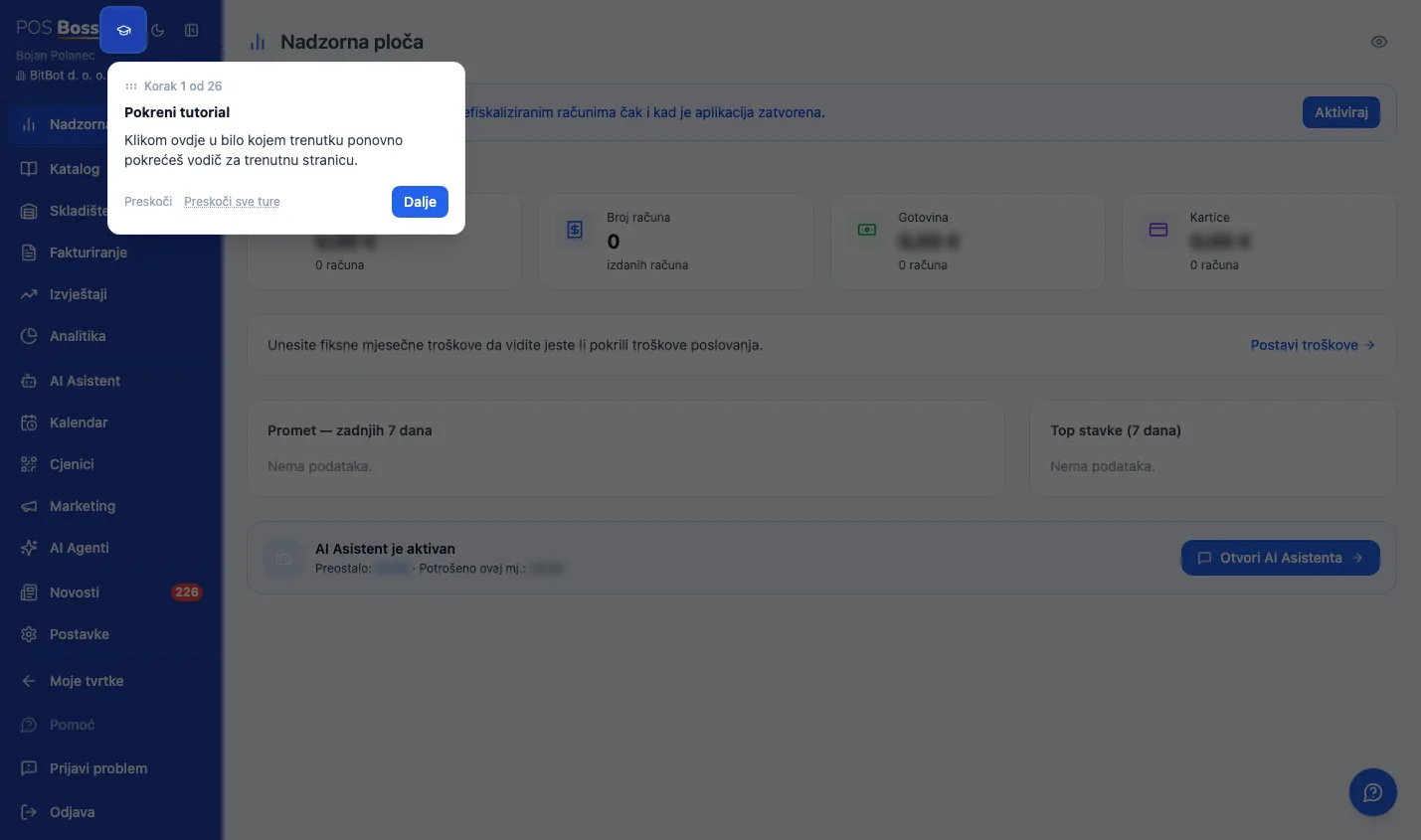
- ✓ Built-in interactive guided tours across the POS and Manager interfaces — step-by-step walkthroughs that spotlight the exact button, field, or table being explained, right inside the live app, no external video or PDF needed.
- ✓ Different from the in-app AI help: that answers "how do I…?" questions on demand, while guided tours are a fixed, curated sequence that walks a user through an entire screen or workflow end to end.
- ✓ Launches automatically the first time a user opens a screen that has a tour, and is tracked per user — it never repeats itself uninvited once dismissed or completed.
- ✓ Covers the full Manager menu plus dedicated tours for the item catalog (including the difference between goods/recipes/services and the price-resolution cascade), warehouse, invoicing (F1, F2 e-invoice inbox, quotes), reports, and analytics — plus the equivalent tours on the POS side (register, tables, order queue, kitchen display, reservations, invoices, stock check, cashier report).
- ✓ Replay any time with one click on an icon in the Help panel — useful for refresher training or onboarding a new hire on an existing account.
- ✓ "Spotlight" highlighting — dims the rest of the screen, draws a focused ring around the exact element, with a tooltip that repositions itself so it never blocks what it's explaining.
- ✓ Safe by design — a click-guard is active for the entire tour so nothing on the real screen can be accidentally triggered, submitted, or deleted; where helpful, clearly-labeled sample data is temporarily injected (for new accounts with no real history yet), never sent to the server, and disappears the instant the tour ends.
- ✓ Fully localized in Croatian, English, and Serbian, matching the language the user has selected in the app.
17. Quotes
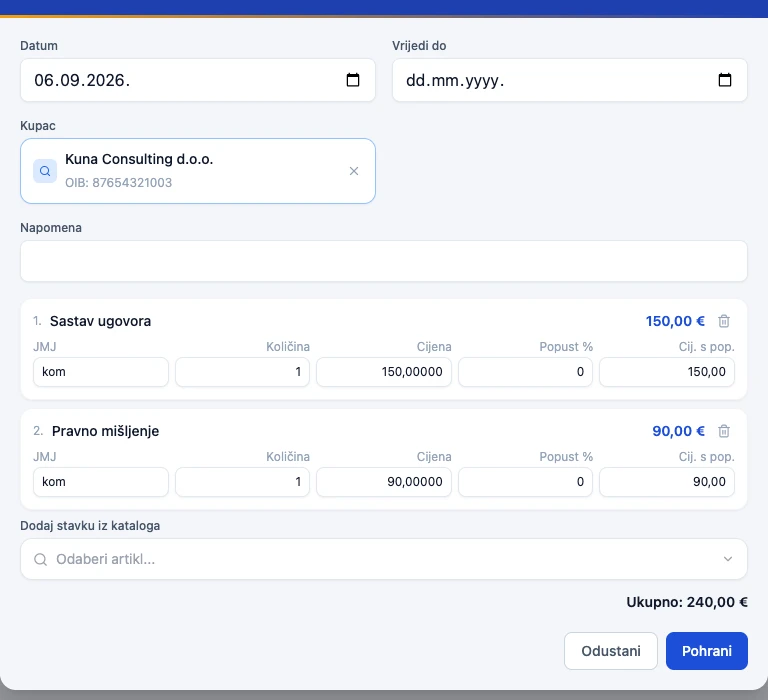
- ✓ Formal price quotes for catering, events, and B2B customers — before an order is confirmed.
- ✓ Emailing a quote as a PDF in one click.
- ✓ Converting a quote into an F1 or F2 receipt in one click — the system decides the correct type automatically (cash/card → F1, bank transfer + legal entity → F2).
18. Work Time Tracking (+ Kiosk Mode)
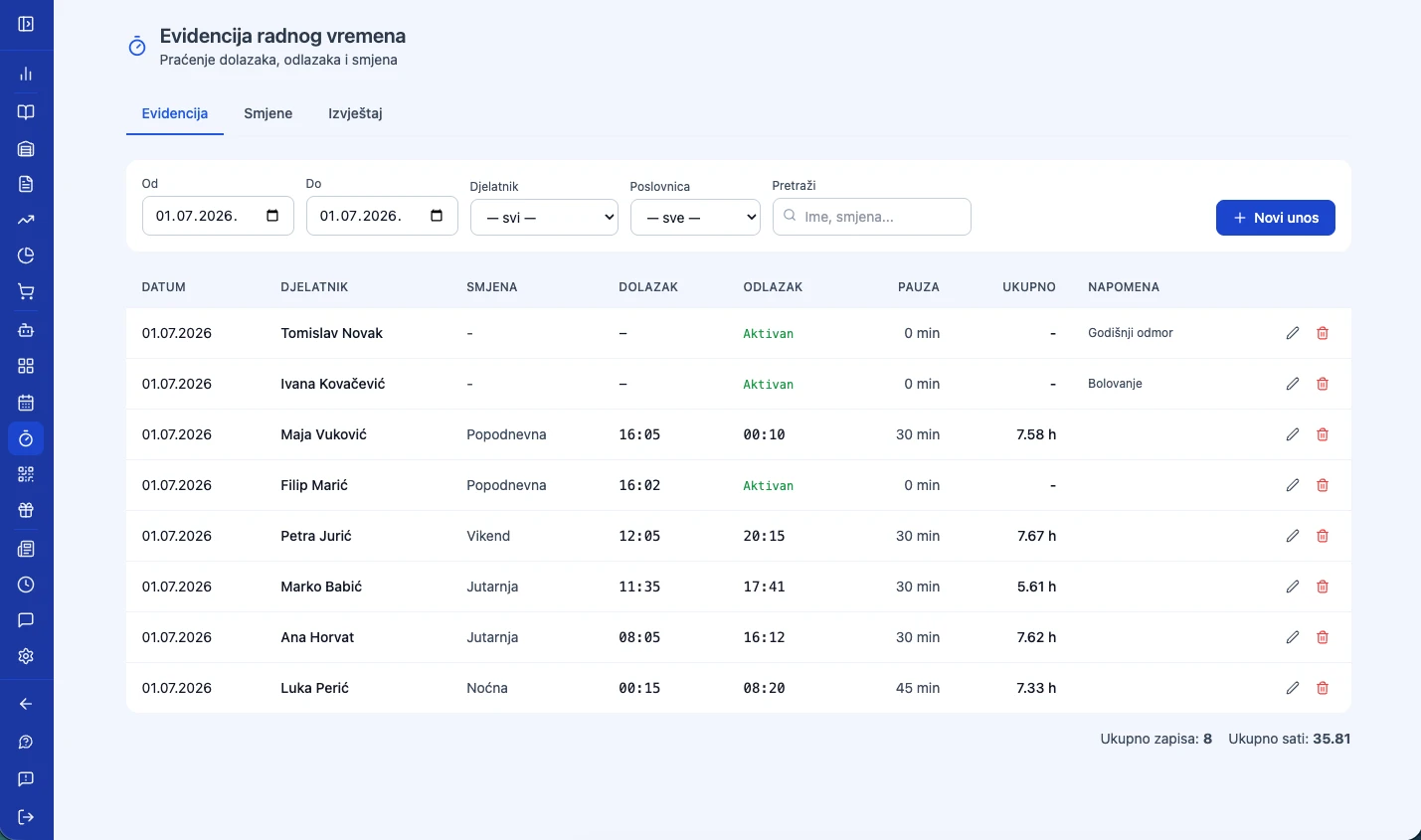
- ✓ Automatic clock-in/clock-out based on PIN/NFC login at the POS — no physical time clocks, no manual punching in.
- ✓ Shift templates (morning, afternoon...) with a color, assigned per employee.
- ✓ A warning to the cashier if they issue a receipt outside their assigned shift (a soft control).
- ✓ Viewing and printing work-time reports by employee and period.
- ✓ Works offline too — a clock-out syncs the moment the connection returns.
- ✓ Kiosk mode (a standalone time clock) — a dedicated "kiosk" device (a wall-mounted tablet) where staff sign in with a PIN, NFC card, or password, with no full POS login needed; optional photo capture at clock-in/out.
- ✓ Employee self-service portal — a separate mobile login for cashiers, kitchen staff, and managers: their own schedule, appointments, and work-time record from any phone, with no need to sign into the full POS or manager app. Invite-based onboarding — the manager sends an email invite, the employee sets their own password.
- ✓ Leave/time-off requests approved or rejected by any manager or owner — approval writes directly onto the schedule, with a warning about any appointment the time off would leave uncovered. A per-employee annual-leave day quota with carryover of unused days into the new year (until June 30), shown consistently across the employee list, schedule, reports, and the employee portal.
- ✓ Public holidays are shown in the shift schedule and factored into planning.
19. Partners & Suppliers
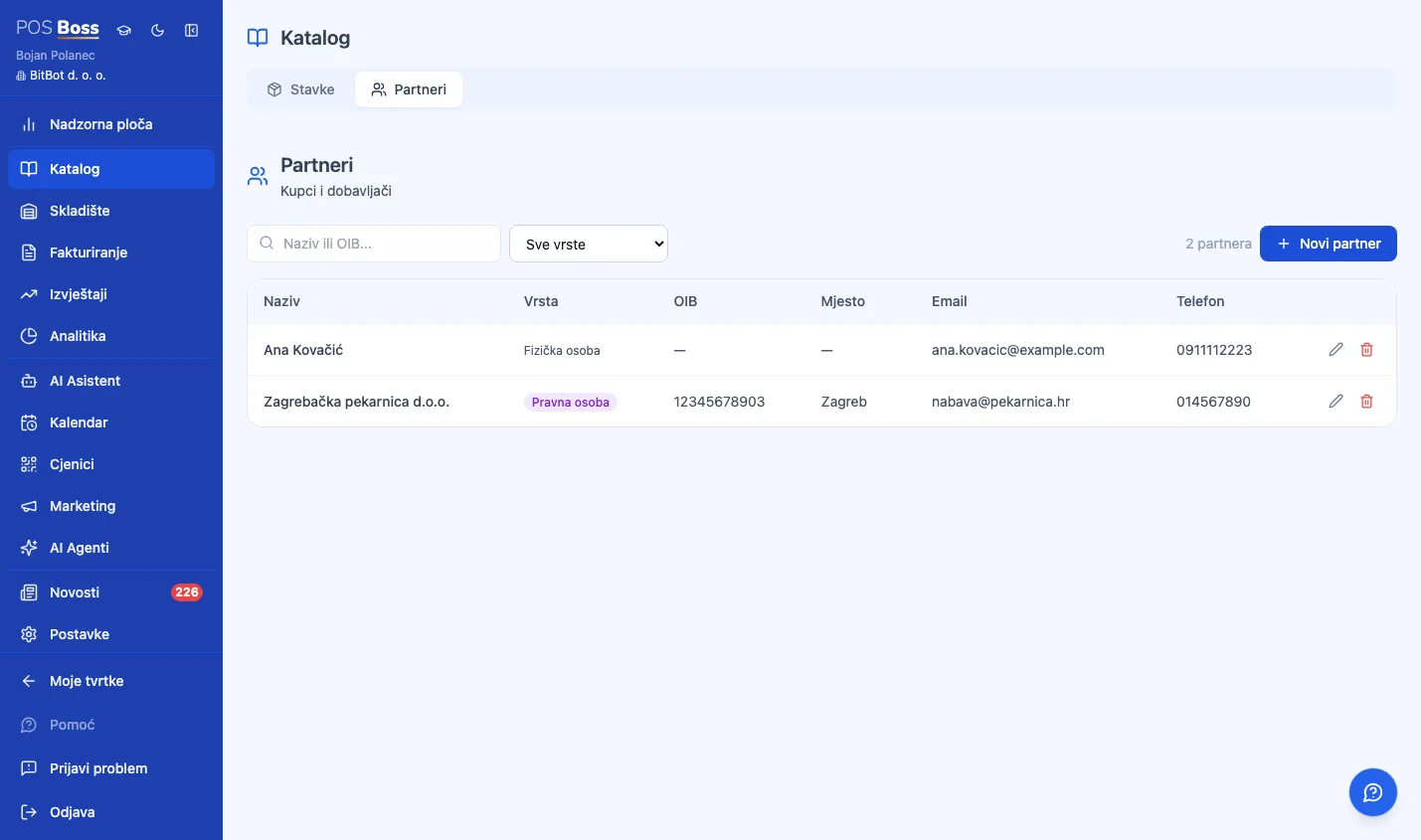
- ✓ A directory of customers and suppliers with tax ID (OIB), address, and contact details.
- ✓ Auto-fill from the official registry — typing a valid tax ID (OIB) into the partner form automatically looks up the company name, address, city, and postal code, filling in only the empty fields.
- ✓ Foreign partners (no OIB) — the system automatically detects the country and skips validation.
- ✓ Linked to goods receipts (suppliers) and quotes/e-Invoices (customers).
20. Employee Management (+ Custom Roles)
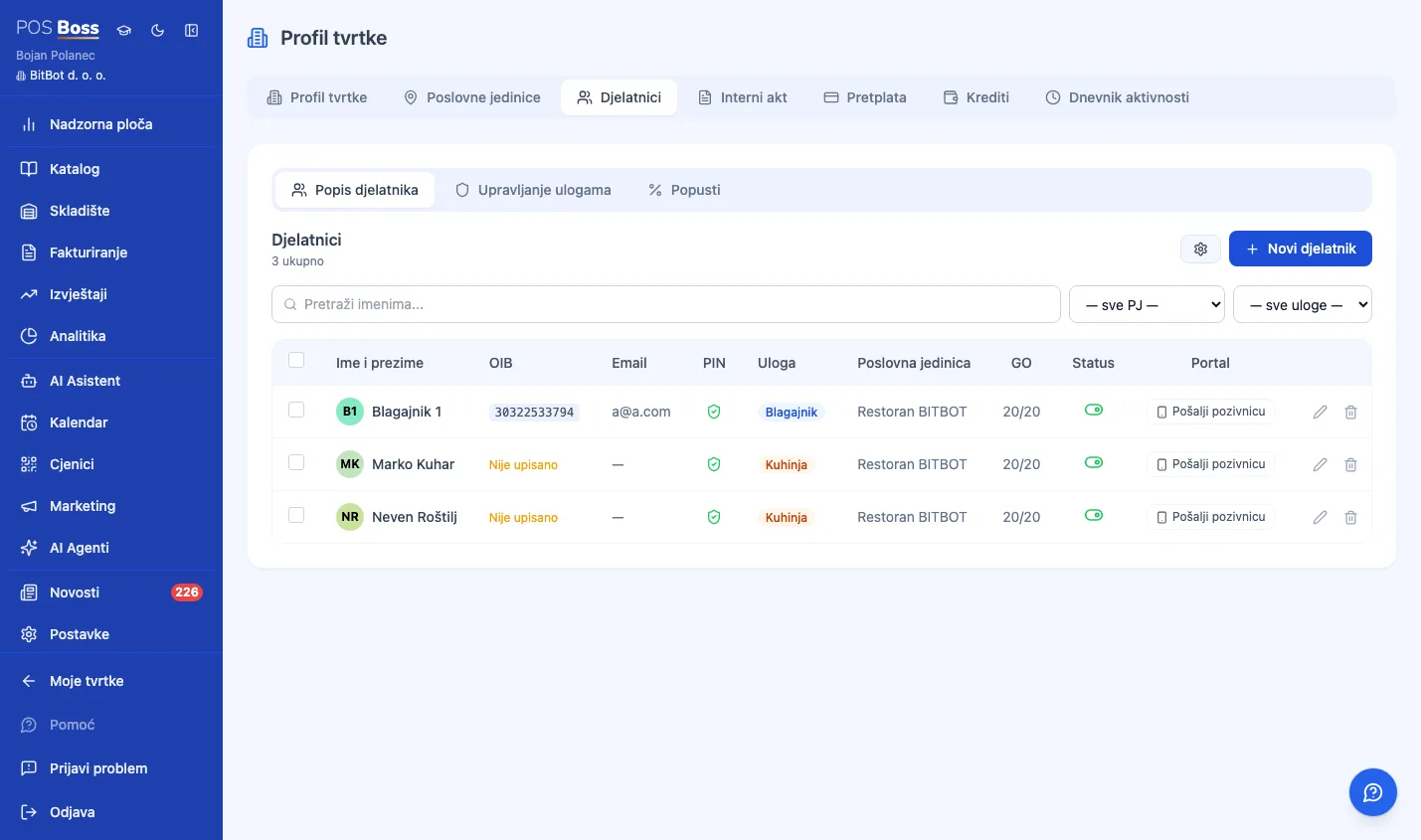
- ✓ Four roles: Owner, Manager, Cashier, and Kitchen.
- ✓ Custom roles — owners/managers can create their own roles with granular, screen-by-screen permissions, beyond the 4 built-in ones.
- ✓ Login: email+password or Google/Apple (managers), PIN or NFC card (cashiers/kitchen) — NFC cards assigned straight from the browser (Web NFC), no extra hardware.
- ✓ Automatic cashier switch with just an NFC card tap, no confirmations needed.
- ✓ Per-employee discounts — the manager defines named discount presets (e.g. "Staff 10%"), and a cashier can only apply their own approved discounts.
- ✓ Internal messages from managers to staff.
- ✓ Biometric login (fingerprint/Face ID) for manager/owner accounts on PWA-installed devices — no password, enrolled per device.
21. Loyalty Program
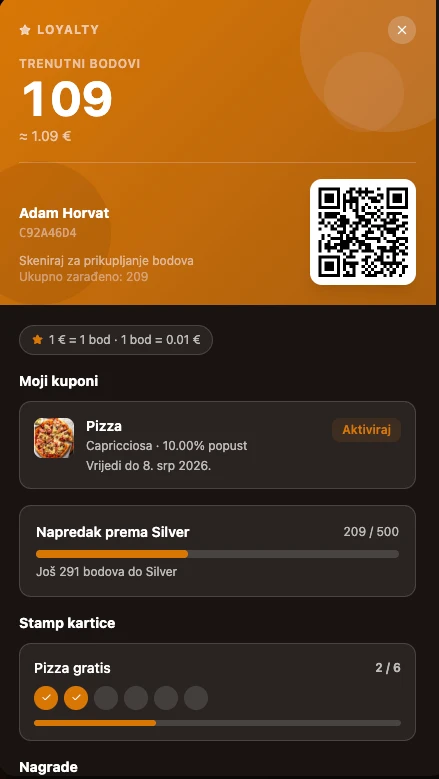
- ✓ Guest registration and login — by email (with verification), phone (OTP code), or Google account, straight from the digital menu, no separate app.
- ✓ R1 (legal-entity) customers — their tax ID is automatically verified against the tax authority (MER).
- ✓ Points & rewards — earning points on spend, sign-up bonus points, a redeemable rewards catalog (discount, free item, or gift voucher), and manual point adjustments with a full transaction ledger.
- ✓ Tiers — unlimited membership tiers (e.g. Bronze/Silver/Gold) based on lifetime points, each with an earn multiplier and its own perks.
- ✓ "Buy 9, get the 10th free" stamp cards, tracked per item or item group.
- ✓ Happy Hour — discount rules that activate automatically on set days/hours, per location or company-wide.
- ✓ Promotional combos — a fixed promotional price or discount on a specific item, per location.
- ✓ Personal discounts & recommendations — the system recognizes a guest's favorite items and offers a personalized discount or menu suggestions.
- ✓ Coupons — managers create a coupon (free item / % off / fixed amount off) and assign it to selected members or everyone at once, with an expiry; members choose which coupon to apply from their own portal.
- ✓ Loyalty analytics — loyalty vs. anonymous revenue split, tier distribution, points activity, retention, and RFM segmentation.
- ✓ Google Wallet loyalty card — guests save it to their phone in one tap, with points balance and tier updating automatically.
- ✓ Household/family members — the primary account holder can link family members to share loyalty benefits, with the option to later split one out into its own standalone account.
22. Marketing — Automated Client Messages
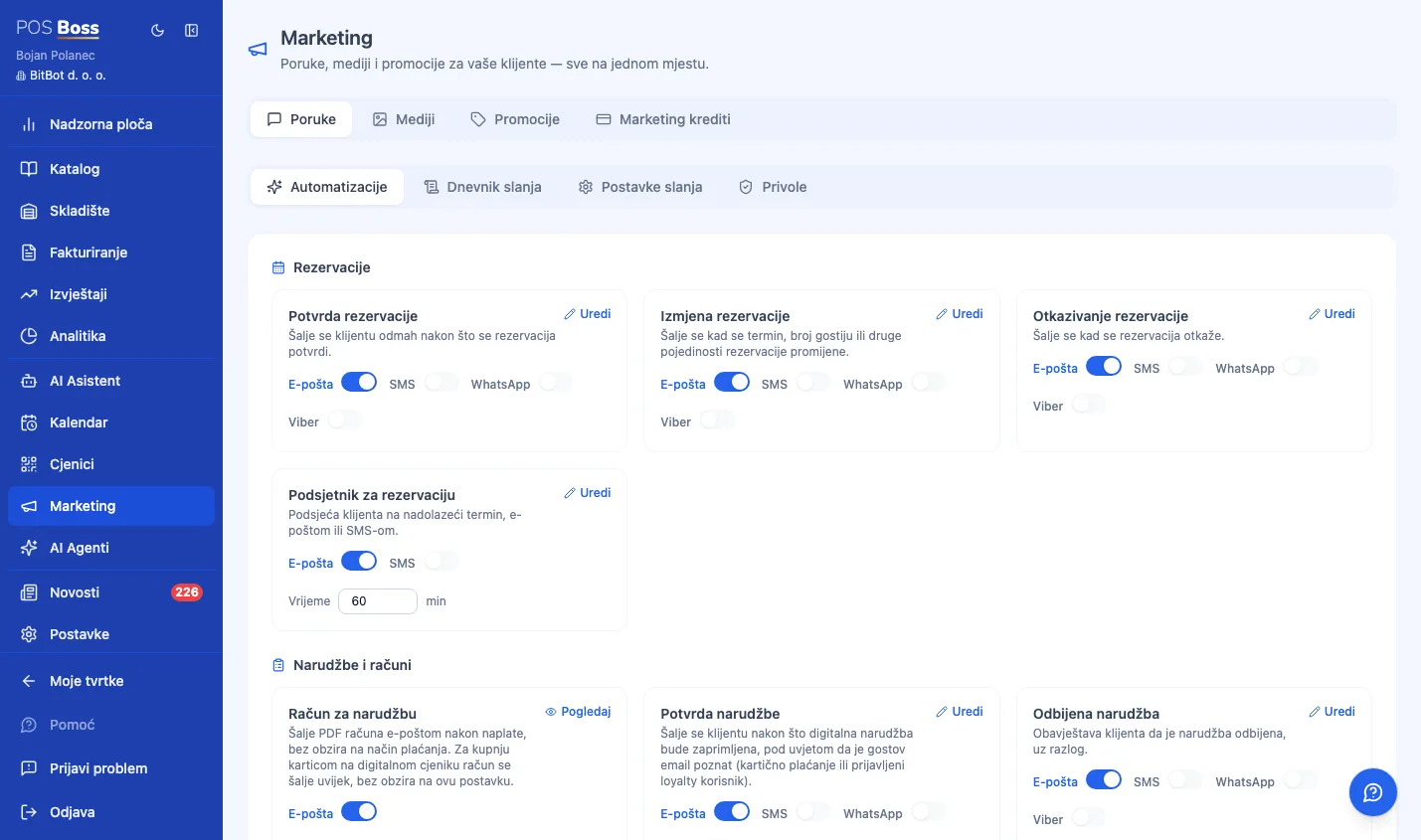
- ✓ One place (the Marketing module) for every automated message sent to clients — instead of scattered across reservation settings and general settings.
- ✓ Reservations — confirmation, update, cancellation, and a pre-visit reminder, by email and/or SMS, with configurable reminder timing.
- ✓ Orders — order confirmation and order-declined notices (delivering the invoice itself by email is managed separately, under Invoicing).
- ✓ Security messages — email verification, password reset, and a phone-verification SMS code; always active where applicable, with locked content for security.
- ✓ For every automation, a manager toggles each channel (email/SMS) independently and adjusts timing where relevant; settings apply company-wide, with an optional override per business unit for reservations.
- ✓ SMS credit — a prepaid system: current balance and price per message, top-up by card, and a full history of usage, refunds, and top-ups.
- ✓ Sending settings — default message language, sender display name, reply-to address, footer text, and brand color for every outgoing message.
23. Gift Vouchers
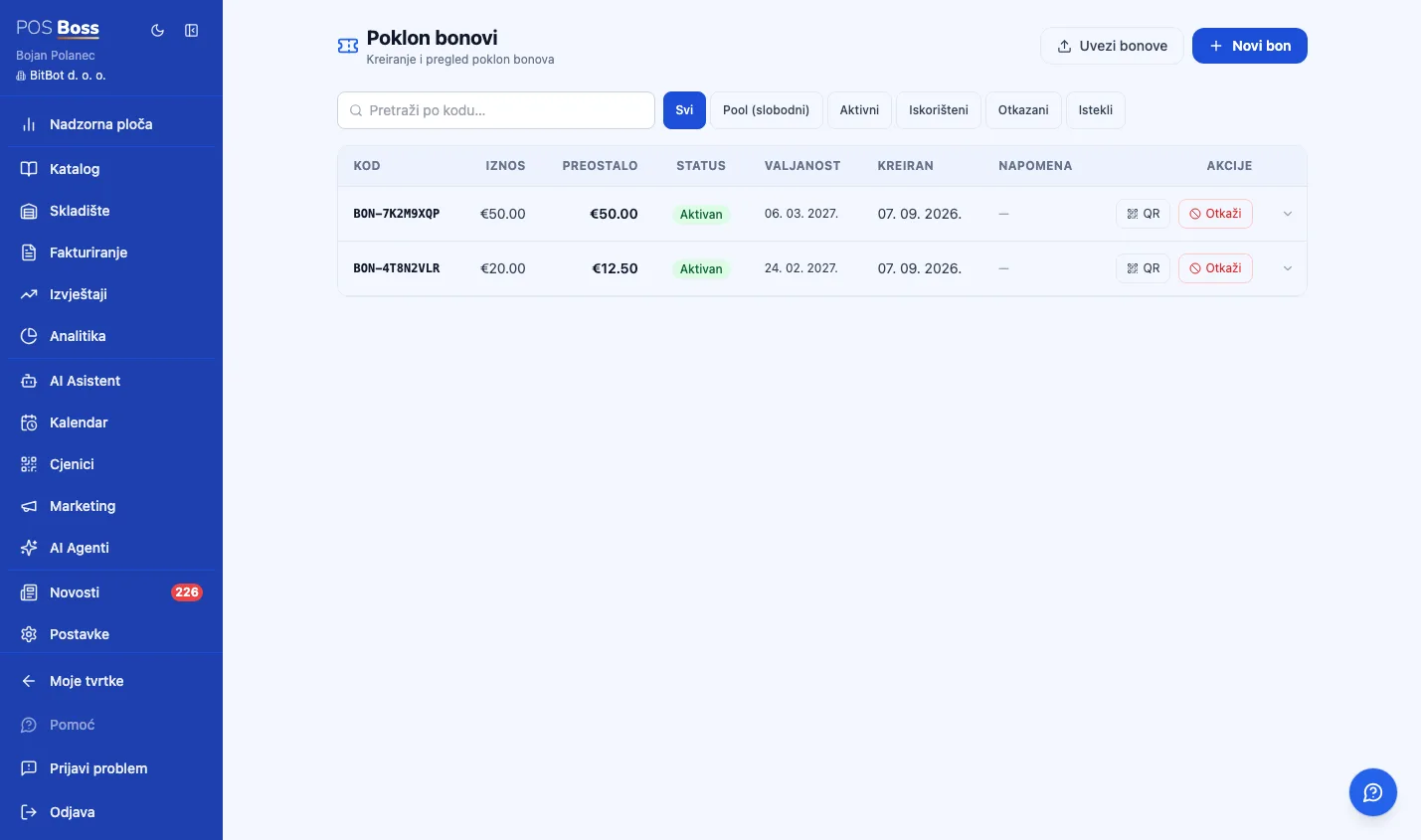
- ✓ Selling a gift voucher as an item at the POS — a unique code is generated automatically and activated with the sale amount.
- ✓ Importing pre-printed gift-card codes in bulk.
- ✓ Verifying a code at checkout (QR at the POS) with partial redemption — the remaining balance carries over to the next visit.
- ✓ A full transaction history per voucher (issued, redeemed, cancelled).
- ✓ Cancelling an unused or partially used voucher.
24. Card Terminals — Physical Card Payments
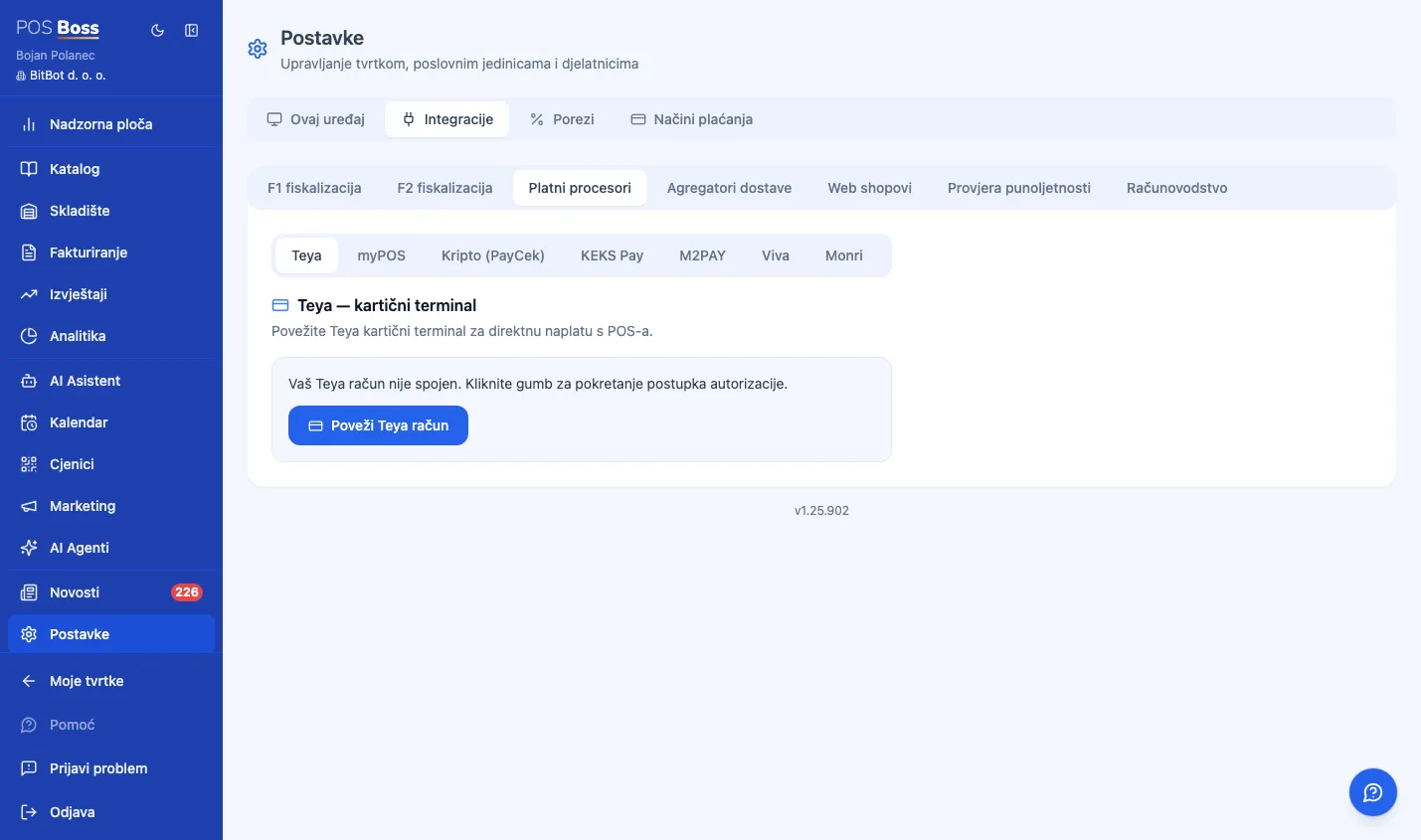
- ✓ Teya (POSLink) — OAuth connection, terminal management, card details printed on the receipt; a dedicated "AIO" mode when PosBoss runs directly on a Teya Android terminal, with automatic refunds on void.
- ✓ myPOS — simple setup (Session Key); on myPOS Ultra, payment runs natively and the receipt prints automatically for every payment method, not just card.
- ✓ M2PAY (Handpoint) — API key setup, Handpoint terminals (e.g. PAXA80).
- ✓ Viva (Cloud Terminal API) — OAuth credentials, manual terminal setup, refund support, works from both the POS and the table-order screen.
- ✓ Every integration is opt-in per company, fiscalized exactly like any other card payment, and cancellable before the guest taps their card.
25. Online Card Payment on the Digital Menu
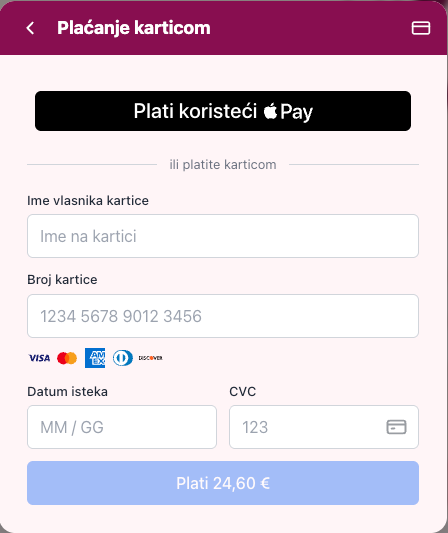
- ✓ Teya Embedded Checkout — the card form appears directly on the menu page.
- ✓ myPOS Checkout — opens in a new browser tab.
- ✓ Viva Smart Checkout — the guest is redirected to Viva's hosted payment page.
- ✓ Monri and Saferpay checkout — additional regional payment gateways, working the same way.
- ✓ Only one provider can be active for online checkout at a time — the system enforces this automatically.
26. KEKS Pay
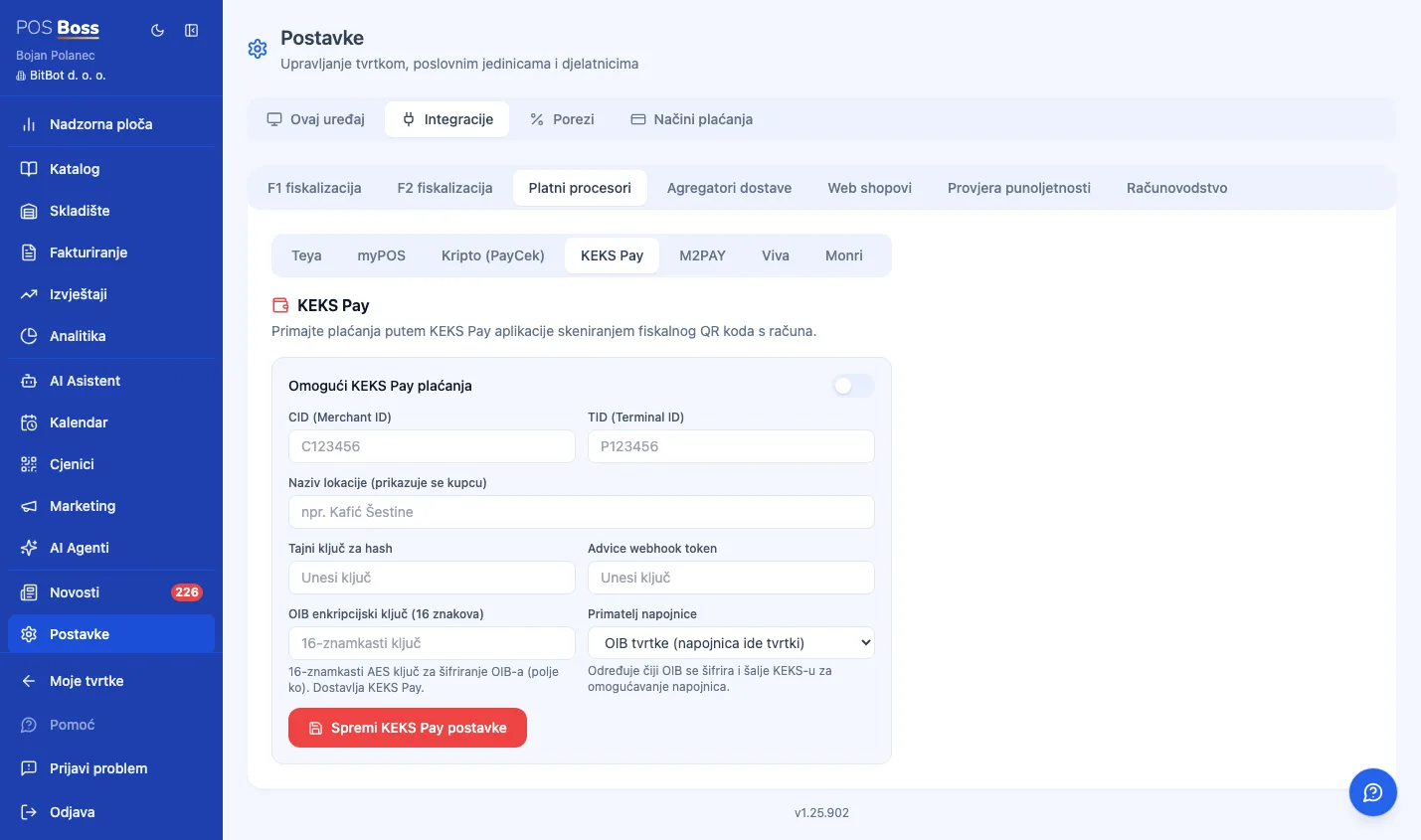
- ✓ The guest scans the receipt's fiscal QR code with the KEKS Pay app and pays from their phone — no extra hardware needed.
- ✓ Payment is also possible before the receipt is issued (QR on the register screen) or afterward (QR on an already-printed receipt).
- ✓ Automatic fiscal payment-method update (cash → other) with the tax authority once KEKS confirms payment — no cashier action needed.
- ✓ Tips can be routed directly (encrypted) to the waiter or to the company.
- ✓ Protection against double-paying the same receipt.
27. Delivery & Webshop Integrations
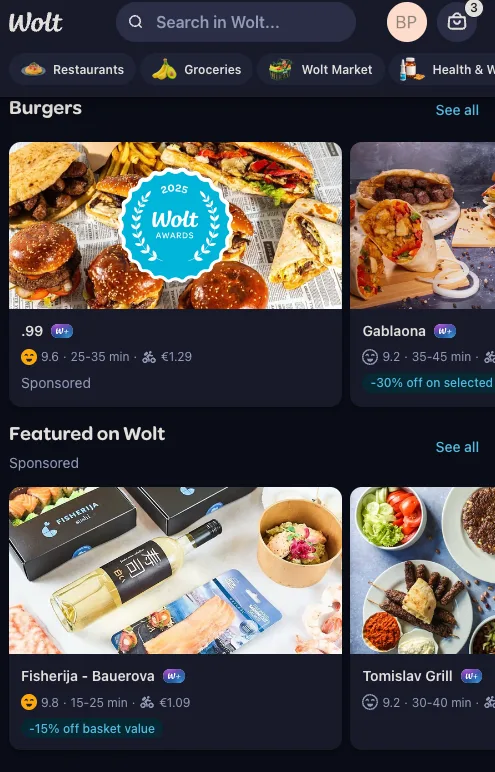
- ✓ Wolt marketplace — Wolt orders land directly in the POS queue, with automatic accept/reject, kitchen routing by station, delivery markup pricing, one-click menu sync, and an auto-accept option.
- ✓ WooCommerce (your own webshop) — orders from a WordPress/WooCommerce store land in the same POS queue, with product sync to the digital menu, webhook order confirmation, and automatic cancellation if a customer cancels on the webshop.
- ✓ One queue for every order source — no separate tablet per channel, with the kitchen seeing everything on the same KDS.
28. Subscription Management
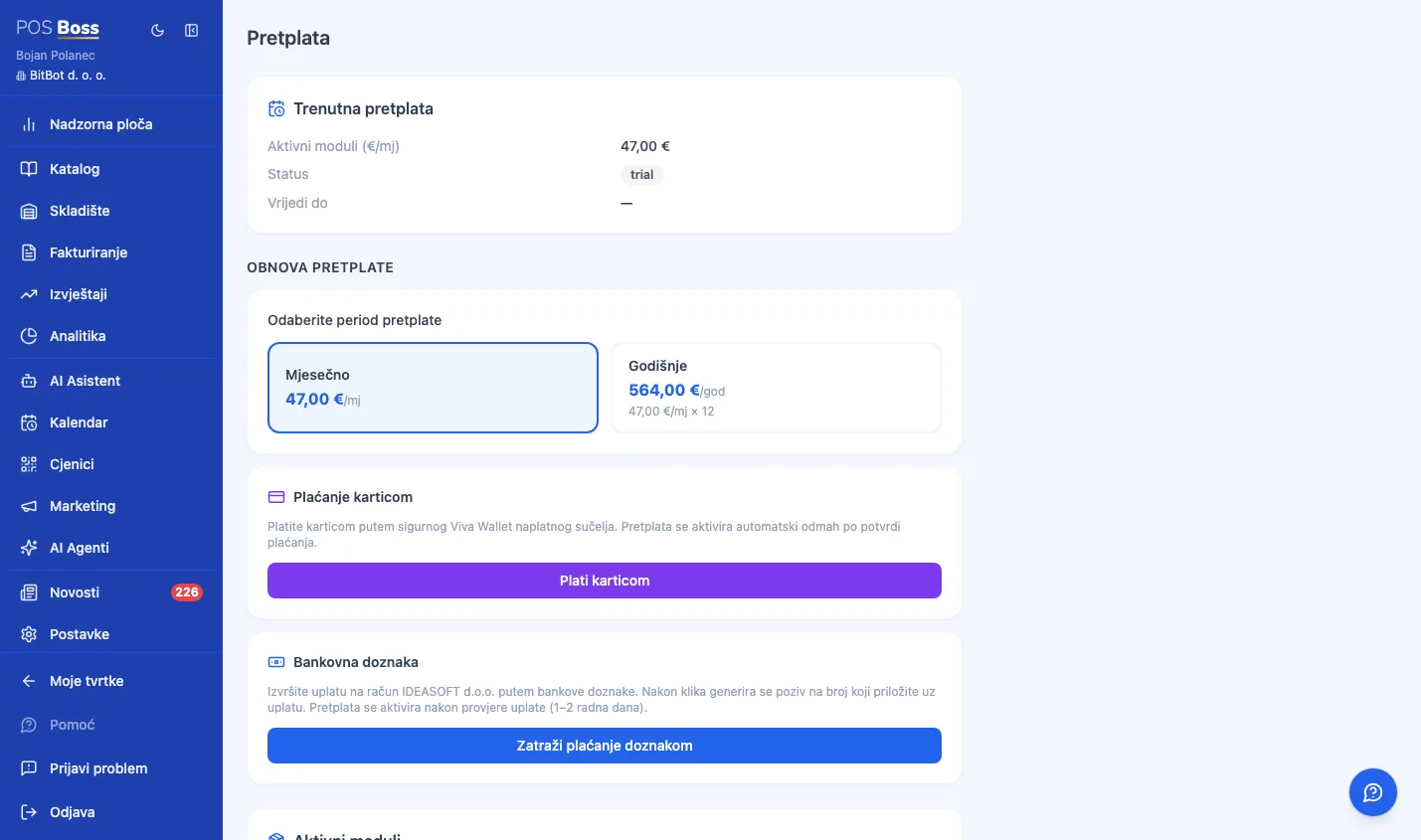
- ✓ Managers can see their own subscription status, expiry date, and the total monthly cost of every active module.
- ✓ Toggling modules on/off, with the monthly total recalculated instantly.
- ✓ A bank-transfer request generates a unique HR00 payment reference and IBAN details — the admin team gets an automatic email notification.
- ✓ A soft access lock after expiry (Dashboard-only, with a clear message) — a 7-day trial period comes with no restrictions at all.
29. Settings & Configuration
- ✓ Company and business units (locations) — each with its own receipt sequence, business-day boundary, and floor area (for analytics).
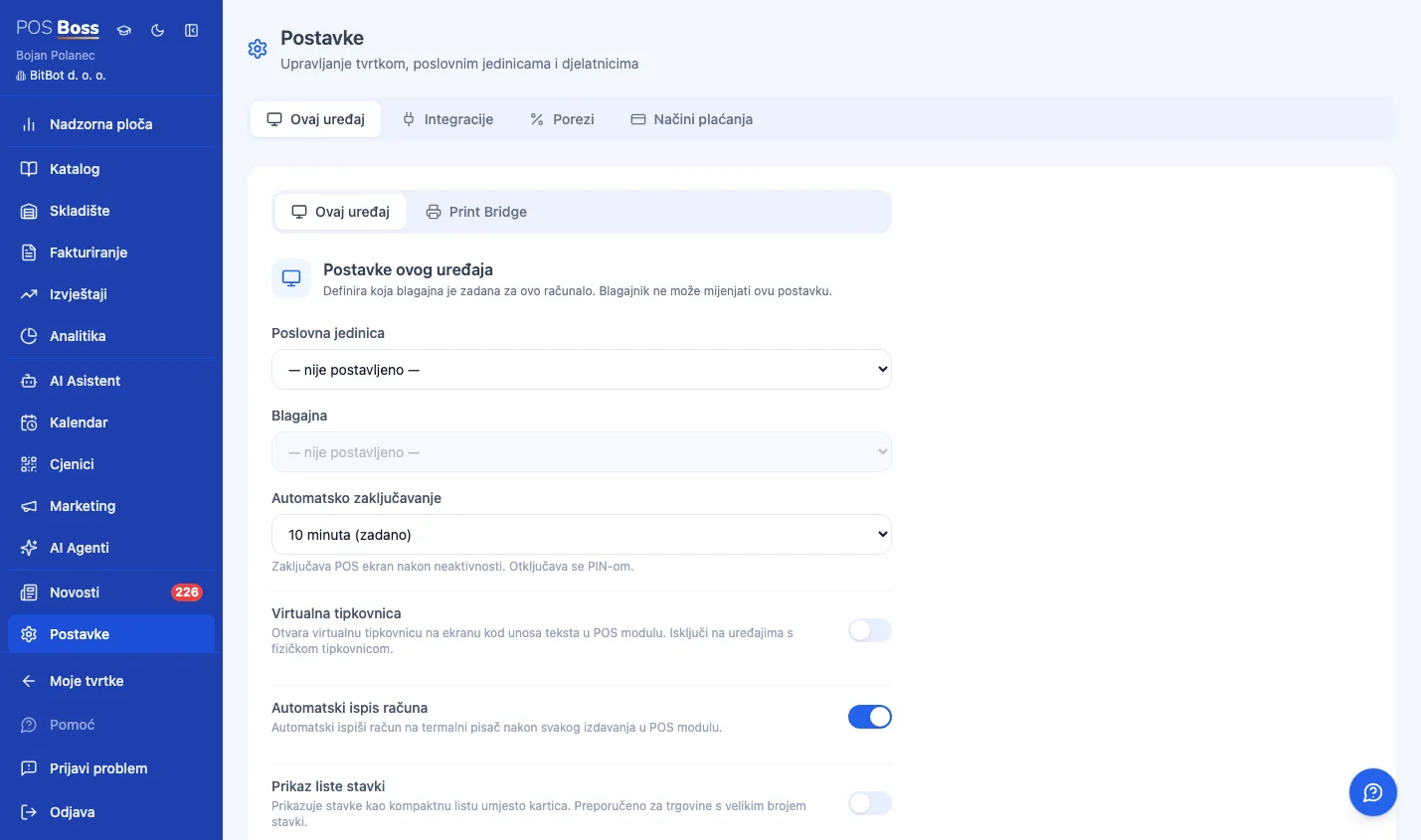
- ✓ Registers, employees, printers (network/USB, configurable margins, compact 80mm layout).
- ✓ Integrations grouped into sub-tabs: fiscalization, e-Invoice, payment processors, delivery aggregators, and accounting.
- ✓ Per-device settings: auto-print, virtual keyboard, and Print Bridge installer downloads (Windows/macOS/Linux).
- ✓ My Profile: auto-logout after inactivity, biometric login, and language preference.
30. Multiple Companies, One Owner
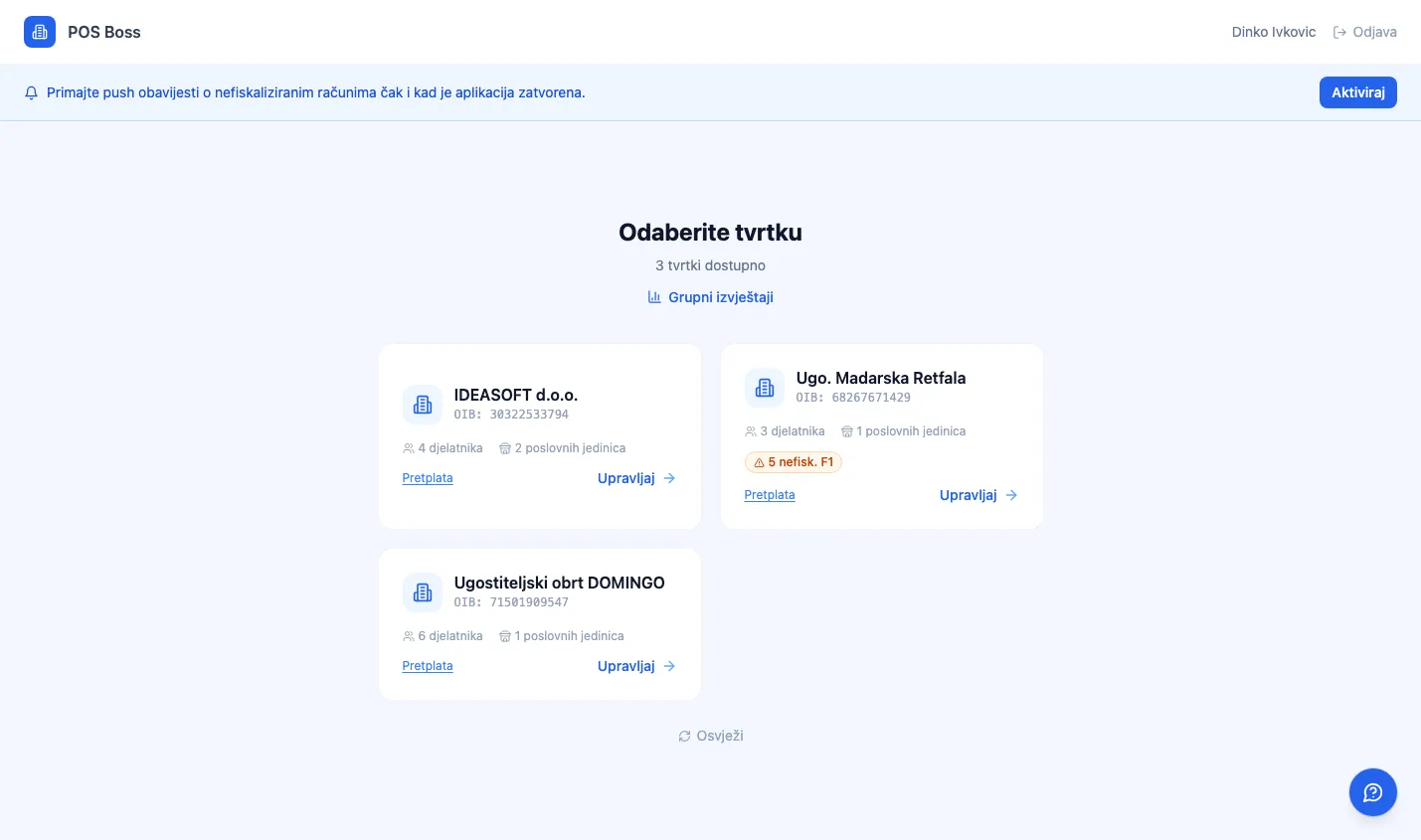
- ✓ An owner dashboard — pick which company to manage, with fully isolated data (no mixing between companies).
- ✓ The AI assistant can answer questions spanning every company at once.
- ✓ A cross-company comparison report — an owner with multiple companies sees key metrics (revenue, receipt count, average ticket...) side by side, by company and by location.
- ✓ A setup wizard for the first company on first login.
31. Multilingual Interface
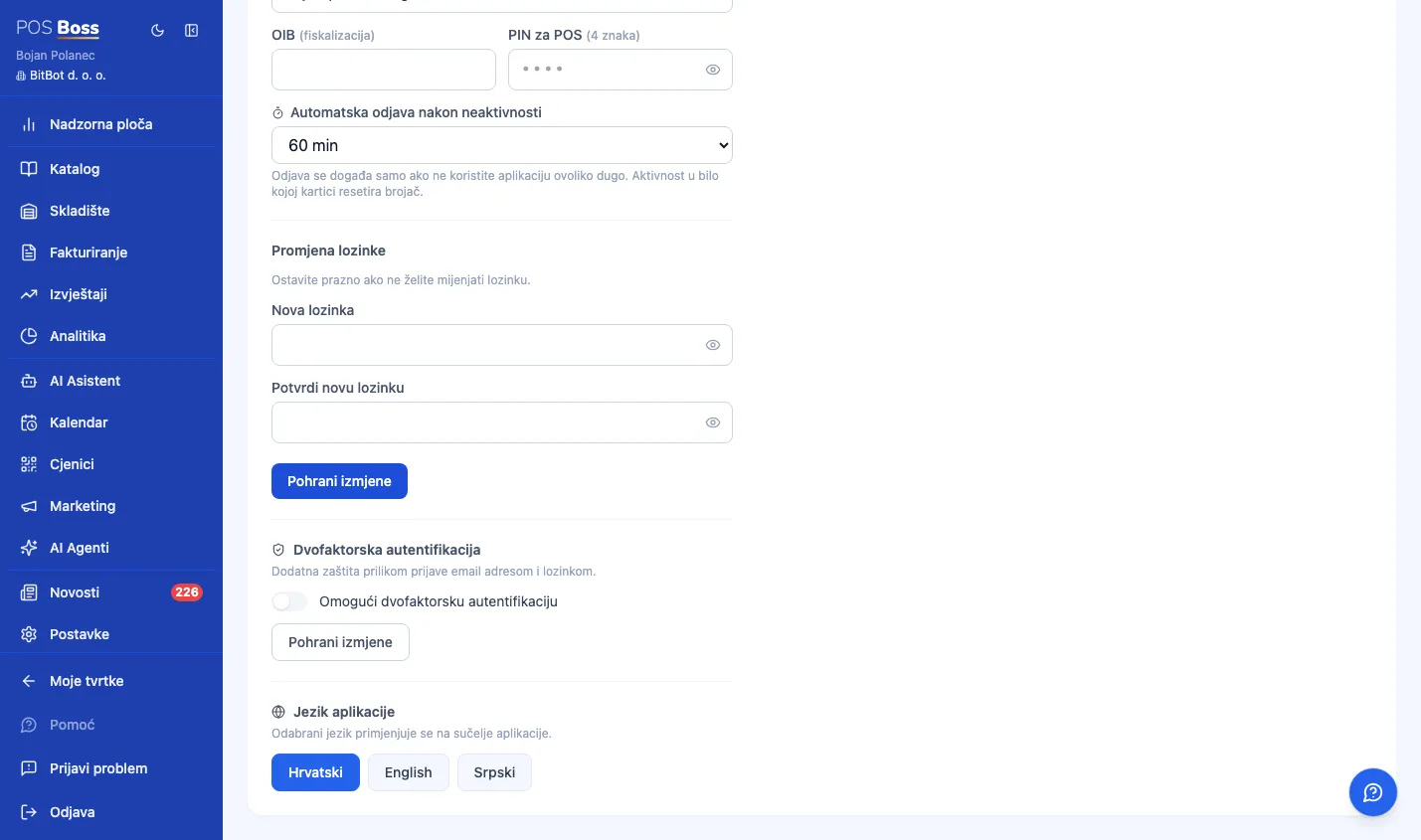
- ✓ Croatian, English, Serbian — switches instantly with no page reload, remembered per user.
32. Accounting Integrations
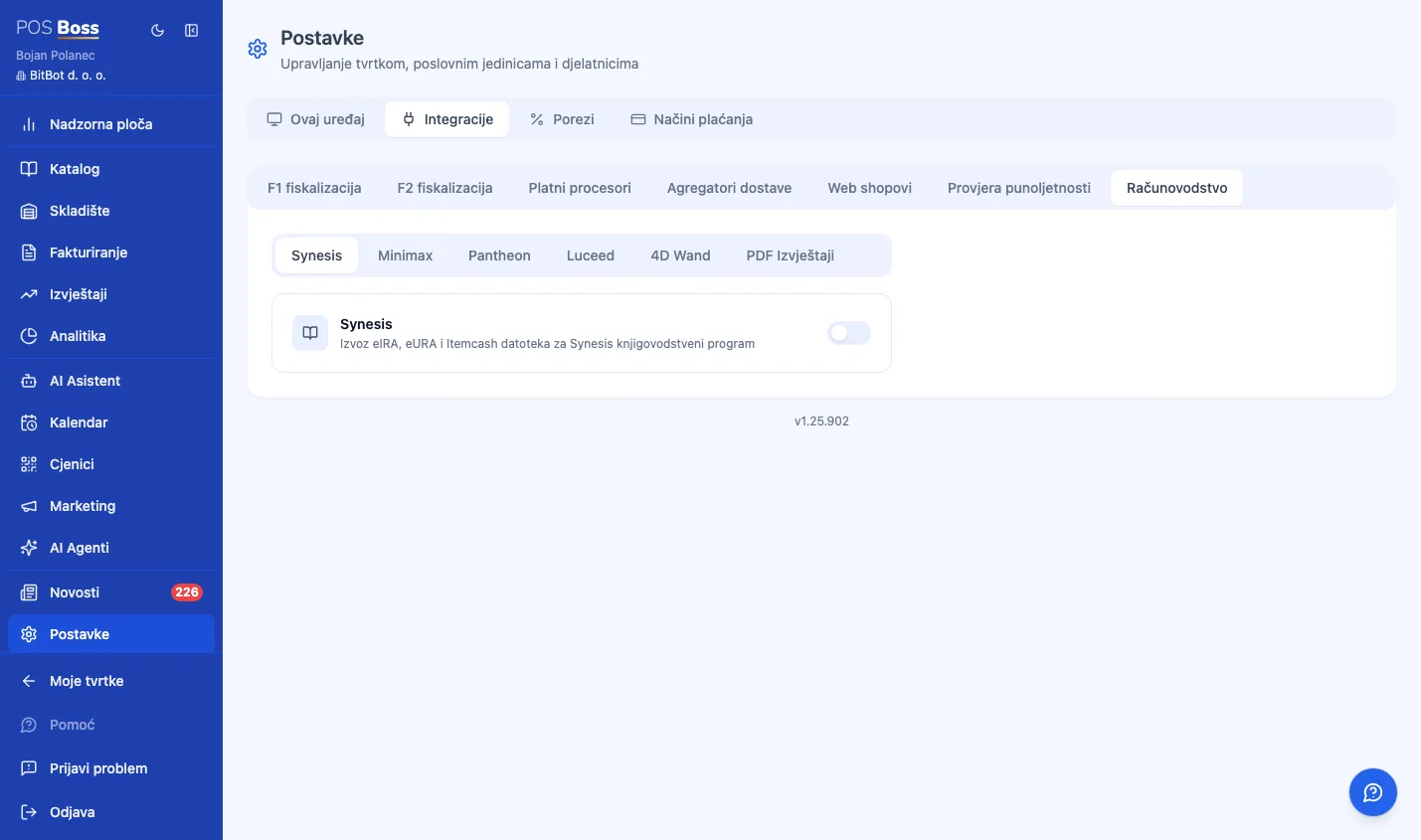
- ✓ Synesis (Pupilla) — exporting eIRA/eURA/Itemcash files for direct import into the accounting program.
- ✓ Minimax — a direct API integration (OAuth connection); daily turnover is pushed automatically every day, with configurable revenue accounts, a sync log, and one-click retry.
- ✓ Pantheon (Datalab) — a direct API integration via the PAWS service; automatic daily turnover push, a log, and retry.
- ✓ Luceed — a direct API integration via the Luceed REST API; automatic daily turnover push, a log, and retry.
- ✓ 4D Wand — file export (like Synesis) — download a ZIP with DOK/STA/SPS documents for a chosen period, ready to import into 4D Wand.